12
DS6 User Manual
1. HARDWARE / PSU interface
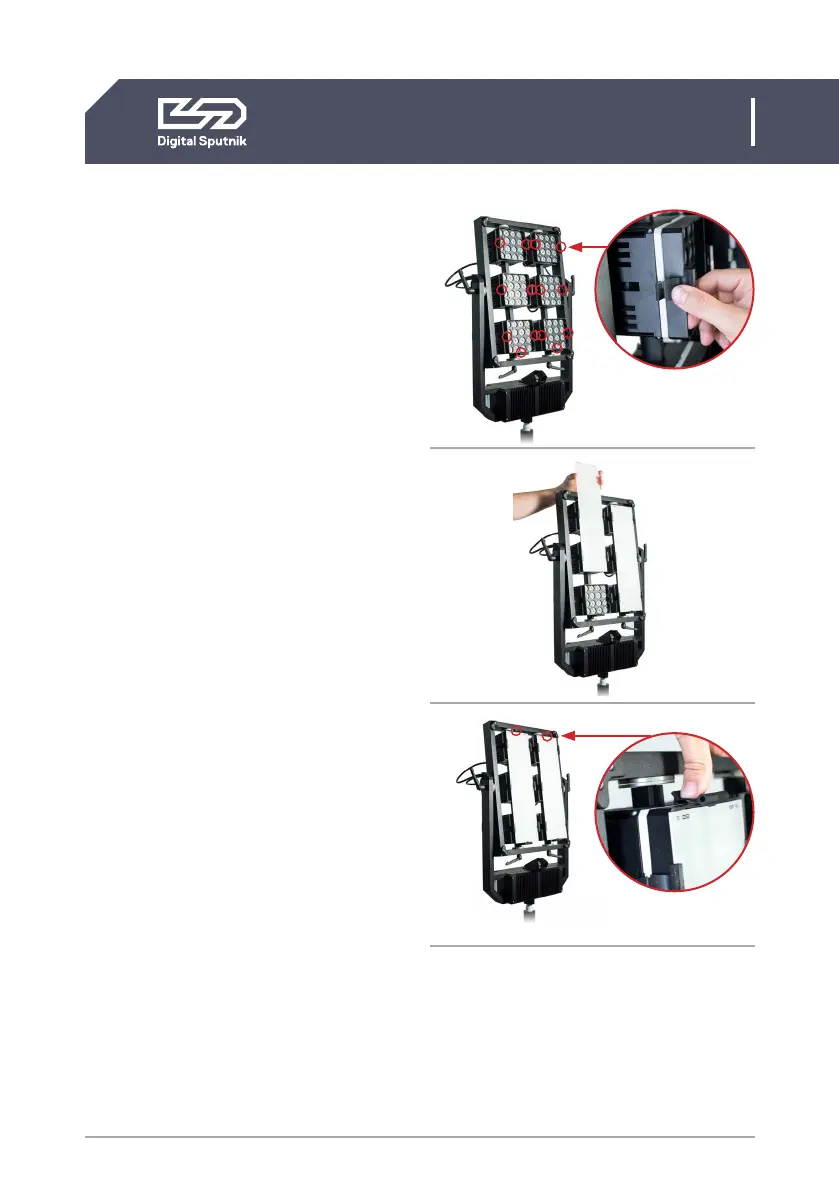
Installing diffusion
1. Start with installing the clips to the
fixture. Install the clips on the sides of
the both light module columns leaving
the middle and top ones empty for the
diffusion to run trough.
Designated slots are marked here.
When installing a Clip, hook the lip on
the middle of the ridge of the light or
wall panel and press down on the arch
of the clip extending it to click onto
the designated slot in the light or wall
panel.
2. When clips have been installed it's time
to slide the diffusion in.
Make sure that the diffusion runs
through the grooves of the clips.
3. Finally install the top clip for both
vcolumns to affirm the diffusion into
place.
To take off a clip pinch the top and bottom tab
to remove.
1
2
3


 To Next Page