13
DS6 User Manual
1. HARDWARE / PSU interface
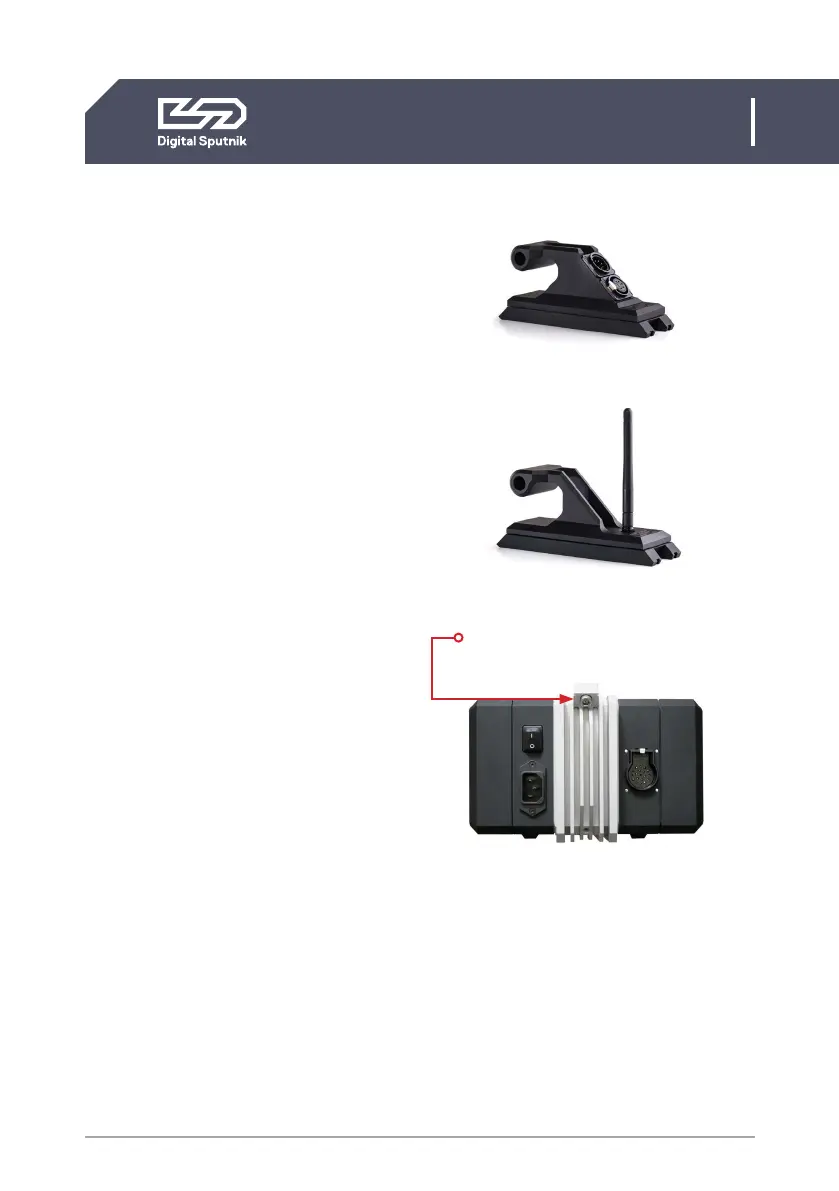
Connecting communication handles
• Connecting and detaching procedures
are the same for both wired DMX/RDM
and wireless ArtNet communication
handles.
• Turn off the PSU before connecting or
removing the communication handles.
• Communication handle does not hold
any DMX Addressing info.
• PSU can operate without communica-
tion handle being present.
Communication handle is accessible for both
DS3 and DS6 and can be instantly swapped if
needed across both platforms.
On the back of the PSU is a bolt keeping the
communication handle attached to the PSU.
To dismount, unscrew using hex key No. 5.
For the correct orientation the XLR sockets
or the Antena of the handle should be facing
the back of the PSU.
When mounting handles, make sure you
don’t over-tighten the bolt. Also, keep
contact pins on both ends clean to ensure
good connectivity.
Stacking multiple PSUs
DMX/RDM
ArtNet
A bolt keeping the communication
handle attached to the PSU.


 To Next Page