Delay
Delay records a portion of the incoming signal, and plays it back a short time later.The
recording can repeat just once or several times.
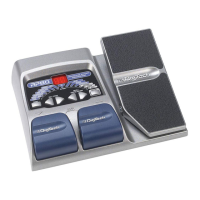
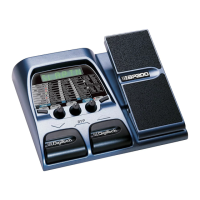
Type/Level - Rotate the AMP TYPE knob to select one of the following: Mono 1-9,
Analog 1-9,and Ping Pong 1-9,and Spread 1-9.(1-9 are varying delay levels).
Delay Time - Rotate the GAIN knob to select the delay time (10ms - 990ms,1sec -
2sec).
Delay Feedback - Rotate the MASTER LEVEL knob to adjust the amount of feedback
(repeats) (0-99,RHold).
Reverb
Using reverb in recorded program material gives the listener a sense that the material is
being performed in an actual room or hall.This similarity to actual acoustic spaces makes
reverberation a useful tool in recorded music.
Reverb Type - Rotate the AMP TYPE knob to select 1 of 10 reverb effects,or Off .
Decay - Rotate the GAIN knob to adjust the reverb decay time (1-99).
Reverb Level - Rotate the MASTER LEVEL knob to adjust the reverb level (0-99).
REV OF = Reverb Off
STUDIO = Studio
ROOM = Wood Room
CLUB = Club
PLATE = Plate
HALL = Hall
AMPTHE = Amphitheater
CHURCH = Church
GARAGE = Parking Garage
ARENA = Arena
SPRING = Spring
25



 To Next Page