© 2019 Digitrax, Inc. www.digitrax.com
6
6
Zephyr Express Front
TRACK
STATUS
FORWARD
BRAKE
REVERSE
STOP FULL
1
2
3
4
5
R
DCS 52
Set to BRAKE Set to STOP
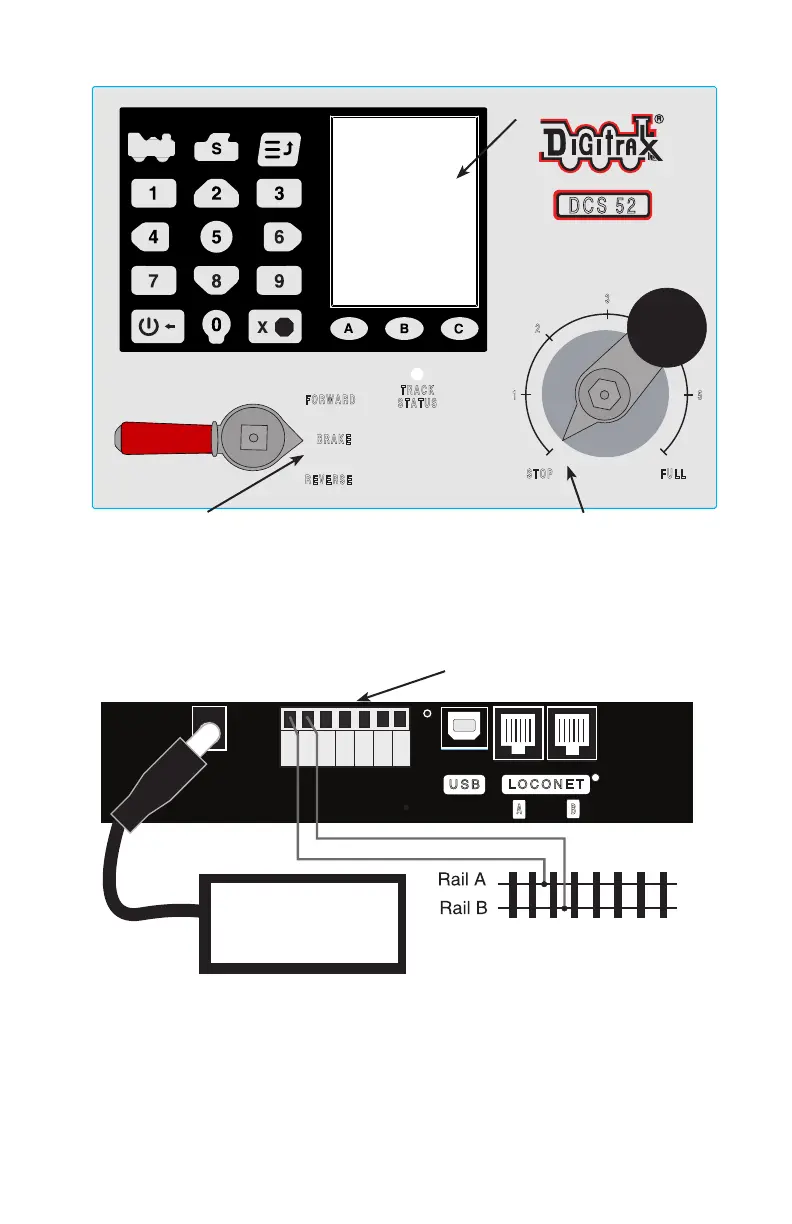
2.3 Connect Your DCS52
Zephyr Express Rear Connections
LOCONET
A B
USB
R
JUM P 1
GROUN D
RAI L B
JUM P 2
PRO G A
RAI L A
PRO G B
RESET
DC IN:
from PS314
13.8V / 3A
PS314
Screw Terminal Strip
1. Locate the gray screw terminal strip on the back of your DCS52.
2. Locate the two terminals labeled RAIL A and RAIL B on the grey termi-
nal strip. Connect wires from your track to these terminals, one for each
rail. It does not matter which rail is connected to which terminal.
Display



 To Next Page