14 www.dimplex.com
HT EN
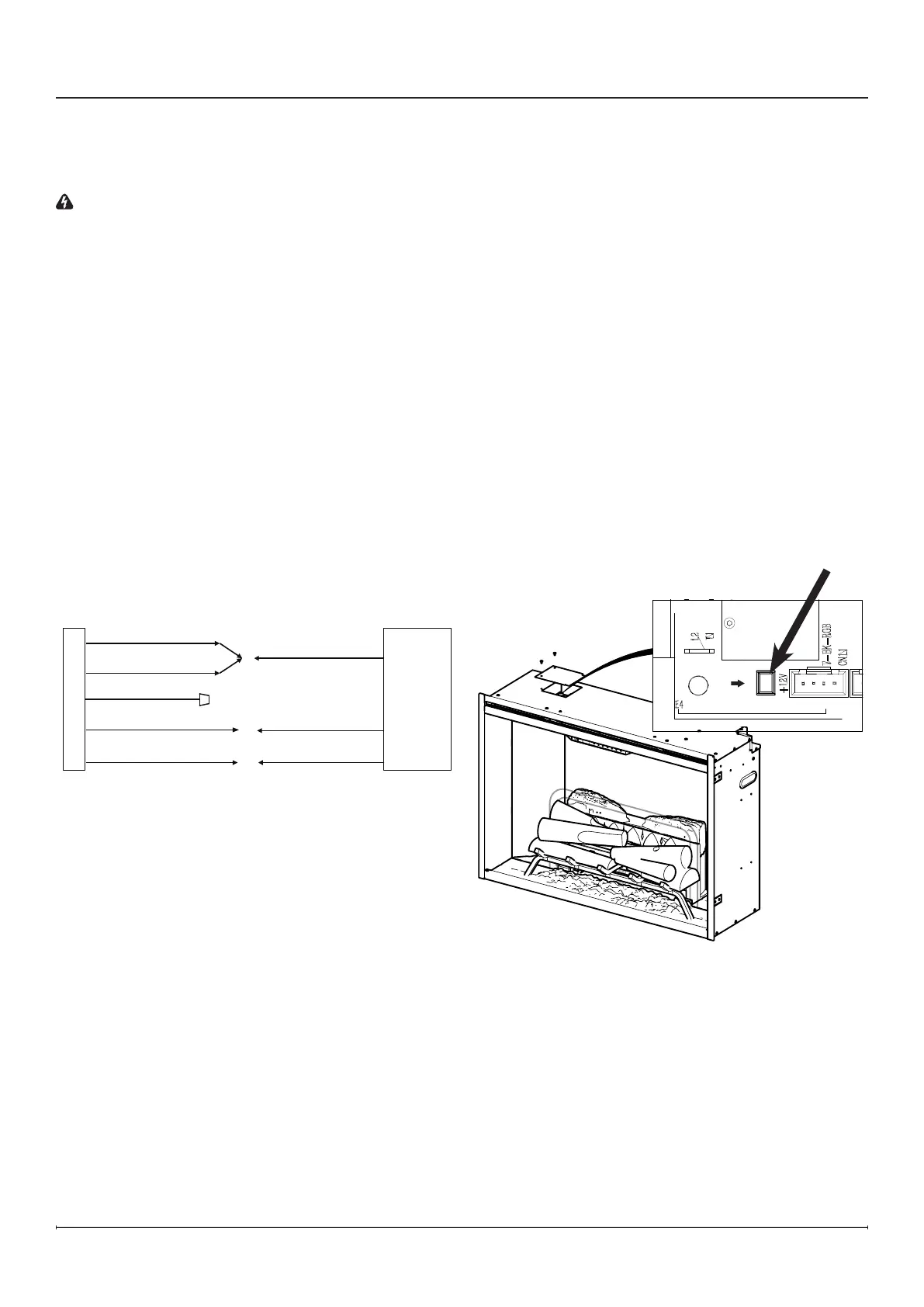
Heater Hardware Disconnect
The replace heater can be permanently disabled by
removing the electronic jumper on the main control
board.
!
NOTE: Heater hardware disconnect will permanently
disable the heater and fan. Follow these instructions
only when an installation without heat is required.
Temporary disabling of the heater can be achieved
through the hidden touch controls. See “Heat
Disable” in Operation section (page 16) for
instructions.
To disconnect the heater and fan permanently:
1. Locate and remove the panel on the top left of the
unit.
2. Pull out the heater hardware disconnect jumper
labeled “HT EN”. (Figure14)
3. Reinstall the previously removed panel.
Figure 15
Installation
Plug Kit Installation
120 V Power Cord Installation
WARNING: This heater is not intended for use with an
extension cord. Plug the cord directly into an appropriate
wall receptacle.
1. In the back right corner of the unit, locate and
remove the electrical cover plate, by removing the
two securing screws.
2. Pull out the marked wires.
3. With the provided wire connectors, connect
• L1 wire from the unit to the black (L1) wire from the
power cord;
• N and N
H
wires from the unit to white (N) wire from
the power cord;
• G wire from the unit to green (G) wire from the
power cord;
• Install a wire connector on the L2 wire.
4. Ensure that all wire connections are tight.
5. Install the junction box cover and tighten the screws.
FIREPLACE JUNCTION BOX
WHITE - N
BLACK - L1
GROUND - G
WHITE - N
BLACK - L1
GROUND - G
120 V
POWER
SUPPLY
BREAKER
PANEL
BLUE - NH
RED - L2
1 2 0 V
POW ER
C ORD
Figure 14 120 V Power Cord Installation





 To Next Page