4 Product description
SAFEONE DN3PD2 Manual 13
4.4 Switch-off delay
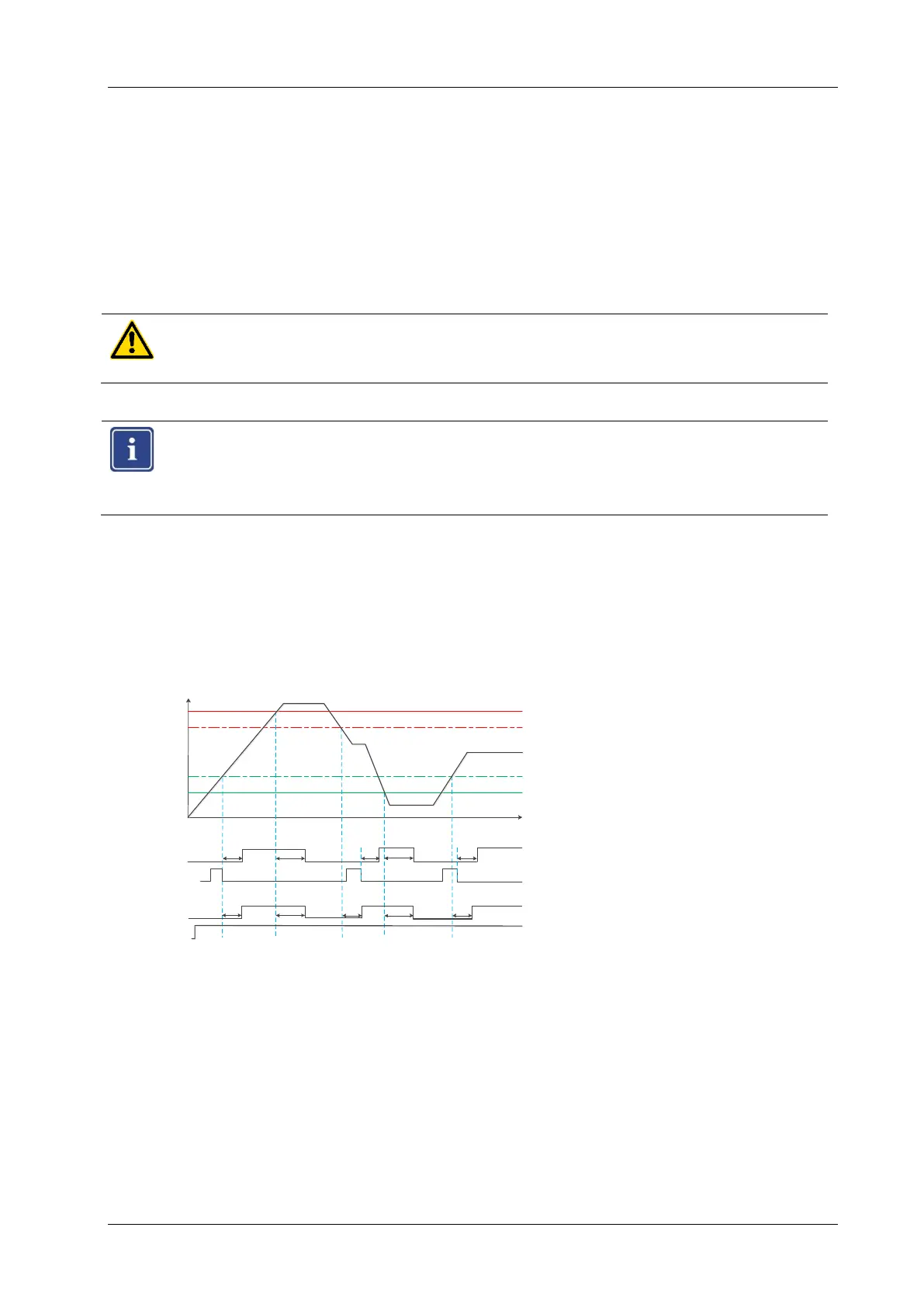
Optionally, you can set a switch-off delay tV from 0s to 2s for the enable current path. The
switch-off delay time starts if a speed limit is reached. During this time, the enable contacts re-
main closed and the "SPEED" LED flashes. When the switch-off delay time is expired, the ena-
ble current path opens.
If the speed reaches the target range during the switch-off delay time, the contacts remain
closed and the switch-off delay time is reset.
CAUTION
Note that changing the switch-off delay affects the reaction time of the safety function!
Note
The switch-off delay time is not started when the shutdown occurs due to an internal
or external fault.
4.5 Switch-on delay
Optionally, you can set a switch-on delay tE from 0s to 10s for the enable current path. The
switch-on delay time starts, if the frequency is in range and the acknowledgement is done. Dur-
ing this time, the enable contacts remain open and the "SPEED" LED flashes.
When the switch-on delay time is expired, the enable current path closes.
If you have also selected the "Start-up monitoring" function, the outputs only switch on after the
switch-on delay time has expired. Only then is the start-up monitoring active.
Hysteresis
t
Q-man
f
Q-aut o
fmax
fmin
Hysteresis
13/14, 23/24
13/14, 23/24
tV tE tV tEtE
tE tV
tE tV tE
tE = switch-on delay
tV = switch-off delay



 To Next Page