7 Configuration
SAFEONE DN3PD2 Manual 24
7.4 User interface
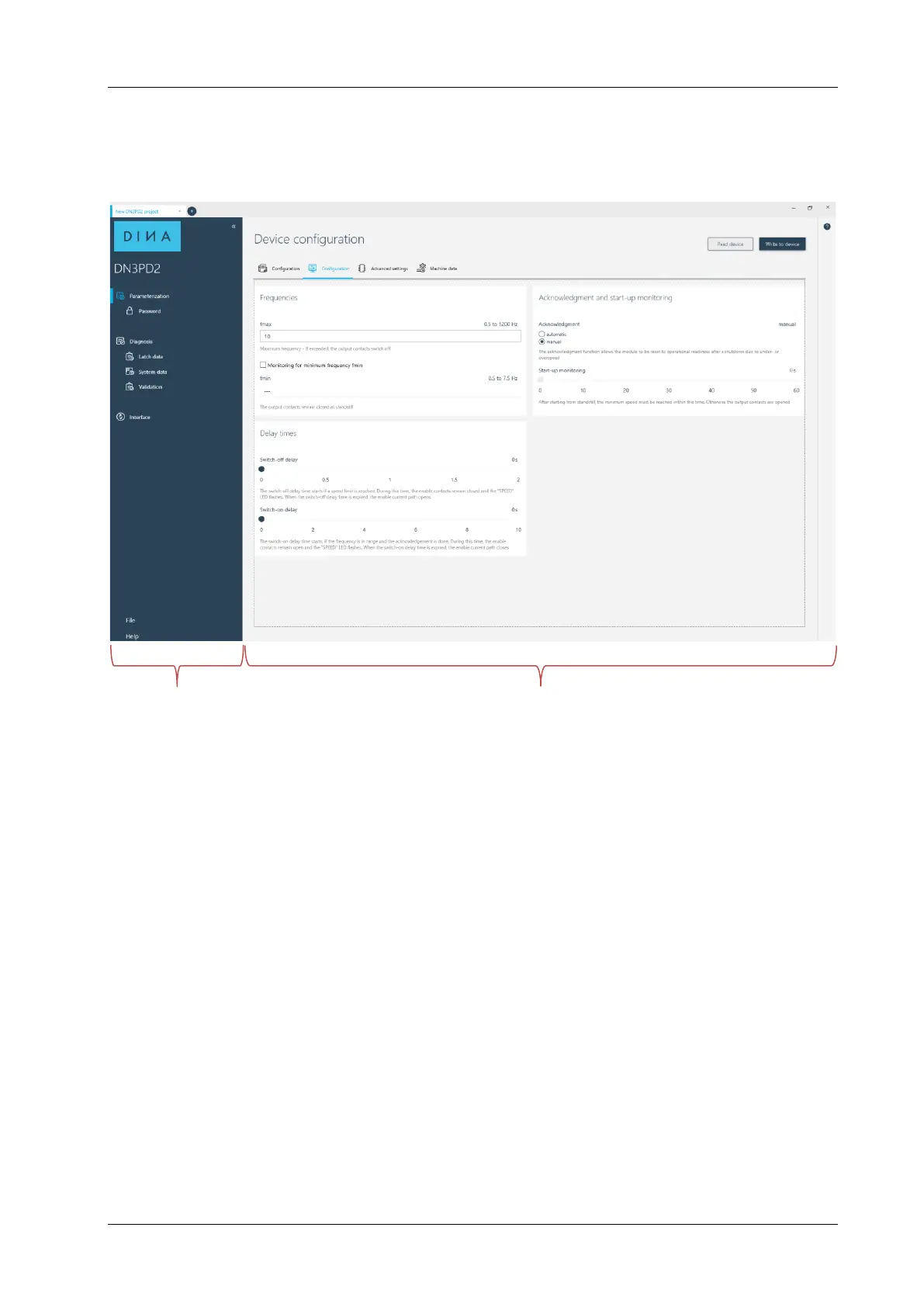
The configuration software has the following user interface.
Navigation area Edit- and Action area
Navigation area
In the navigation area you can select the following areas:
Parameterization edit parameters, password management
Diagnostics display of online values, error messages, switch-off-relevant data,
device ID, validation
Interface selection of the interface
File new creation / saving / opening / printing / closing a project
Settings display of the working directory
Help help-menu
Edit- and Action area
This area offers the following functions:
Edit parameters
Read out the parameter from the switch gear to the configuration-software
Transmit the parameter from the configuration-software to the switch gear
Help



 To Next Page