Appendix C - Installing / Replacing I/O modules
Appendix C - Installing / Replacing I/O modules
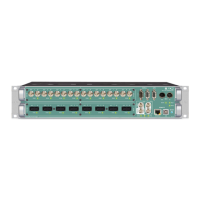
Three different modules are available to fit in to the two slots of M.1K2. If
necessary the modules may be replaced or swapped executing the following
steps.
Requirements:
• I/O module
• Screwdriver (Phillips 1)
The installation of the module does not require to open the device. The module is
inserted at the front side of the device.
ESD (Electrostatic Discharge)
The components of the module may be damaged by electrostatic discharge.
Observe the precautions (e.g. the use of an antistatic wrist strap) for the handling
of parts that are susceptible to electrical discharge.
1. Remove all cables from the device.
2. Loose both phillips screws at the left and right side of the blind plate using
the screwdriver.
3. Remove the blind plate or module at the front side of the device.
TIP!
As the device must not be operated with an opening, you may want to keep the
blind plate in case of deinstallation of the module.
4. Unpack the module from the protective bag. Touch the module at the metal
plate only.
5. Insert the module with the pins ahead into the guide rails and put it softly
into the device. To connect the pins of the module with the backplane of the
device smart pressure is needed finally.
6. Fix the metal plate of the module screwing both screws in the front panel.


 To Next Page