CHAPTER 3: Installation
Network integration
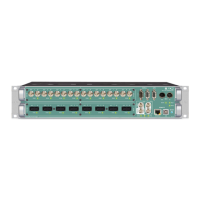
To set up your DirectOut M.1K2 initially (or after a reset) you need a working IP
connection with the controller of the device. M.1K2 is delivered with a fixed IP
address (10.0.0.24). So first you will have to change the network settings of your
computer to setup the IP connection. An online wizard will guide through all
necessary steps then.
NOTE!
For some basics about networking see page 30.
Requirements
• computer with ethernet port - access privileges to network settings required
• standard network cable (e.g. CAT5)
Installation
1. Connect M.1K2 with your computer using a standard network cable (e.g.
CAT5).
WARNING!
The network interface does not comply the requirements of IEEE 802.3af or IEEE
802.3at (aka ‘PoE - power over ethernet’). Connecting to an PoE infrastructure may
damage the device.
2. Go to to the network settings of your operating system
- Mac OS X: System settings - Network - Ethernet *
- Windows Control panel - Network and Internet - Network and
Sharing Center - Manage network connections **
* Link:
https://support.apple.com/kb/PH21632?viewlocale=en_US&locale=de_DE
** Link:
http://windows.microsoft.com/en-us/windows/change-tcp-ip-
settings#1TC=windows-7
NOTE!
It is recommended that you store your original network settings before modifying
them.


 To Next Page