page 34 of 44 M.1k2 Hardware Guide - Version 1.3
Appendix E - Firmware Update Instruction
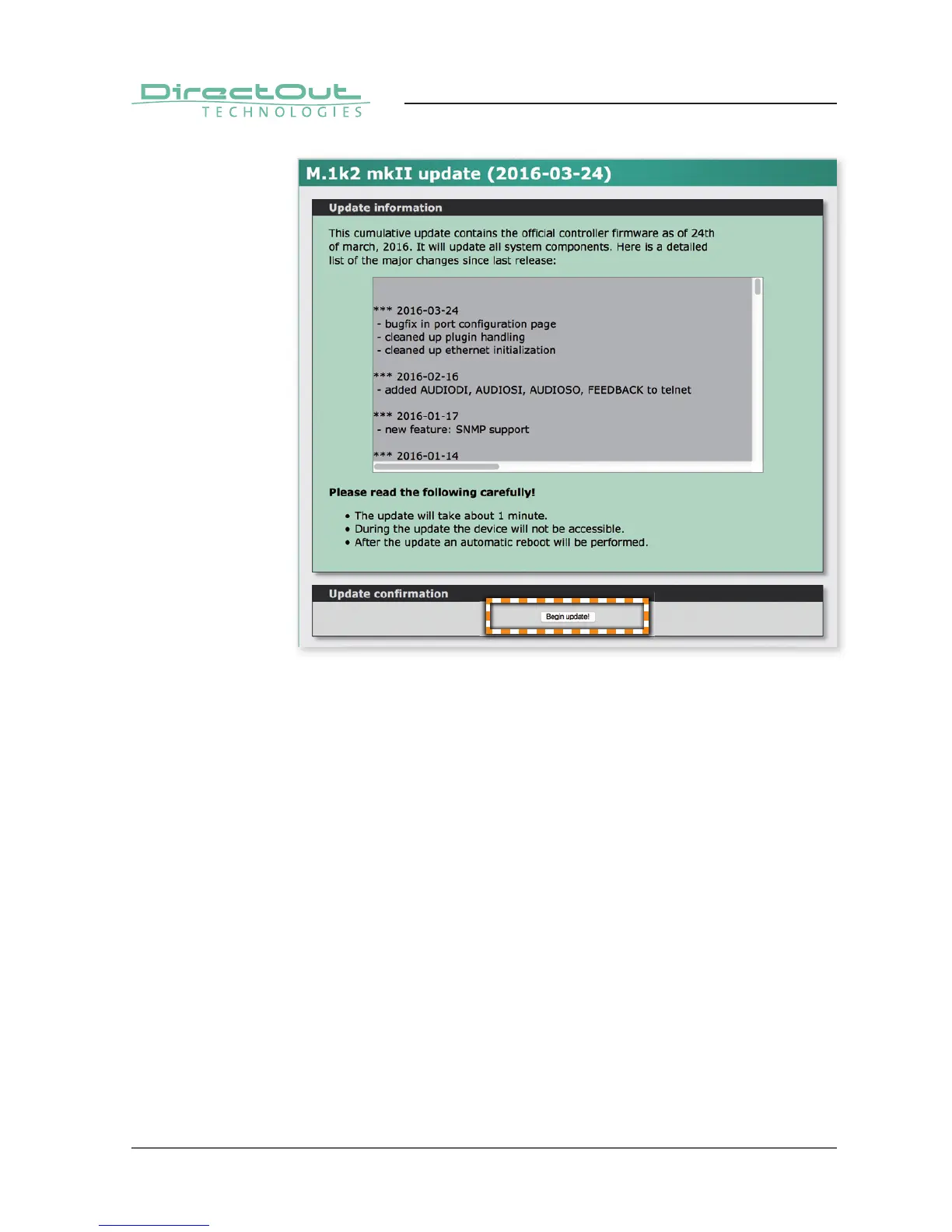
5. Select ‘Begin update’. The fi le will be uploaded, checked and detailed update
information will be shown after a few seconds. Please read this carefully!
6. Confi rm the update with ‘Begin update!’.
The update process may take several minutes. While updating the device
is not accessible and audio will not be processed. After update the device is
rebooted automatically. The network confi guration remains unchanged.
7. After the update you need to log in again. You may check the version of the
fi rmware by navigating to ‘Misc - Version’.


 To Next Page