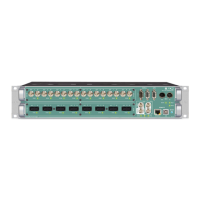
Appendix E - Firmware Update Instruction
Appendix E - Firmware Update Instruction
This instruction describes the firmware update procedure for the M.1K2.
Requirements:
• M.1K2
• Network access to the M.1K2
• Access to the admin account of the controller
NOTE!
It is recommended that you backup the configuration data of the device
(Configuration - Backup/Restore in the GUI) before performing the firmware update
procedure.
Installation
1. Download the update file (‘M.1K2 Firmware’) from the product page at
www.directout.eu
2. Open an internet browser (e.g. Chrome, Firefox) and open the GUI of the
controller. Go to ‘Configuration - Device’.
3. Go to ‘Firmware Update’ by expanding the dialog (‘+’ top right corner).
4. Select ‘Choose File’ and browse to the downloaded update file
(file extension ‘.1k2’).


 To Next Page