page 38 of 44 M.1k2 Hardware Guide - Version 1.3
Appendix F - USB Serial Driver Installation
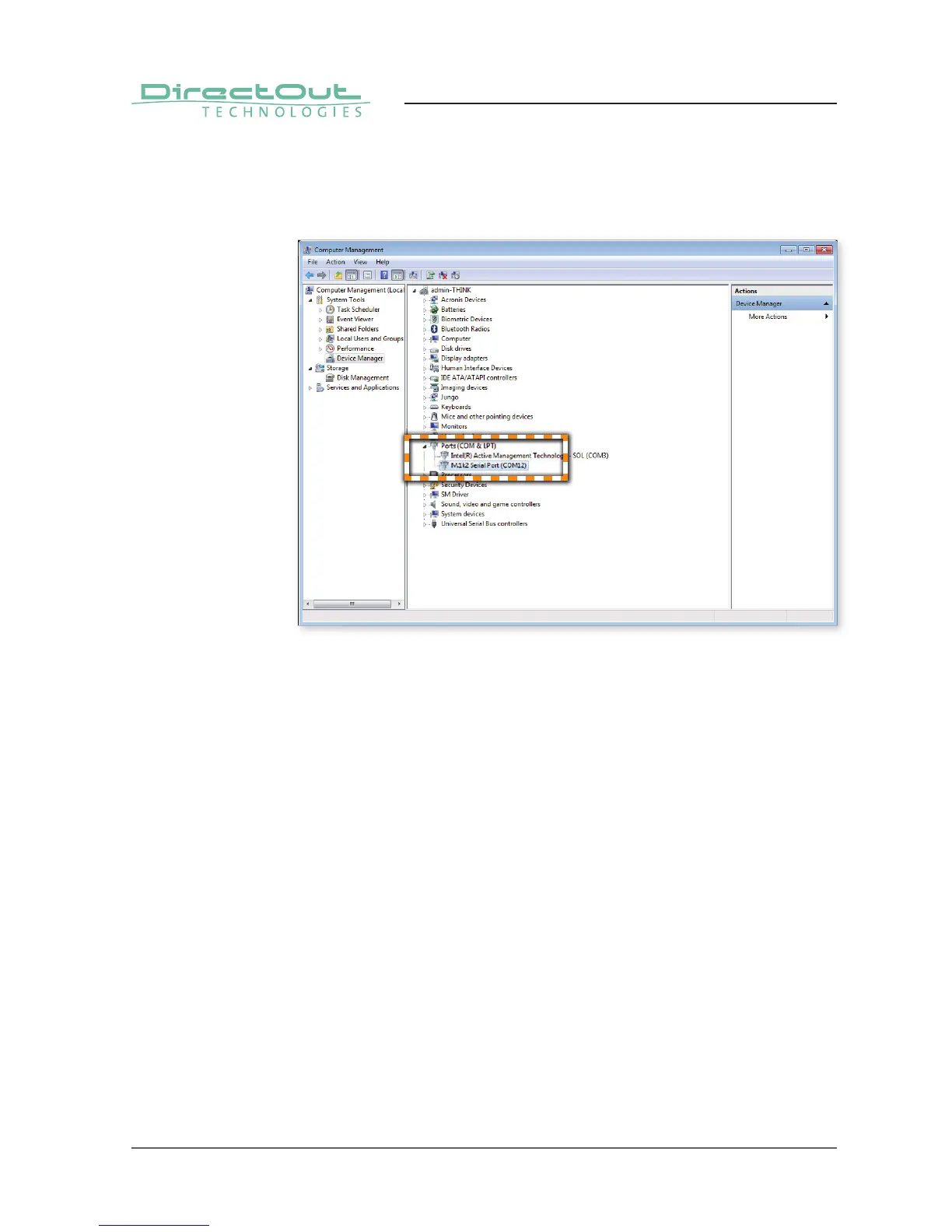
After a successful installation the ‚Device Manager‘ will show a ‚M.1K2 Serial Port‘.
The port number is assigned by Windows automatically.
Deinstallation
To uninstall the driver the device must be connected to the computer.
To remove the USB Serial driver from your system, please execute the following
instructions:
1. Open the ‘Device Manager’.
2. Select the node ‘Ports (COM & LPT)’ and decollapse it.
3. Right click on ‘M.1K2 Serial Port’
4. Select Uninstall
5. Check the ‘Delete the driver software for this device’ fi eld and click ‘OK’.


 To Next Page