page 31 of 44M.1k2 Hardware Guide - Version 1.3
Appendix D - How to - Network
24 bits are already set for the network contingent, leaving 8 bits
(2
8
= 256) left for the variable device contingent. The smallest address
192.168.74.0 defi nes the network and the biggest address 192.168.74.255
is reserved. So there are 254 different IP addresses available (192.168.74.1 -
192.168.74.254).
In a network environment each device (computer, printer, M.1K2…) needs
its own and unique IP address. This can be achieved by a manual setup or by
using a DHCP server within a network.
The use of a DHCP may ease up the administration of a network. However,
if fi xed and known addresses are a need, it is helpful to set up a network
manually.
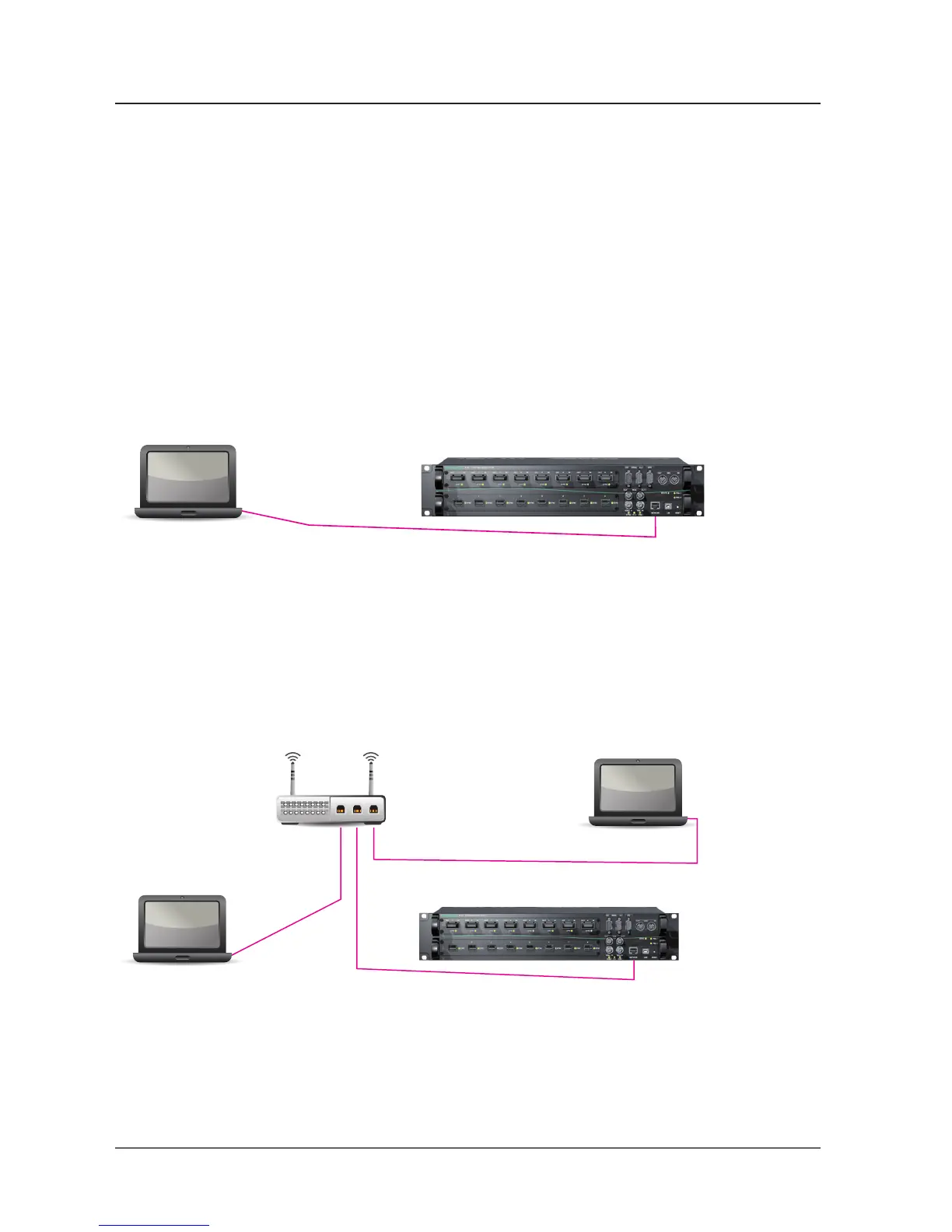
Example 1 - Peer to Peer
The devices are connected directly. This setup may be used at initial
operation of the M.1K2.
Example 2 - Network with router
Three devices are connected by a router that handles the traffi c within the
network. Each device has its own <ip address>.
IP Adress: 10.0.0.20
Network Mask: 255.255.255.0
Gateway: 10.0.0.20
DNS: 8.8.8.8
IP Adress: 10.0.0.24
Network Mask: 255.255.255.0
Gateway: 10.0.0.20
DNS 1: 8.8.8.8
DNS 2: 8.8.8.8
IP Adress: 192.168.74.2
Network Mask: 255.255.255.0
Gateway: 192.168.74.1
DNS: 8.8.8.8
IP Adress: 192.168.74.15
Network Mask: 255.255.255.0
Gateway: 192.168.74.1
DNS 1: 192.168.74.1
DNS 2: 8.8.8.8
IP Adress: 192.168.74.5
Network Mask: 255.255.255.0
Gateway: 192.168.74.1
DNS: 8.8.8.8
IP Adress: 192.168.74.1
Network Mask: 255.255.255.0
Gateway: 192.168.74.1
DNS: 8.8.8.8


 To Next Page