Page 7
Remote Control
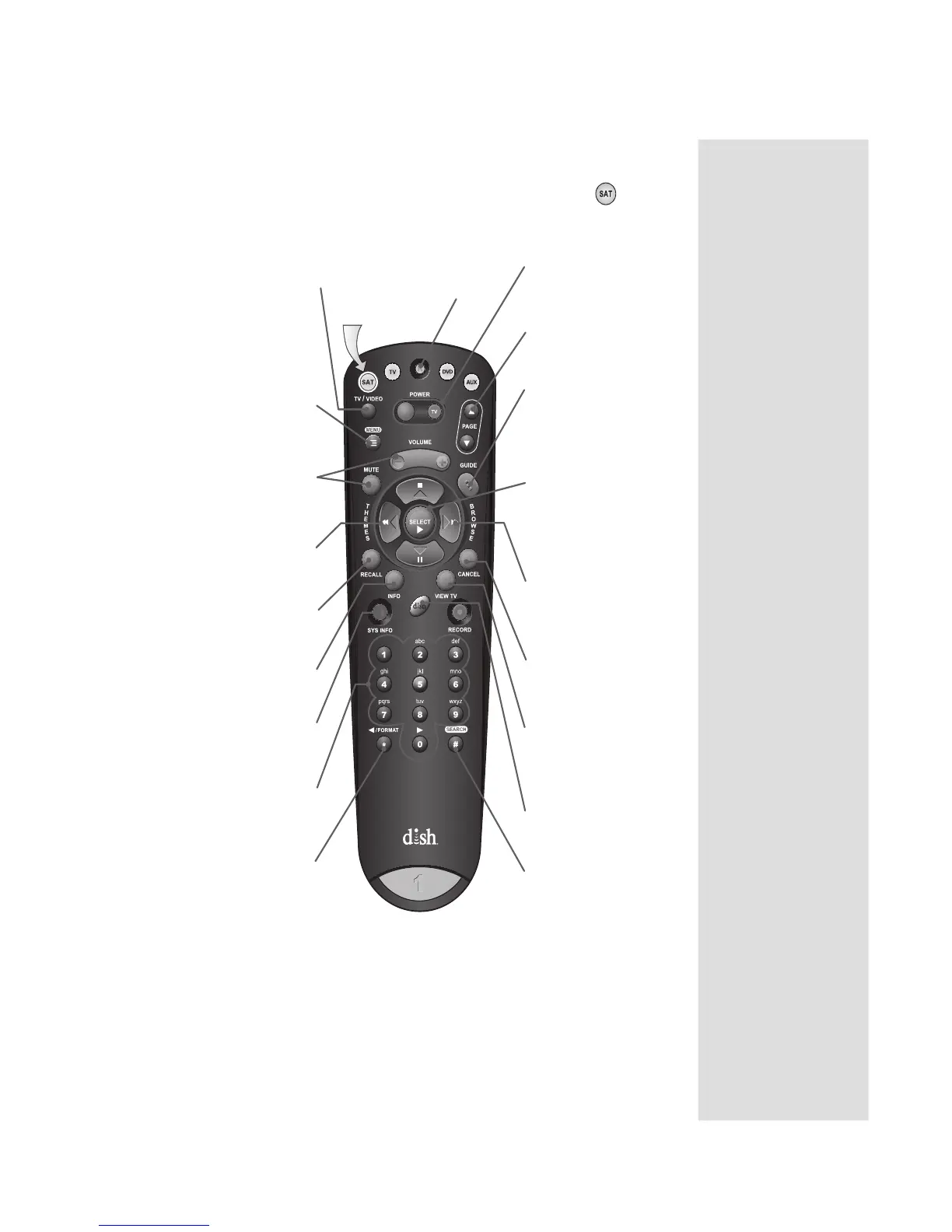
USING THE REMOTE CONTROL IN SAT MODE
Recover
Recovers satellite
programming if your
TV input or channel
has changed
Power & TV Power
Left button turns the
receiver on/off
Right button turns the
TV on/off
(Programming required)
Menu
Access receiver features
and settings
(Programming required)
Volume & Mute
Buttons
Control TV volume
(Programming required)
Themes
Search for programs
using Themes
Recall
Return to last channel
viewed
Info
Retrieve program
information
Number Buttons
Enter a channel
number or navigate
through menus
Page Buttons
Page up/down in menus
& display options
Guide
Display current and
future satellite
program listings and
information
Arrows/Select
Buttons
Channel up/down,
moves through
menus/guides, and
selects options
Browse
View what is on other
channels while
watching TV
View TV
Exit out of any
menu/guide and return
to viewing live TV
DISH
Explore interactive
TV services
To use the features as described in this section, make
sure you are in SAT mode by pressing the SAT Mode button.
Be sure to program the remote to control your TV so
you can use the TV Power, Volume, and Mute buttons.
See the instructions starting on page 11.
Sys Info
Retrieve information
about the system
TV/Video
Switches receiver between
satellite signal (when
connected to SATELLITE
IN port) and video signal
(when connected to TV
ANTENNA/CABLE IN input)
Format/Star
Backspace while using
Search function
Search/Pound
Display Search screen
Cancel
Return to previous menu
or to watching a program
Press this
button for
SAT Mode











 To Next Page