Page 8
Chapter 2
Parts of the System
U
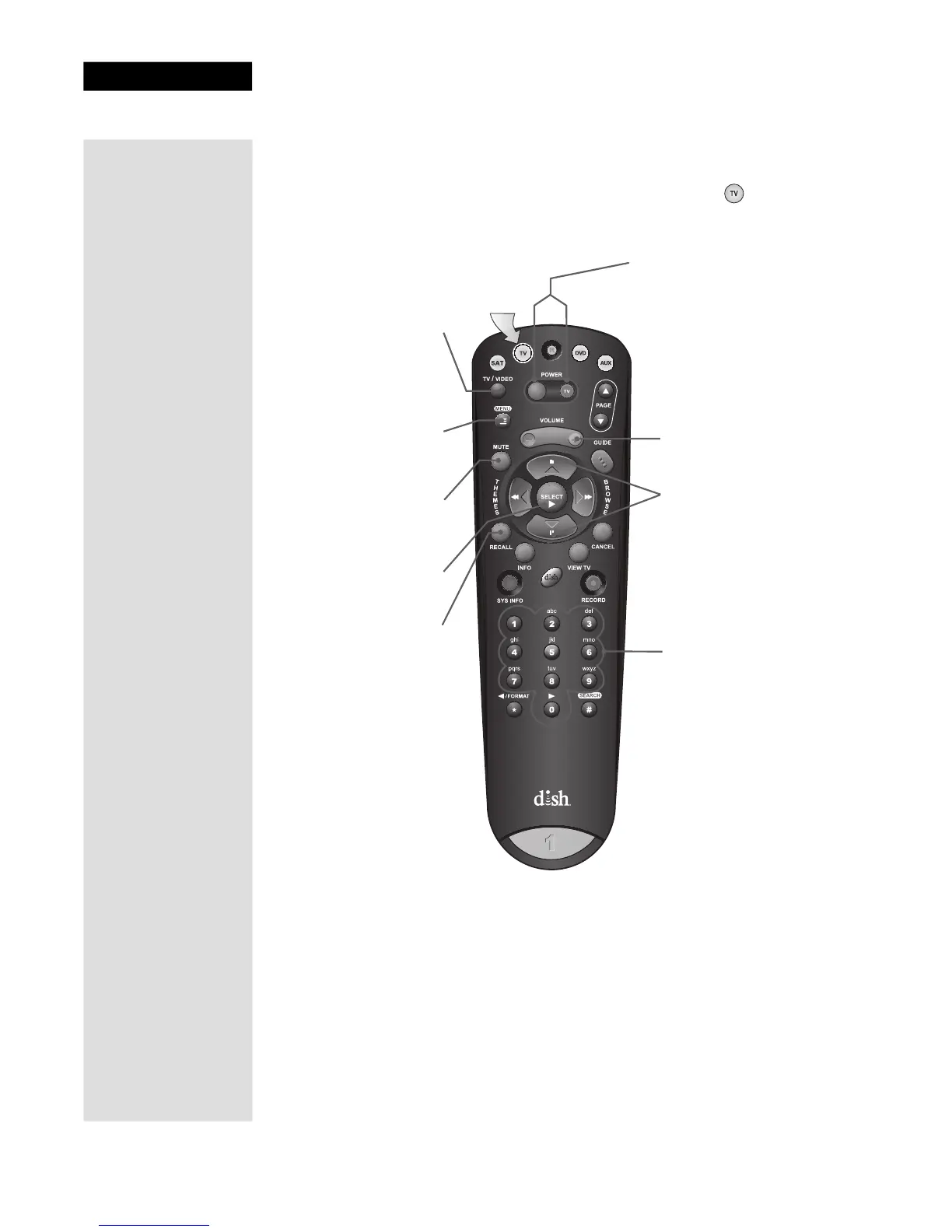
SING THE REMOTE CONTROL IN TV MODE
Press this
button for TV
Mode
TV/Video
Switches between TV
inputs (available only for
certain makes and
models of TVs)
Menu
Access menu features
available on some TVs
Mute
Turn TV volume on
or off
Recall
Returns to last TV
channel viewed
Number Buttons
Enter a desired channel
number on TV
Volume Button
Control TV volume
Up/Down Arrow
Buttons
Channels up/down
on TV
To use the features as described in this section, make
sure you are in TV mode by pressing the TV Mode button.
Be sure to program the remote to control your
TV as described on page 11.
Select
Select a desired option
Power & TV Power
Left button turns the TV on/off
Right button turns the TV on/off











 To Next Page