Page 10
Chapter 2
Parts of the System
C
HANGING THE REMOTE CONTROL ADDRESS
The remote control and receiver can operate on any one of 16 addresses;
however, they must both be on the same address for the remote to control the
receiver. This section explains how to change the address in both devices.
Note: Do not change the address of the remote unless absolutely necessary
because the remote cannot control the receiver if the two devices have different
addresses.
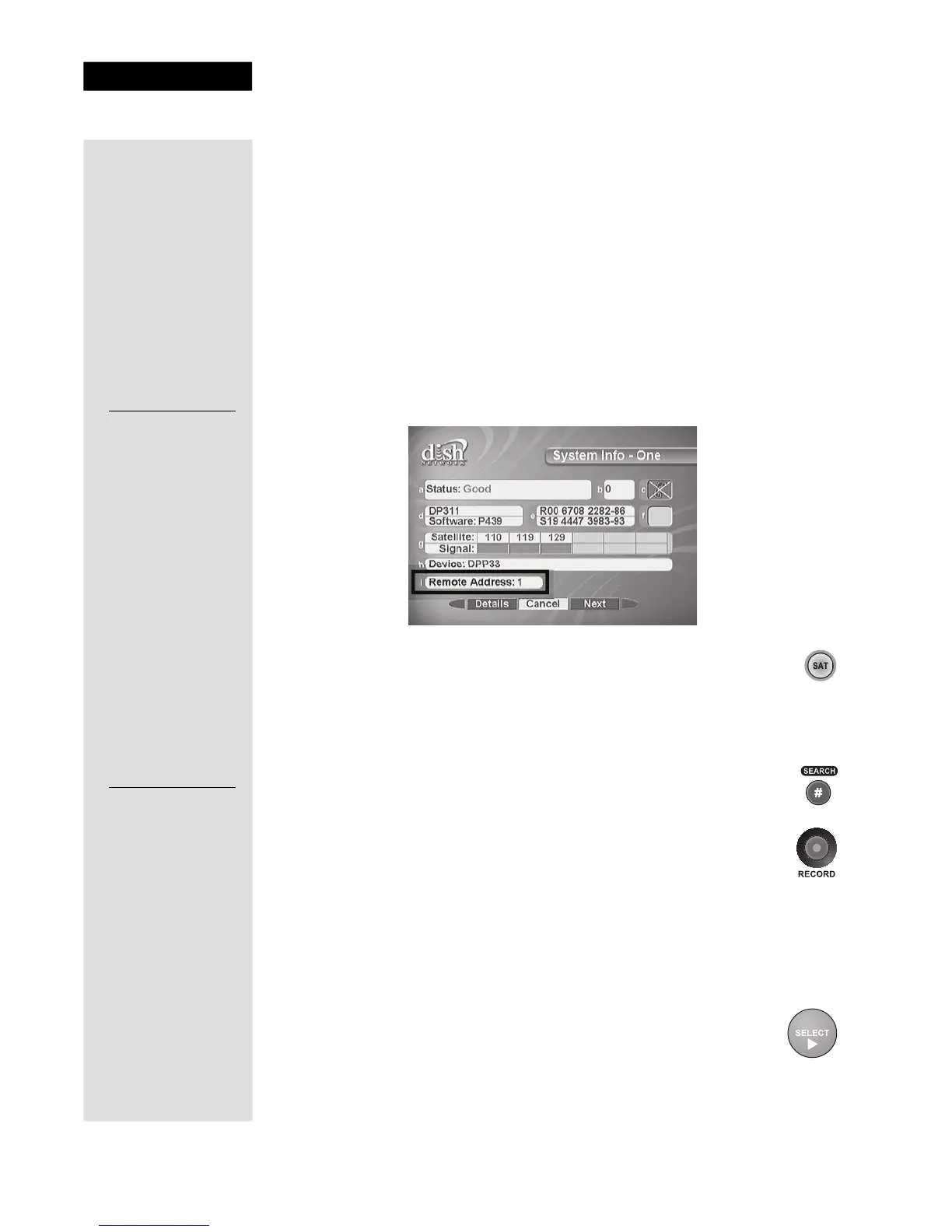
1. Turn the receiver OFF, and press either CHANNEL UP or DOWN on the
front panel to display the
System Info - One screen. Note the current
Remote Address shown on your TV screen in the space provided to the
left.
7
2. Press and hold the SAT mode button until all four mode buttons
light up. Release the SAT mode button.
3. Use the number buttons to enter a new number from 1 to 16.
Write the new address in the space provided on the side of this
page.
4. Press the POUND button. If the address you entered is valid for
the remote control, the SAT mode button flashes three times.
5. Point the remote at the receiver and press the RECORD button.
The Remote Address on the
System Info - One screen should
match the one you entered.
Note: If the Remote Address does not change on the System Info
- One screen, press the RECORD button again.
6. To check the address programmed in the remote, press and hold the SAT
mode button for three seconds. Then press the POUND button twice. The
SAT mode button flashes the same number of times as the address.
7. Press the SELECT button to exit the
System Info - One screen.
Current Remote
Control Address:
New Remote
Control Address:











 To Next Page