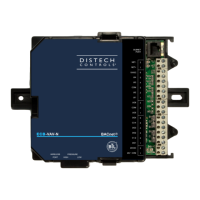
EasyManua.ls Logo

Distech Controls ECB-PTU Series - User Manual

Distech Controls ECB-PTU Series
24 pages
Print Icon
To Next Page IconTo Next Page
Loading...
ECB-PTU Series
Product Description
This document describes the hardware installation procedures for the ECB-PTU Series BACnet controllers.
The Distech Controls ECB-PTU Series controllers are designed to control and monitor powered terminal units such as powered fan coil units, heat
pumps, chilled ceilings and small air handling units.
This product line includes the following controllers: ECB-PTU-107, ECB-PTU-207, ECB-PTU-208, ECB-PTU-307, and ECB-PTU-308.
The ECB-PTU Series are compatible with the ECx-Light/Blind lighting and sunblind expansion modules (refer to the ECx-Light/Blind Series Expansion
Modules Hardware Installation Guide).
Each controller uses the BACnet® MS/TP LAN communication protocol.
This document describes the hardware installation procedures for the following controllers: ECB-PTU-107, ECB-PTU-207, ECB-PTU-208, ECB-PTU-307
and ECB-PTU-308.
These controllers are all built on a similar platform but have different numbers of inputs and outputs. Moreover, each
individual model has different amounts of digital and/or analog outputs. For more information on the specific layout
and functionality of each controller, please refer to their individual datasheets and user guides.
General Installation Requirements
For proper installation and subsequent operation of the device, pay special attention to the following recommendations:
£ It is recommended that the controller(s) be kept at room temperature for at least 24 hours before installation to allow any condensation that may
have accumulated due to low temperature during shipping/storage to evaporate.
£ Upon unpacking, inspect the contents of the carton for shipping damages.
Do not install a damaged device.
£ The controller should be installed in an appropriate ventilated enclosure with minimum dimensions 240 x 240 x 100 mm.
£ Avoid areas where corroding, deteriorating, or explosive vapors, fumes or gases may be present.
£ Allow for proper clearance around the controller’s enclosure, wiring terminals, and service pin, in order to provide easy access for hardware configu-
ration, and in order to ventilate the heat generated by the controller.
£ Orient the controller with the ventilation slots towards the top to permit proper heat dissipation. When installed in an enclosure, select one that pro-
vides sufficient surface area to dissipate the heat generated by the controller and by any other devices installed in the enclosure. A metal enclosure
is preferred. If necessary, provide active cooling for the enclosure.
£ The device’s datasheet specifies the power consumption (amount of heat generated), the operating temperature range, and other environmental
conditions the device is designed to operate under.
£ Ensure that all equipment is installed according to local, regional, and national regulations.
I n s t a l l a t i o n G u i d e

Questions and Answers

Summary

Product Description and Requirements

General Installation Requirements

Recommendations for proper installation, including temperature, unpacking, enclosure, and clearances.

Device Markings

Explains common symbols found on devices, their meanings, and certifications.

Installation Procedures

General Wiring Recommendations

Guidelines for safe and effective wiring, including power, network, and signal connections.

Mounting Instructions

Details on how to mount the controllers, including DIN rail and wall mounting methods.

Device Dimensions

Physical dimensions of the controller, shown in front and side views.

Controller Wiring

Power Wiring

Information on voltage, consumption, and required circuit breaker/fuse protection.

Input Wiring

Configuration and connection methods for various input types (Digital, Voltage, Resistive, Pulse).

Output Wiring

Details on wiring analog, digital relay, and triac outputs for different applications.

Communications Wiring

Requirements for BACnet MS/TP network setup, cable type, and polarity.

Commissioning and Configuration

Setting the Allure EC Smart Vue Subnet ID

Steps to configure the Subnet ID on the EC-Smart-Vue sensor for commissioning.

Commissioning ECB-PTU Series Controllers

Procedure to set the controller's BACnet MAC Address using the EC-Smart-Vue sensor.

Setting the BAUD Rate

How to set or automatically detect the BAUD rate for BACnet MS/TP communication.

Wireless and Accessories

Wireless Installation

Connecting wireless devices to the controller via a Wireless Receiver.

Strain Relief and Terminal Block Cover

Installation and removal of strain relief and terminal block covers for wiring management.

Disposal and Compliance

Disposal

Information on product disposal according to WEEE Directive and local regulations.

FCC Statement

FCC compliance statement regarding digital device emissions and interference.

Complementary Information

Additional technical data, EMC immunity, and product repair information.

Wiring Diagrams

Typical ECB-PTU-107 Wiring Diagram

Detailed wiring diagram for the ECB-PTU-107 model, showing inputs and outputs.

Typical ECB-PTU-207 Wiring Diagram

Detailed wiring diagram for the ECB-PTU-207 model, showing inputs and outputs.

Typical ECB-PTU-208 Wiring Diagram

Detailed wiring diagram for the ECB-PTU-208 model, showing inputs and outputs.

Typical ECB-PTU-307 Wiring Diagram

Detailed wiring diagram for the ECB-PTU-307 model, showing inputs and outputs.

Typical ECB-PTU-308 Wiring Diagram

Detailed wiring diagram for the ECB-PTU-308 model, showing inputs and outputs.

Troubleshooting Guide

Controller Power Issues

Troubleshooting steps for when the controller does not turn on, checking fuses and power.

Network Communication Problems

Diagnosing issues with BACnet MS/TP network communication, wiring, and addressing.

Input;Output Operation Issues

Resolving problems with hardware inputs not reading correctly or outputs not operating.

Wireless Device Issues

Troubleshooting common problems with wireless devices not associating or communicating.

Overview

The Distech Controls ECB-PTU Series controllers are advanced BACnet devices designed for the control and monitoring of various powered terminal units, including fan coil units, heat pumps, chilled ceilings, and small air handling units. This product line encompasses models such as the ECB-PTU-107, ECB-PTU-207, ECB-PTU-208, ECB-PTU-307, and ECB-PTU-308, all built on a similar platform but varying in the number of inputs and outputs, as well as digital and/or analog output configurations. These controllers are compatible with ECx-Light/Blind lighting and sunblind expansion modules, enhancing their versatility in building automation systems. Communication is facilitated via the BACnet MS/TP LAN protocol.

Technical Specifications:

  • Power Supply: 100-240 VAC, -15%/+10%, 50/60 Hz.
  • Overvoltage Category: II - 2.5 kV.
  • Typical Consumption: Varies by model, ranging from < 0.9 W to < 2.6 W plus all external loads.
  • Max. Consumption: Varies by model, ranging from 3.5 A to 4.0 A.
  • Protection: Requires an external circuit breaker type C (4.0 A) or a 4.0 A fast-acting high breaking external fuse (250 VAC min) for mains protection.
  • Input Wiring: Supports six physical inputs (Universal, Digital, or Sensor Inputs).
    • Digital Inputs (Six – DIx – Six): Used for monitoring digital dry contacts (NO-NC).
    • Voltage Inputs (Ulx): Range of 0 to 10 Vdc, requiring an externally powered transducer.
    • Resistive Inputs (Ulx - Slx): Monitors 10kΩ type II, type III, and type Z NTC sensors.
    • Pulse Inputs (Ulx - DIx - Slx): Connects to pulse meters that can pull-down a +5 VDC supply with a 10 kΩ pull-up resistor.
    • Input Cable Requirements: Connectors accept cables up to 1.5 mm² (16 AWG).
  • Output Wiring: All outputs are software-configurable.
    • Analog Outputs (AOx): Configurable for discrete 0 or 12 VDC signals or linear 0 to 10 VDC signals. Can generate PWM or two-state signals. Connectors accept wires between 0.75 mm² (18 AWG) and 1.5 mm² (16 AWG).
    • Digital Powered Relay Outputs (DO1, DO2 & DO3): Three fan relay contact outputs, switching up to 3 A (inductive/resistive) for fan speed control up to 240 VAC. Normally open. Connectors accept wires between 1 mm² (17 AWG) and 1.5 mm² (16 AWG).
    • Digital Relay Contact Outputs (Heater):
      • ECB-PTU-107, ECB-PTU-207, ECB-PTU-208, ECB-PTU-308: One relay contact output (DO4-C4), switching up to 9 A (resistive) for electric heater control up to 255 VAC (e.g., 2 kW @ 230 VAC).
      • ECB-PTU-307: Two relay contact outputs (DO4-C4 and DO11-C11), switching up to 6 A (resistive) for electric heater control up to 255 VAC (e.g., 1.4 kW @ 230 VAC).
      • Normally open. Unpowered, requiring the same Live conductor as the controller. Connectors accept wires between 1.5 mm² (16 AWG) and 2.5 mm² (14 AWG). Requires a 10 A fast-acting, high-breaking fuse for protection.
    • Digital Triac Outputs: Provide either the same voltage as the power supply (100-240 VAC) or 24 VAC. Used for two-state equipment control or PWM control of valve/damper actuators. Connectors accept wires between 1 mm² (17 AWG) and 1.5 mm² (16 AWG). ECB-PTU-208 and ECB-PTU-308 models have built-in short circuit protection for onboard 24 Vac outputs.
  • BACnet MS/TP Network: Requires Distech Controls 0.5 mm² (24 AWG) stranded, 3-wire shielded cable. Polarity sensitive. Daisy-chain topology only. First and last devices require EOL resistors enabled. Max 50 devices per segment.
  • Device Instance (DevID): Automatically configured based on MAC Address: DevID = 364 * 1000 + MAC.
  • Operating Temperature Range: Specified in the device's datasheet.
  • EMC Immunity: Passed using 230 VAC and 0.5 A.
  • Ball Pressure Test Temperature: 167°F (75°C).
  • SELV: Does not exceed 42 VDC.
  • Maximum Accessible Voltage: 16 VDC.
  • Cables: All traveling cables permanently installed present an X type anchor. All cables must operate above 176°F (80°C).

Usage Features:

  • Mounting: Can be mounted on a DIN rail or directly on a panel/wall using four mounting holes (0.28" x 0.15" / 7.2 mm x 4 mm). Requires sheet metal, thread forming, or self-tapping screws.
  • Orientation: Must be mounted horizontally with the back attached to a vertical wall surface to ensure proper heat dissipation. Vertical mounting is forbidden.
  • Enclosure: Requires installation in an appropriate ventilated enclosure with minimum dimensions of 240 x 240 x 100 mm. A metal enclosure is preferred, and active cooling may be necessary.
  • Wiring: All wiring must comply with electrical wiring diagrams, national, and local electrical codes. Terminal connectors are used for wiring, tightened with a small flat screwdriver (strip length: 0.25" / 6 mm, max torque 0.4 Nm / 3.45 in-lb). Power type cables should be kept separate from other wiring to avoid noise. Universal inputs, analog/digital outputs, and common terminals should not be connected to earth or chassis ground unless specified. Input/output wiring should be in conduits, trays, or close to the building frame.
  • Double Insulation: Installation must maintain double insulation integrity.
  • Wireless Connectivity: Can connect to a Wireless Receiver (available in 315 MHz or 868.3 MHz frequencies) using a 2m (6.5ft) telephone cable with 4P4C modular connectors. Supports various wireless devices like temperature sensors, duct sensors, window/door contacts, and light switches.
  • Commissioning:
    • MAC Address Setting: Set via a DIP switch on the faceplate (sum of ON switch values, 1-127 recommended). Alternatively, if the DIP switch is set to 0, an Allure EC-Smart-Vue sensor can be used. Controller must be power cycled after MAC address change.
    • Subnet ID Setting: For Allure EC-Smart-Vue sensors, the default Subnet ID is 1. If different, it can be changed via the sensor's menu (password 9995) to match the controller's Subnet ID.
    • BAUD Rate Setting: Default is AUTO-detection. At least one controller on the network must have a fixed BAUD rate. Can be set via the Allure EC-Smart-Vue sensor's menu (password 9995).
  • Strain Relief and Terminal Block Cover: Optional peripherals for large enclosures to relieve wiring tension and conceal terminals. Installed under the bottom part of the enclosure. Not compatible with DIN rail mounting.

Maintenance Features:

  • Troubleshooting Guide: Provides solutions for common issues such as:
    • Controller not turning on (blown fuse).
    • BACnet MS/TP network communication problems (incorrect wiring, termination, Max Master parameter, duplicate MAC/Device IDs).
    • Communication issues on large networks (length, wire type, termination, number of controllers).
    • Incorrect hardware input readings (wiring, open/short circuit, configuration, over-voltage/current).
    • Hardware output not operating correctly (blown fuse, wiring, configuration, 0-10V output polarity).
    • Wireless device issues (not associated, power discharge, range, configuration).
  • Status LED Blink Patterns:
    • One fast blink: Initialization/starting up.
    • Fast blink continuous (150ms On, 150ms Off): Firmware upgrade in progress.
    • Always OFF: Normal operation.
    • Long Long Long blink (800ms On, 300ms Off, 800ms On, 300ms Off, 800ms On): Device not receiving BACnet token (check MAC, BAUD rate, Max Master).
    • Short Short Long blink (150ms On, 300ms Off, 150ms On, 300ms Off, 800 ms On): Poor-quality power/brown-out.
    • Short Long blink (150ms On, 300ms Off): Invalid MAC address (zero or higher than Max Master).
  • Rx/Tx LEDs:
    • RX LED not blinking: No data received from BACnet MS/TP bus.
    • TX LED not blinking: No data transmitted onto BACnet MS/TP bus.
  • Disposal: Products are marked with the WEEE symbol, indicating they should not be disposed of in municipal waste and must be handled according to local regulations at the end of their useful life.
  • Repairability: This product is not repairable. Malfunctioning devices must be returned to Distech Controls.

Distech Controls ECB-PTU Series Specifications

General IconGeneral
BrandDistech Controls
ModelECB-PTU Series
CategoryController
LanguageEnglish

Related product manuals