84 Network Guide
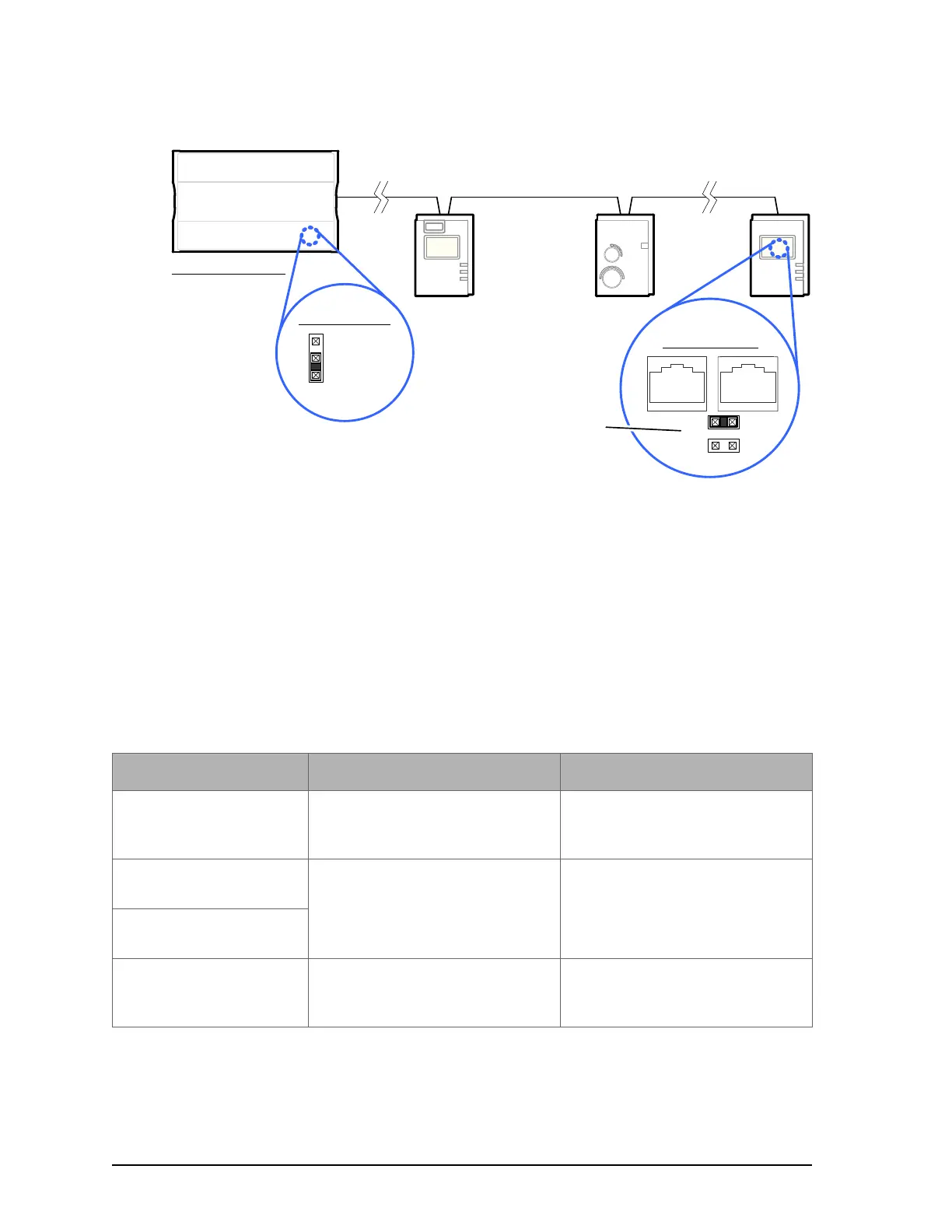
Figure 54: Setting the EOL Terminations on the Allure Series sensor Subnetwork Data Bus for the ECB/
ECL-600
If an ECx-4XX Series I/O Extension Module is used with both a Cat 5e room device and an
ECB/ECL-600 controller, see 2-Wire Subnetwork Data Bus on page 92 for how to set the EOL
terminations.
Setting the Subnet ID Addressing for Room Devices
Each type of room device connected to a controller's Subnet Port must be set to a unique sub-
net ID address. The permitted subnet ID addressing range according to controller model is
shown in Table 16. The method to use to set a room device's subnet ID address is shown in
the table below.
Cat 5e Cable Subnetwork Bus
Controller Series:
· ECB-600
· ECL-600
For ECB-600 / ECL-600, set the
Subnetwork EOL to ON
EOL OFF
EOL ON
Inside
ECB/ECL-600
EOL set to ON
at the last
sensor at the
end of the Bus
ON
EOL
OFF
Back of Allure
EC-Smart-Vue
Table 19: Subnetwork Module Compatibility and Maximum Supported Quantity Chart
Room Device Type Configuration Method See
Allure EC-Smart-Vue
series
Configured in an on-screen menu. Setting the Allure EC-Smart-Vue
Sensor's Subnet ID Addresson
page 98.
Allure EC-Smart-Comfort
series
Dip Switch located next to the RJ-
45 subnet connectors
Setting the Allure EC-Smart-Air
and EC-Smart-Comfort Commu-
nicating Sensor Series' Subnet ID
Address on page 86
Allure EC-Smart-Air
series
EC-Multi-Sensor series Rotary selector located next to
the RJ-45 subnet connector
Setting the EC-Multi-Sensor
Series' Subnet ID Address on
page 88.











 To Next Page