3Connections and operating elements
Operating Instructions
Connections and operating elements
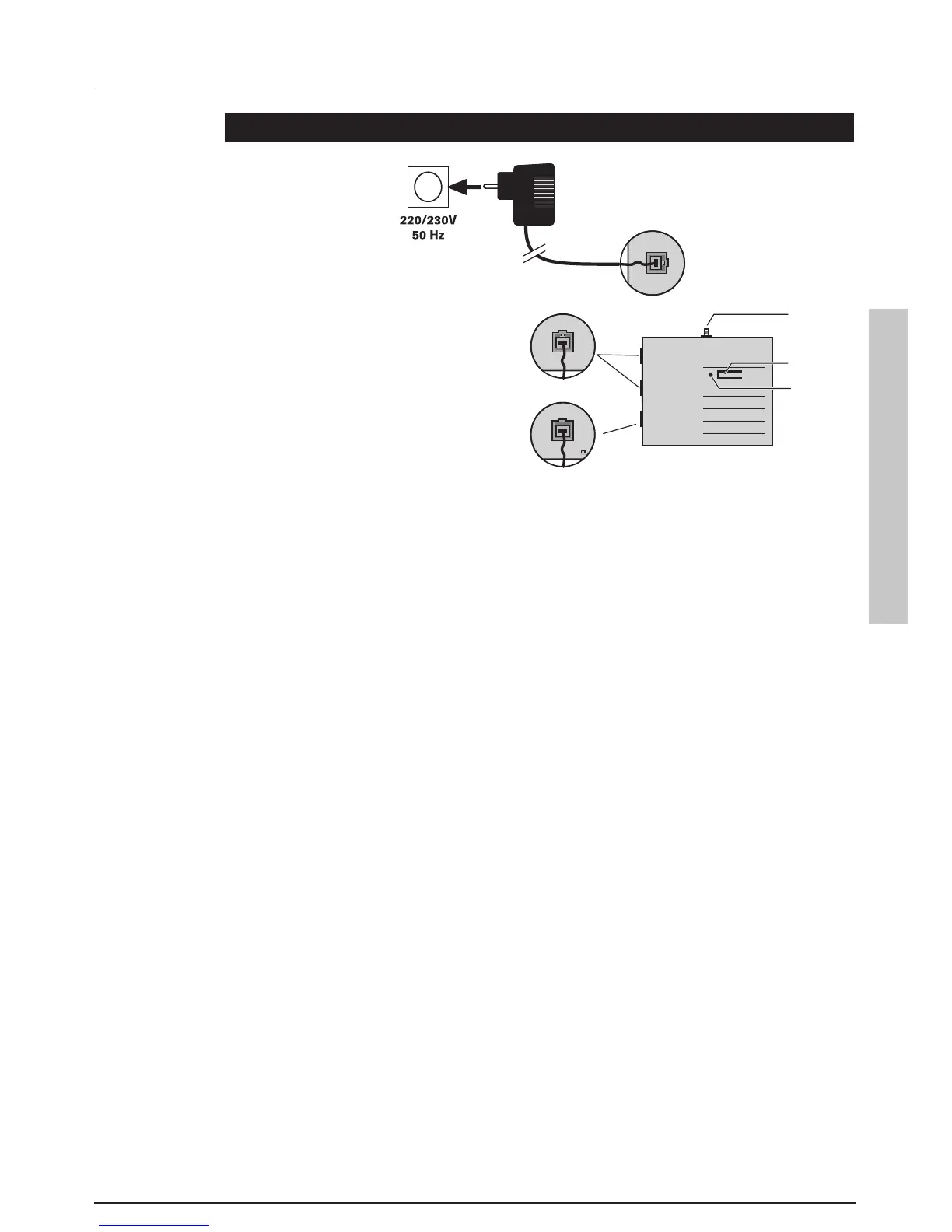
1 Power supply jack at back side
2 AC adapter
Only use the supplied AC adapter.
Ensure that the AC adapter is unplugged before opening the
housing.
3 LED
4 Register button
5 Connection for telephone line 1 resp. 2. The RJ-11 jacks are
assigned to the two centre connections (pins 3 and 4).
6 Analogue port for fax machine etc. (distybase duo plus only)
The RJ-11 jack is assigned to the two centre connections
(pins 3 and 4).
7 Aerial connection (distybase duo exant only)
SMA aerial socket for connecting an external aerial.
Using a high-quality aerial cable and as short a cable as possible
minimises performance losses and optimises the coverage.


 To Next Page