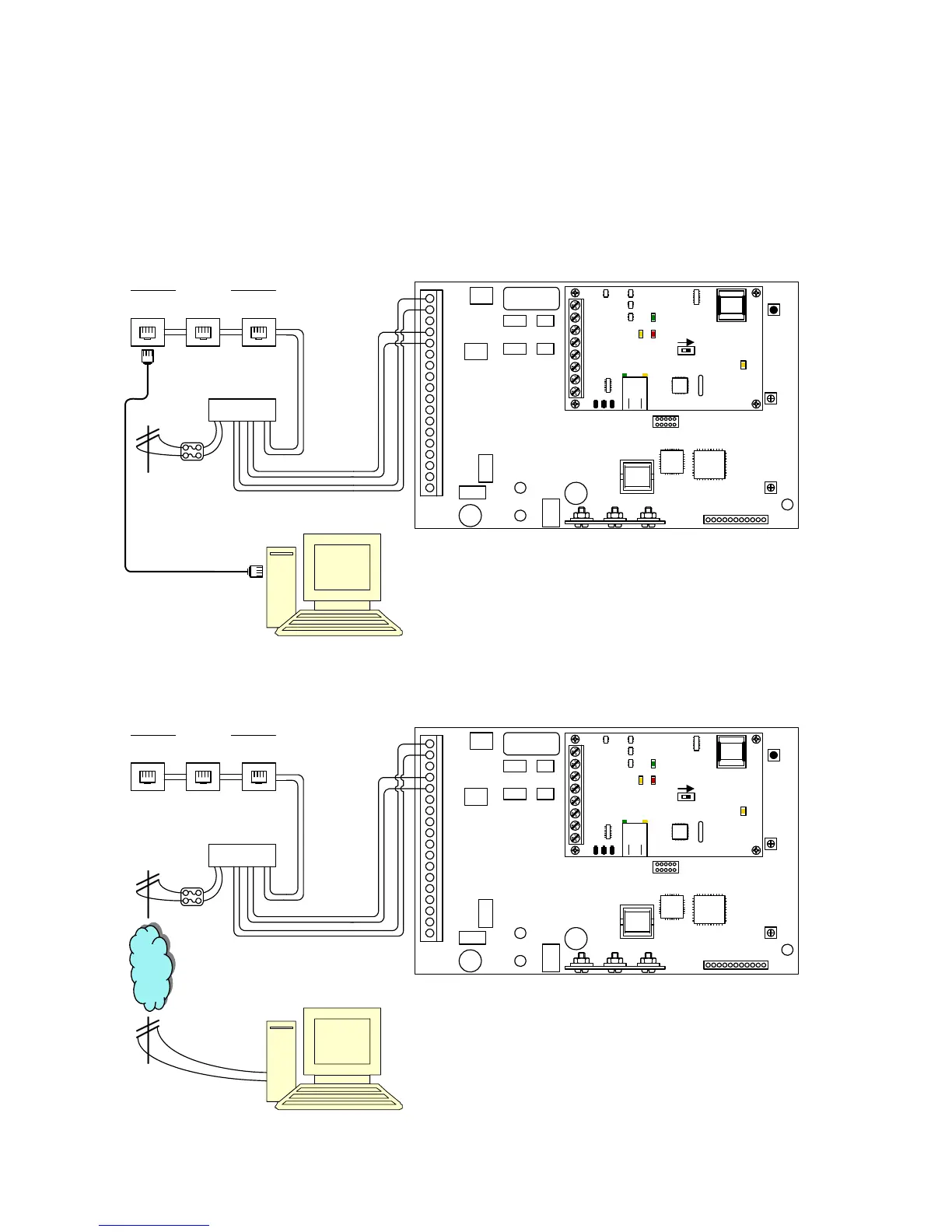
1.12.3 Modem Connections
The 1812 Access Plus has a built-in modem that can be used to connect to a PC. Before
programming can be attempted, you need to install the 1812 programming software on the computer
you want to use for this purpose. The computer must have modem installed or an external modem
connected to it. Follow the instructions in the 1812 programming software help guide for setup
information.
1
2
3
4
5
6
7
8
9
10
11
12
13
14
15
16
17
18
Mic
Vol
Master
Code
1234567891011
Speaker
Vol
Keypad
ON
SW1 MODEM / TCP ENB
1
2
3
4
5
6
7
8
BAD DNS
RS-485 RX
LAN DOWN
Phone Line
In Use
LAN
Connection
Data
Transmit
Modem Connection
1812 and PC connected on the same phone line
House Phones
Phone
Jack
Phone
Jack
Phone
Jack
Modem Connection
1812 and PC connected on different phone lines
1
2
3
4
5
6
7
8
9
10
11
12
13
14
15
16
17
18
Mic
Vol
Master
Code
1234567891011
Speaker
Vol
Keypad
House Phones
Phone
Jack
Phone
Jack
Phone
Jack
1812 By-Pass
Switch
Phone
Company
ON
SW1 MODEM / TCP ENB
1
2
3
4
5
6
7
8
BAD DNS
RS-485 RX
LAN DOWN
Phone Line
In Use
LAN
Connection
Data
Transmit
1812 By-Pass
Switch
Page 26 1812-162-B-6-09



 To Next Page