6. Operation panel
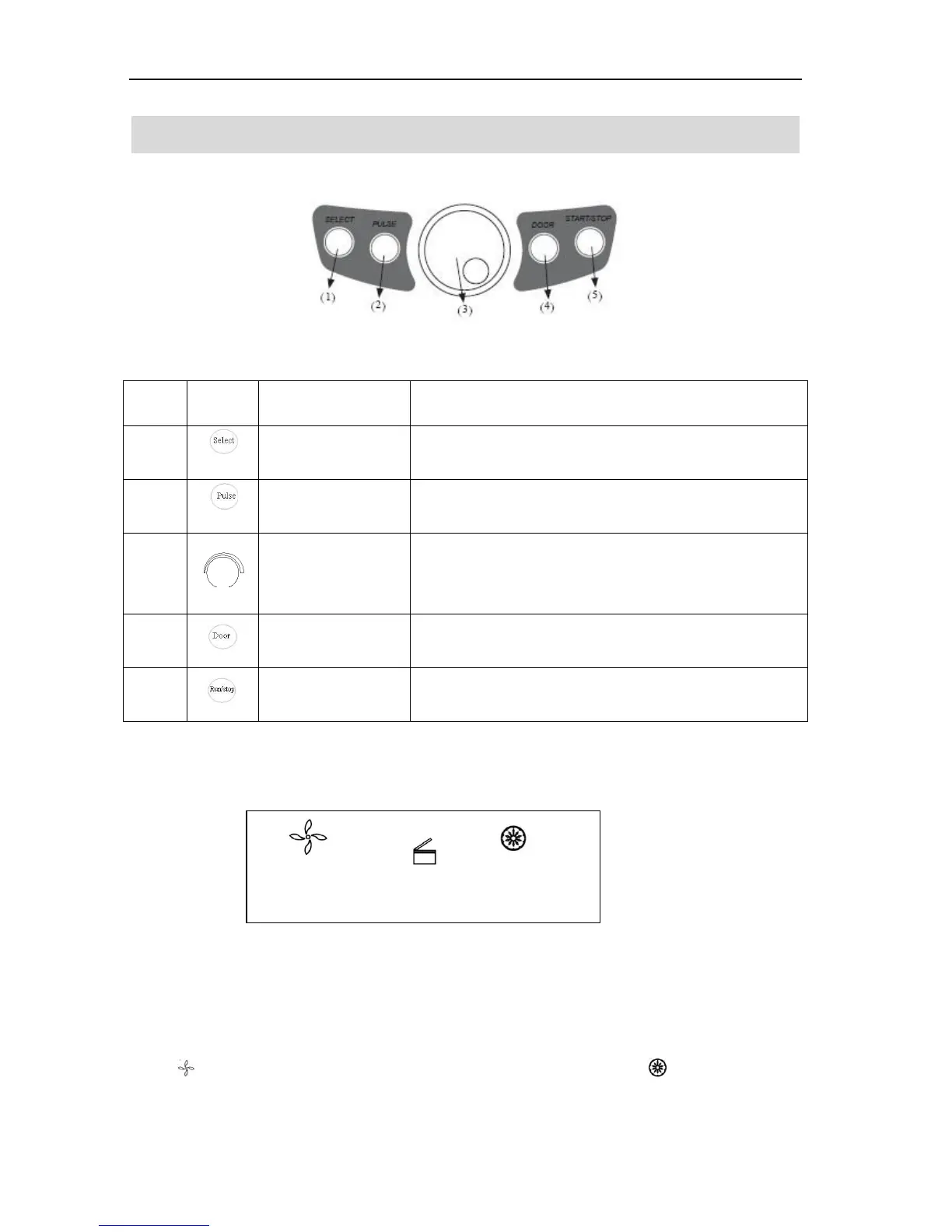
Figure 6-1 Operation Panel
Press the button to choose the program which you want to
modify.
The speed can be accelerated and held at the speed when
pressing Pulse on.
Clockwise rotate to increase program values. Rotate
anti-clockwise to decrease parameter values.
Press the button, shift between speed and RCF display.
Press the button to open the door The button is not available
when the centrifuge is running.
Press the button to start running. The centrifuge will brake to
stop running if pressed during centrifugation.
Figure 6-2 the main interface
Main interface is as figure 6-2. The speed is set to be 15000 rpm, running time is 12 minutes. When speed
symbol is rotating, indicating the centrifuge is running. Time display symbol display the ratio of
working to time setting. The total time setting is divided into 10 sections.
Speed area Lock status Time area



 To Next Page