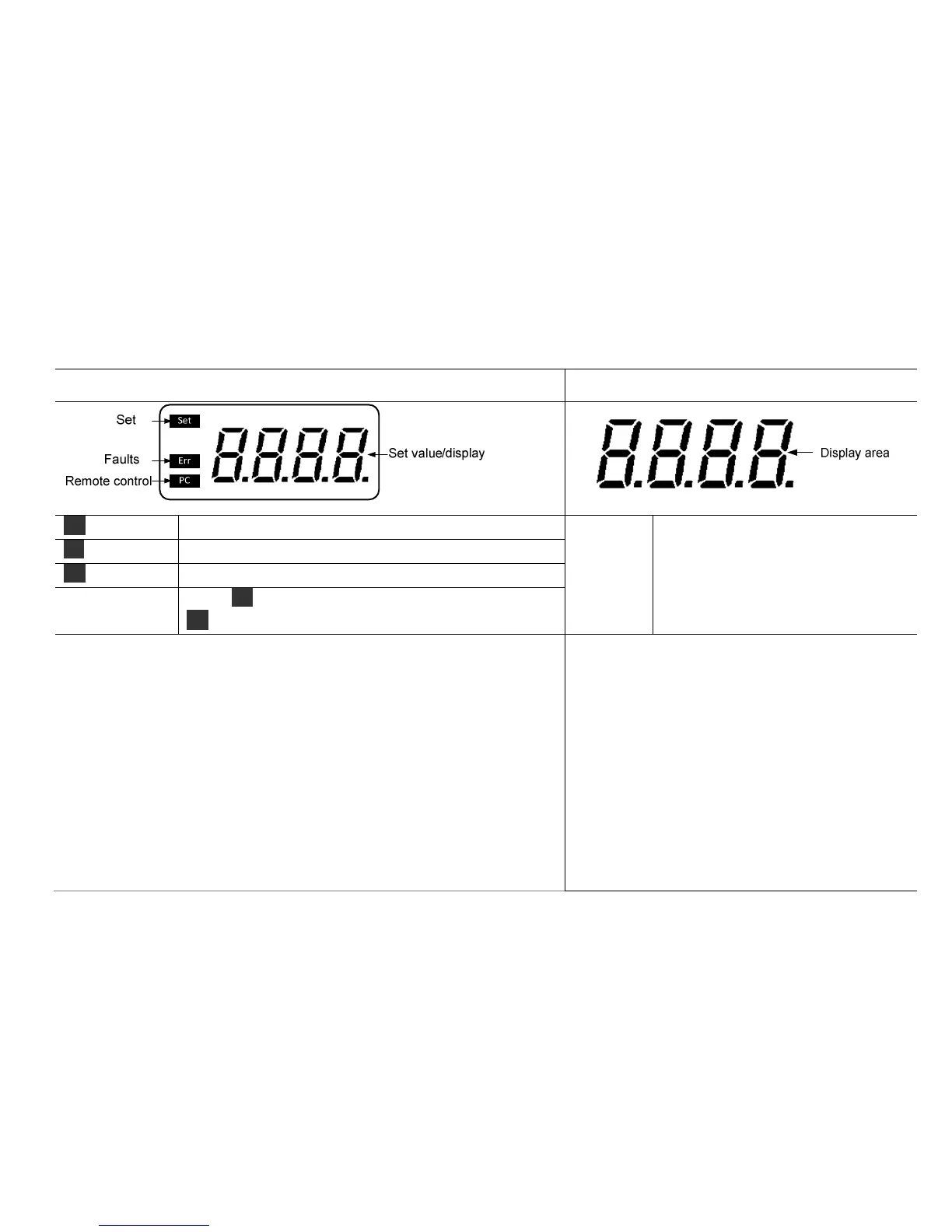
Set Display when set target speed value.
Display
area
LED displays speed value under
normal conditions.
LED displays warning code under
abnormal conditions.
PC Display when using external probe.
Err Display in case of error happening.
Value
set/display area
When Set display, this area shows setting value; When
Set disappears, this area shows running value.
•Place the overhead stirrer in safe and stable surface and connect power
cable.
• witch ON instrument.
•The instrument begins self-checking.
•When initialization is over, displays “set”, at the same time the area of
value setting/display flashes that indicate can be set speed value.
• Rotate speed control button to set stirring speed.
•LCD display no longer flashes when press speed button, “set”
disappear, the stirring function start.
•Press speed button again, LCD display flashes, “set” display, the
stirring function close.
•Place the overhead stirrer in safe and stable
surface and connect power cable.
•Switch ON instrument.
•Clockwise rotate the speed control button to the
target speed value, and start stirring function.
•Counter-clockwise rotate the speed control
button to stop stirring function.



 To Next Page