DualCom Programming and Installation Guide Digital Monitoring Products
11
REMOTE ARMING AND DISARMING
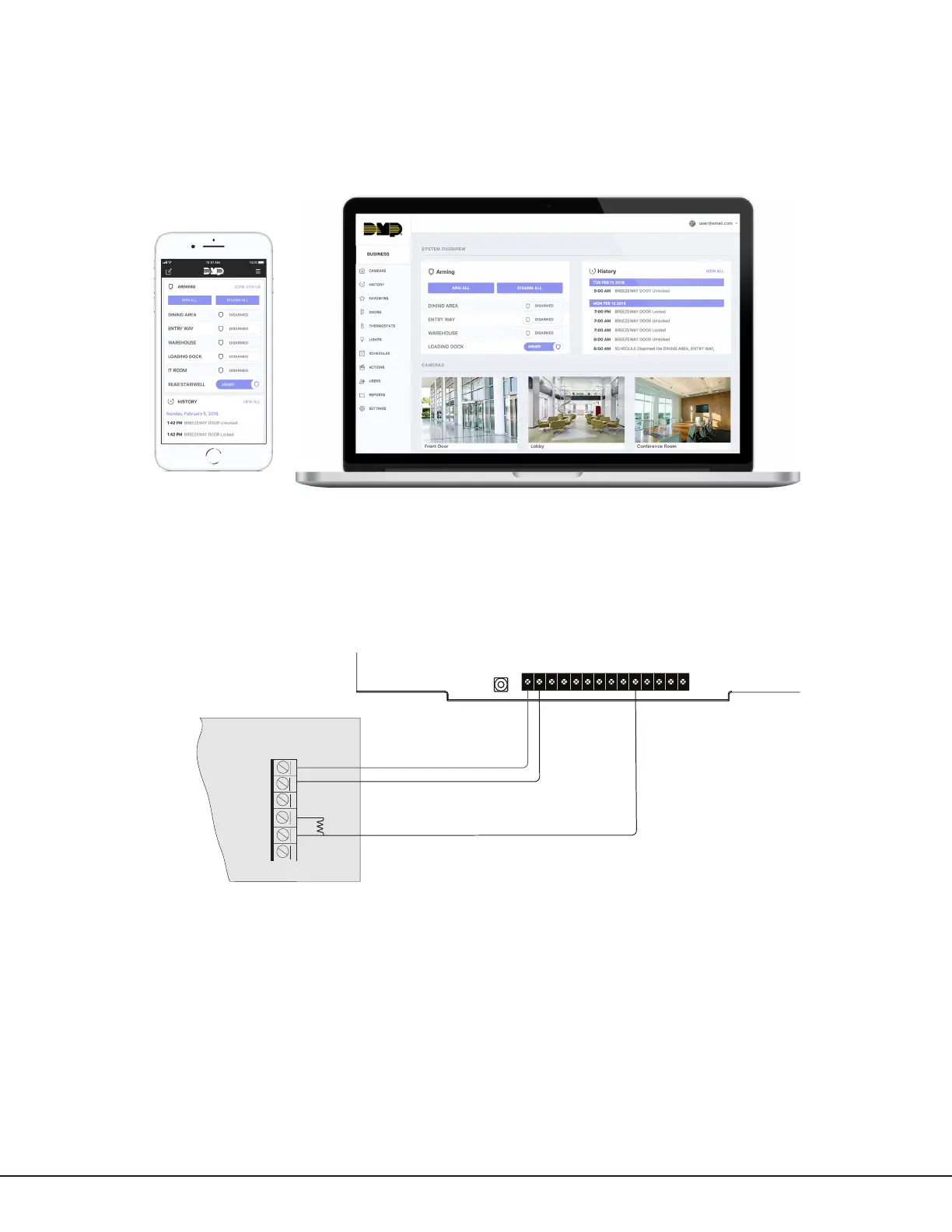
Virtual Keypad
Use a smartphone with the Virtual Keypad app or a computer with VirtualKeypad.com to connect to the
communicator to arm areas, turn outputs on and off, and add, edit, or remove users. See Figure10.
Using Outputs to Arm and Disarm
A burglary control panel zone may be programmed as an arming zone and connected to output O1 or O2. See
Figure11. Program the output number in armed output or remote arming output in output options when programming
the communicator. See Armed Output or Remote Arming Output. The communicator output connections can be used
with any of the applications listed in this guide. See Applications.
Figure 10: Virtual Keypad Application and VirtualKeypad.com
Figure 11: Communicator to Burglary Control Panel Zones
+DC- Z1 Z2 Z3 G +Z4- 01 02 T1 R1 T2 R2
Use 18-22 AWG for
power supply connection
12 VDC Aux. Output
+
-
GND
Zone 1
Zone 2
Control Panel EOL resistor



 To Next Page