EasyManua.ls Logo

DNP DP-DS620 - 2.6 Orientation

DNP DP-DS620
40 pages
Print Icon
To Next Page IconTo Next Page
To Previous Page IconTo Previous Page
Loading...
28
Dai Nippon Printing Co., Ltd.
[DP-DS620/DP-DS620 (A) Printer Driver] User’s Manual (For Windows 7, 8)
2
2
.
.
6
6
O
O
r
r
i
i
e
e
n
n
t
t
a
a
t
t
i
i
o
o
n
n
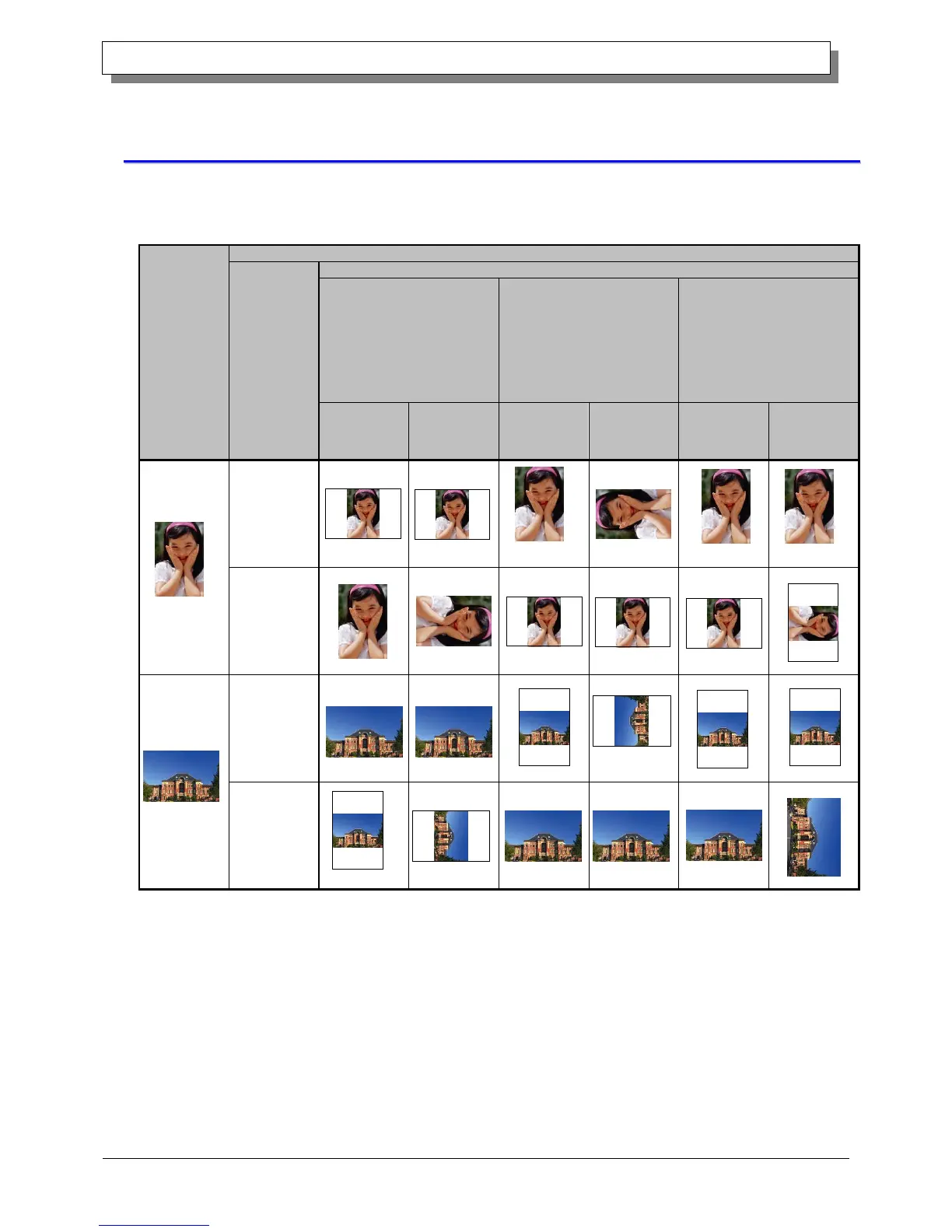
The following chart shows the relationship of images generated by an application and printed items (output direction)
according to the orientation setting. Generated images are not the original image rotated by the application but are
zoomed to fit within the sizes is shown in "2.5 Print Area".
Original
image
Driver setting
Orientation
Paper setting
(5x3.5)
(5x3.5) x 2
(5x3.5) x N
(5x5)
(6x4)
(6x4) x 2
(6x4) x N
(6x6)
PR (3.5x5)
PR (3.5x5) x 2
PR (3.5x5) x N
PR (4x6)
PR (4x6) x 2
PR (4x6) x N
(5x7)
(6x8)
Generated
image
Printed item
(Output
orientation ↓)
Generated
image
Printed item
(Output
orientation ↓)
Generated
image
Printed item
(Output
orientation ↓)
Portrait
Landscape
Portrait
Landscape

Other manuals for DNP DP-DS620

Related product manuals