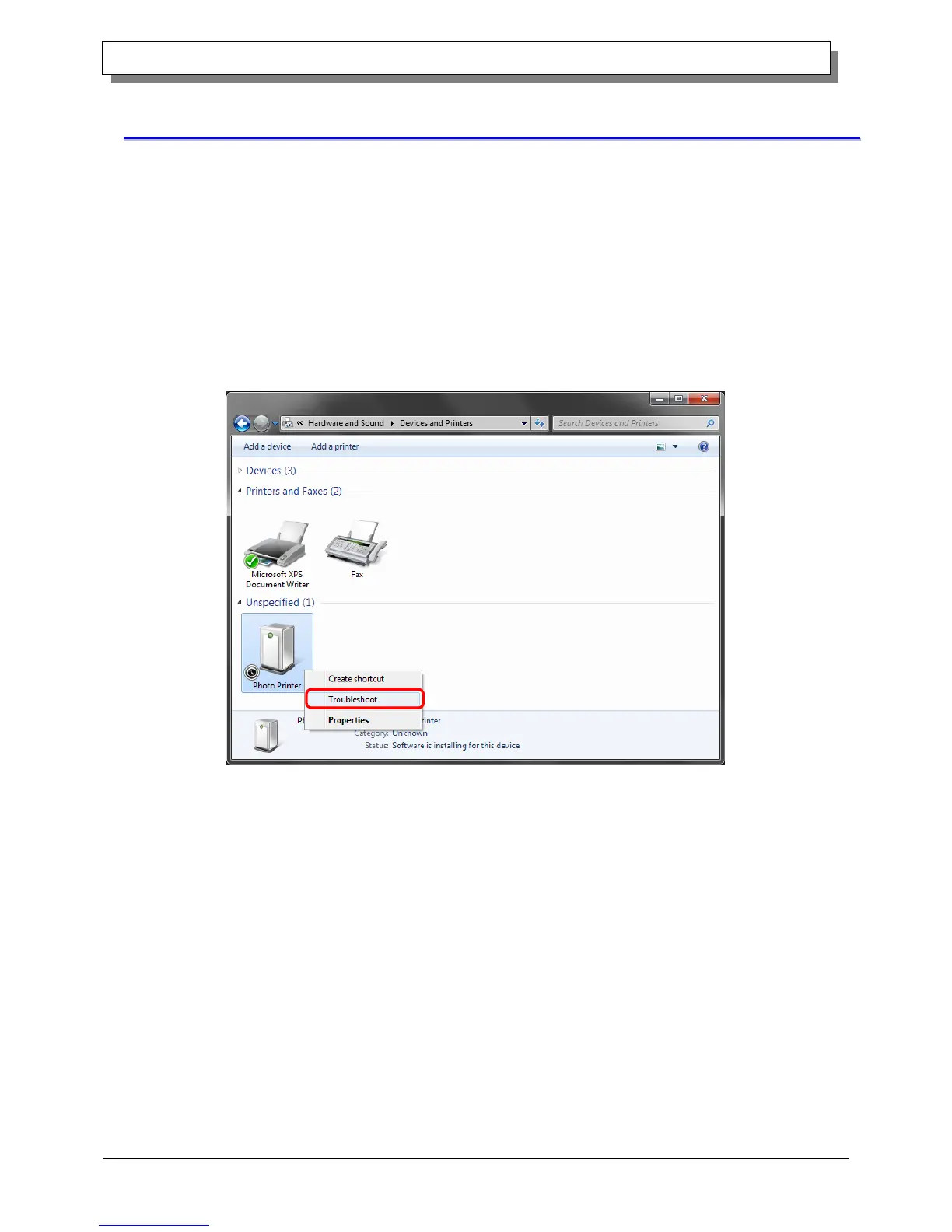
If you connect a printer that is on to the computer before installing the driver package, a device is created under
“Unspecified” in Devices and Printers. In such a case, use the following method to install the printer driver.
Furthermore, use the following method to install the printer driver if you use the standard installation procedure (install
the driver package, connect the printer, and then install the printer driver), but the driver is not installed correctly, and a
device is created under “Unspecified”.
1. Install the driver package
When the driver package has not yet been installed, install it by following the procedure in 1.2, “Install the driver
package”.
If you install the driver package, installation of the printer driver for the unspecified device completes it automatically.
2. Installing a driver for an unspecified device
In Devices and Printers, under Unspecified, right click on “Photo Printer”. From the menu, click "Troubleshoot".
Figure 1.17 Photo Printer under Unspecified



 To Next Page