Dai Nippon Printing Co., Ltd.
[DP-DS620/DP-DS620 (A) Printer Driver] User’s Manual (For Windows 7, 8)
2.2.6 Printer information
View the printer information.
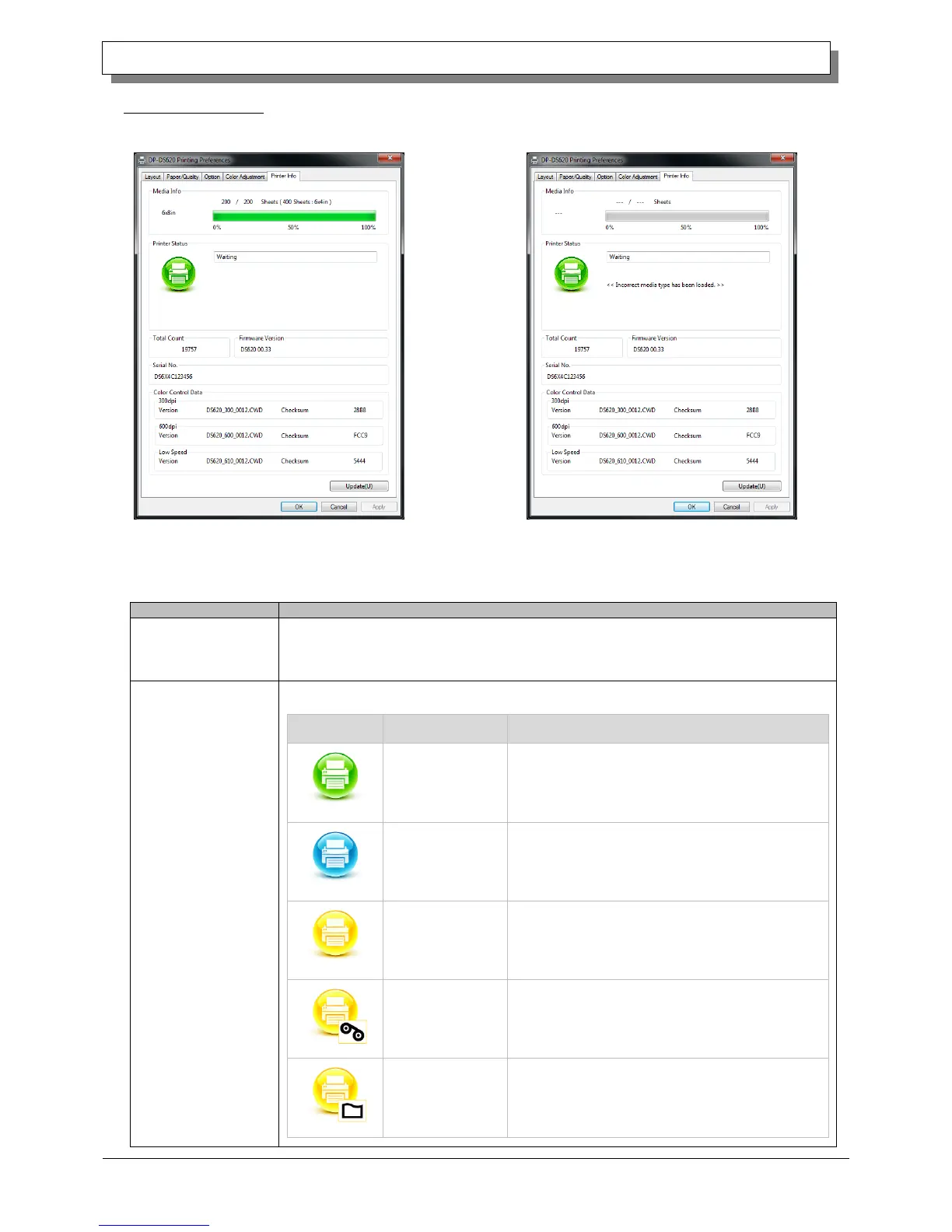
The following section shows the information displayed in the Printer Info tab.
This area shows, for example, the size and remaining number of printable sheets for the
ribbon media in the printer.
* Media information is not displayed when a media type not supported by the printer has
been loaded. (Figure 2.2.6.2)
Displays the status of the printer using icons and characters.
Front door is open.
Close the front door.
No ribbon remains.
Load new media.
(Replace the paper and ribbon as a set.)
No paper remains.
Load new media.
(Replace the paper and ribbon as a set.)
Fig 2.2.6.1 Printer Information tab
Figure 2.2.6.2 Display when incorrect media is loaded



 To Next Page