EasyManua.ls Logo

DNP DP-DS620 - 2.3 Default values for settings

DNP DP-DS620
40 pages
Print Icon
To Next Page IconTo Next Page
To Previous Page IconTo Previous Page
Loading...
25
Dai Nippon Printing Co., Ltd.
[DP-DS620/DP-DS620 (A) Printer Driver] User’s Manual (For Windows 7, 8)
2
2
.
.
3
3
D
D
e
e
f
f
a
a
u
u
l
l
t
t
v
v
a
a
l
l
u
u
e
e
s
s
f
f
o
o
r
r
s
s
e
e
t
t
t
t
i
i
n
n
g
g
s
s
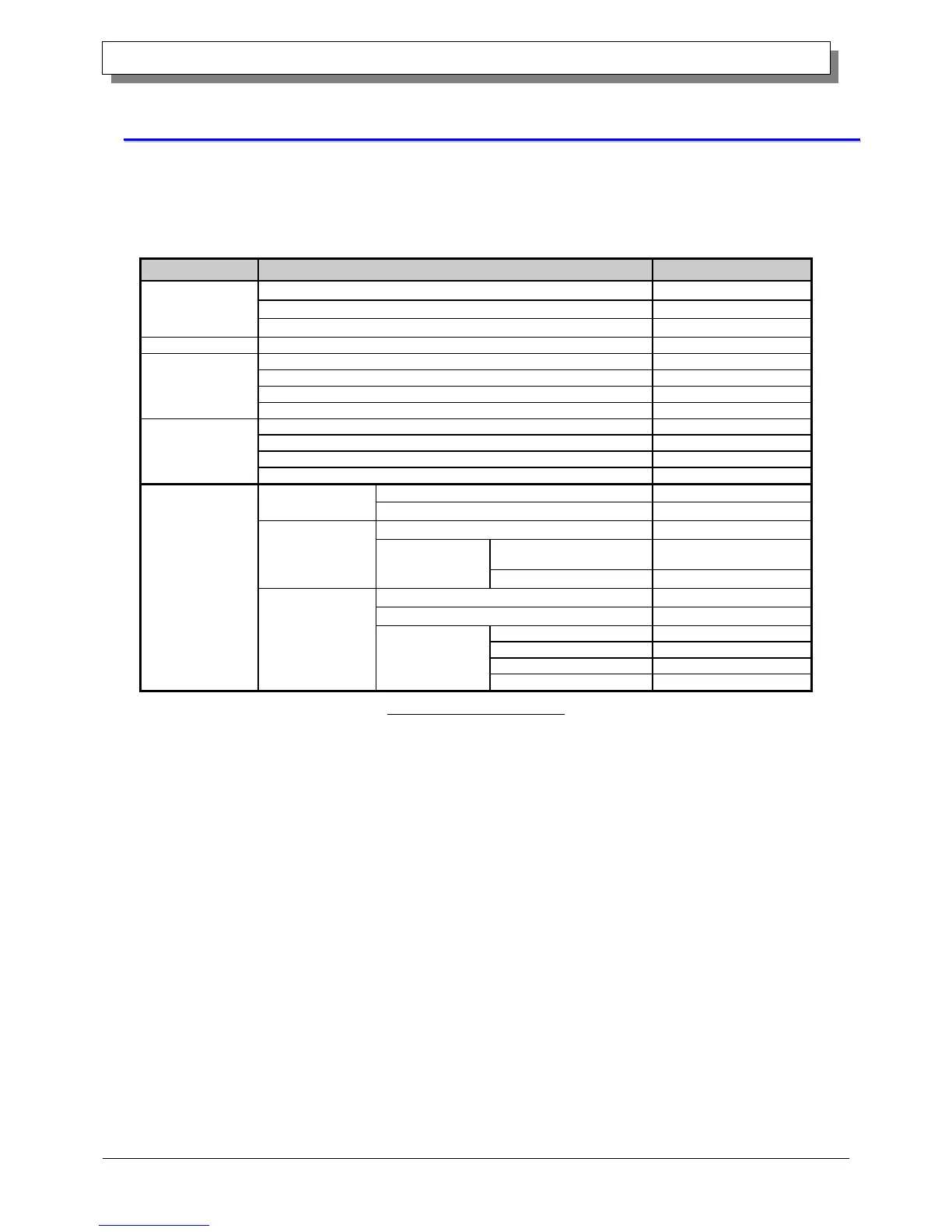
The following section shows the default values of the settings (at installation). If the settings have been changed,
and the printer driver no longer operates normally, return to the default values shown below.
Note) Depending on the service pack of your operating system or your usage environment, the default values
at installation may differ from those in the chart below.

Tab
Setting
Value
Layout
Orientation
Portrait
Page Order
Front to Back
Pages Per Sheet
1
Paper/Quality
Color
Color
Option
Border
Disable
Sharpness
0 (Default)
Color Adjustment
ICM
Language setting
English
Color Adjustment
Gamma
0
Brightness
0
Contrast
0
Chroma
0
Advanced
settings
(In the Layout tab,
click "Advanced...")
Paper/Output
Paper Size
(6x4)x N
Copy Count
1
Graphic
Print Quality
High-speed
Image
color
management
ICM Method
ICM Handled by Host
System
ICM Intent
Pictures
Document
options
Advanced Printing Features
Enable
Pages per Sheet Layout
Right then Down
Printer function
Border
Disable
Overcoat Finish
Glossy
Print Re-try
Enable
2inch cut
Disable
Chart 2.3 Default print settings

Other manuals for DNP DP-DS620

Related product manuals