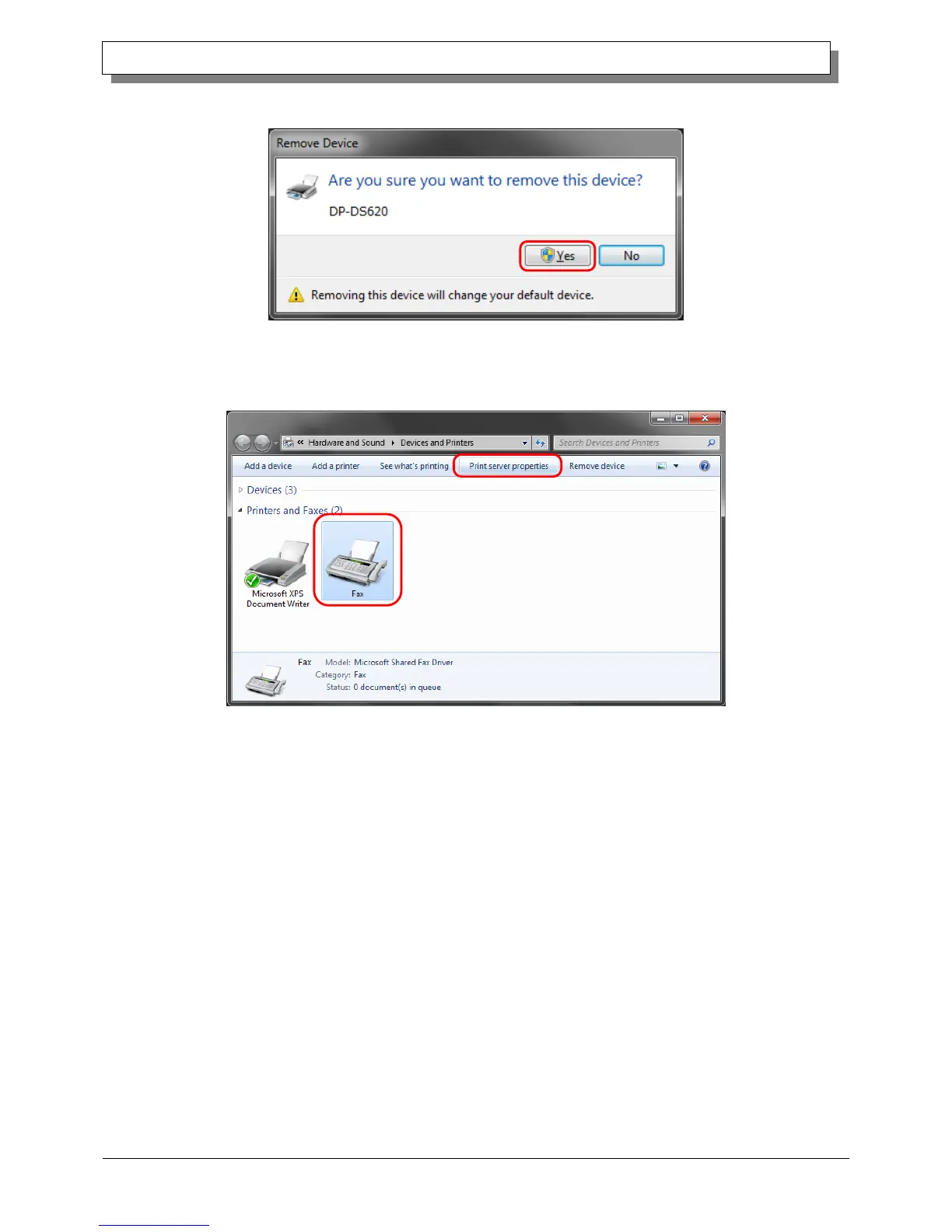
3) The printer deletion confirmation dialog box appears. Click Yes.
Figure 3.3 Printer deletion confirmation dialog box
4) After deleting the DP-DS620 printer, select another printer (for example, Fax), and then click "Print Server
Properties" in the menu bar.
Figure 3.4 Displaying the Print Server Properties menu in the Devices and Printers screen



 To Next Page