18 DNP IMS America Corp.
Properties Software Update Procedure
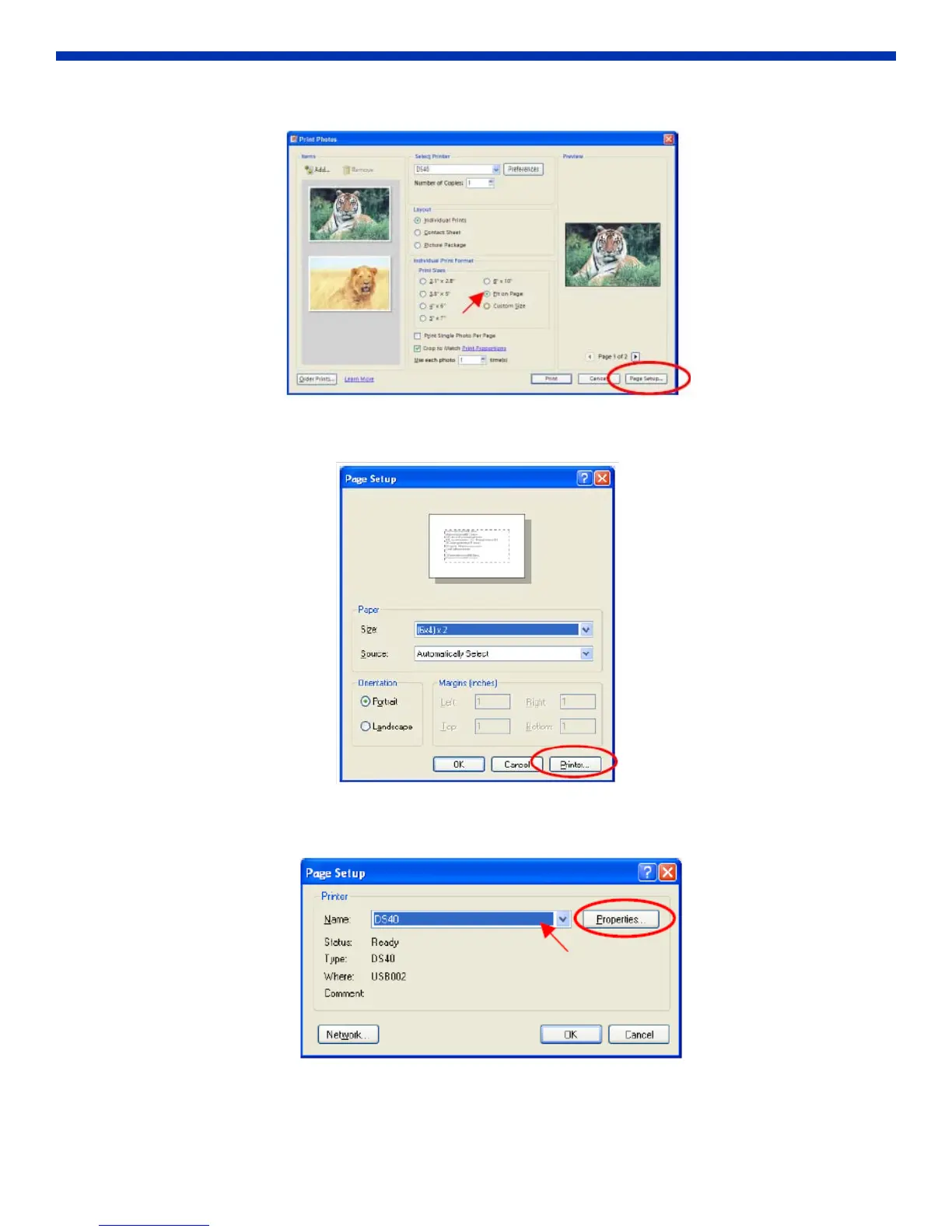
2. In Print Sizes, select Fit to Page. Then click Page Setup.
Figure 29. Page Setup
3. Click on Printer.
Figure 30. Select Printer
4. After selecting the printer, open Properties.
Figure 31. open properties



 To Next Page