22 DNP IMS America Corp.
Properties Software Update Procedure
Color Adjustment
None – this item is synchronous with the ICM Method in the Advanced Settings. Selecting None disables ICM and the
Color Adjustment tab, and color adjustment does not occur from the driver.
Handled by Driver – checking this item disables ICM and Color Adjustment is enabled. The adjustment values for gamma,
brightness, contrast, and chroma are shown.
ICM – this item is synchronous with ICM Handled by Host System setting in the Advanced Settings. Checking this item
enables color management from the driver.
ICM & Driver – checking this item enables ICM (color management) and color adjustment
About – displays the driver version
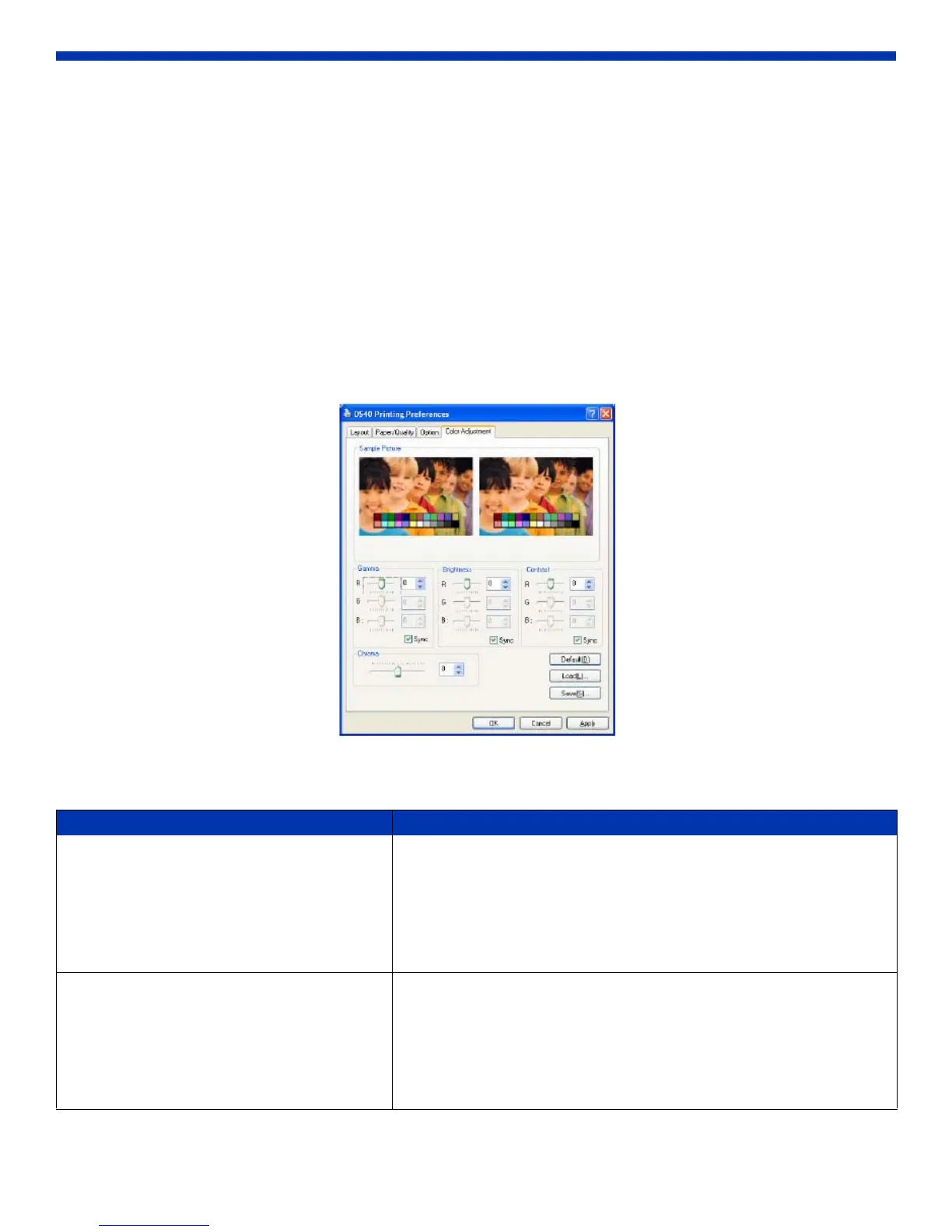
Color Adjustment Tab
If you checked Handled by Driver under the Color Adjustment section of the Options tab, the respective color adjustment
values are reflected in the image on this tab.
Figure 39. Color Adjustment Tab
Setting ranges are as follows:
Adjustment Item Adjustment Value
Gamma -100(dark) ~ 100(light) (0 means no adjustment, Gamma 2.0 ~ 0.5
Adjusts the density of the highlights in the image. The greater the gamma
value, the brighter the highlights.
Synchronous check box
ON: sets RGB at the same value
OFF: sets RGB at a different value
Brightness -100(dark) ~ 100(light) (0 means no adjustment)
Adjusts the brightness of the image. The larger the value, the greater the
overall brightness of the image.
Synchronous check box
ON: sets RGB at the same value
OFF: sets RGB at a different value



 To Next Page