DNP IMS America Corp. 25
Updating the Driver Software Update Procedure
UPDATING THE DRIVER
In order to update the printer driver, follow the instructions below:
Updating the driver is the same for both the DS40 and DS80 printers. The following instructions
are for the DS40, but if you are using a DS80, just read “DS40” as “DS80”.
Driver Removal
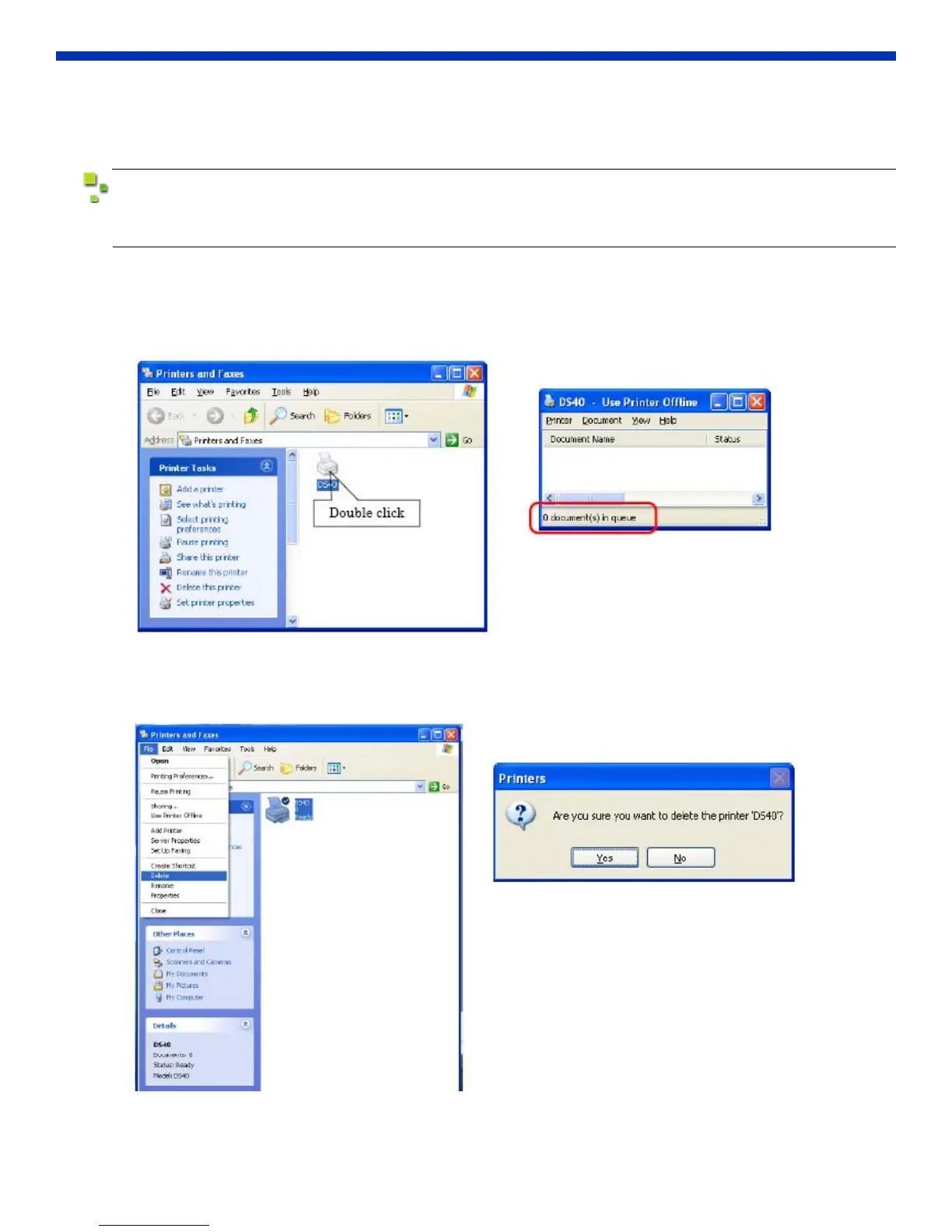
1. Before removing the printer driver, shut down all other applications.
Double-click the icon for the printer to be removed, and make sure there are no documents in the queue before you
begin removal of the driver.
Figure 41. Printers & Printer Queue
2. From the Printers and Faxes window, select the DS40 printer. From the File menu, select Delete.
You will be asked if you are sure you want to delete the printer. Select Yes.
Figure 42. Delete Printer



 To Next Page