26 27
einige Bilder auf, die Sie wieder durch Doppelklick in der Bilderleiste rechts in das
Mess- und Bearbeitungs-Interface.
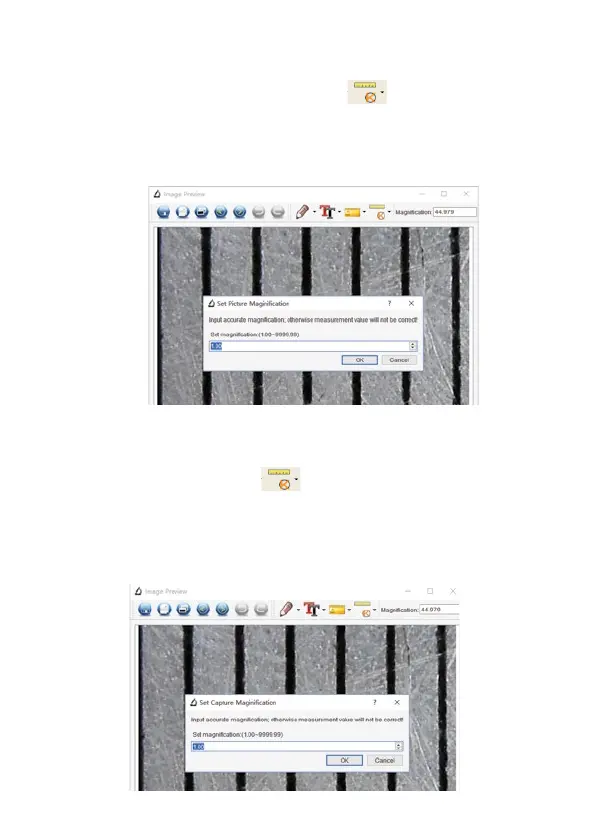
- Hier öffnen Sie wieder das Kalibrierwerkzeug
und wählen dort den Punkt
„Set Magnification/Vergrößerung einstellen” sowie dort die Option „Reset Picture
Magnification/Bildvergrößerung einstellen” an.
- Im folgenden Dialog tragen Sie nun die aktuelle Vergrößerungsrate ein, die nach
einem Klick auf „OK” übernommen wird.
- Wollen Sie nun diese Vergrößerungsrate auf weitere geladene Bilder übertragen,
öffnen Sie jeweils nach dem Laden des Bildes in das Mess- und Bearbeitungs-In-
terface das Kalibrierwerkzeug
und wählen dort den Punkt „Set Capture
Magnification/Vergrößerung einstellen” sowie dort die Option „Set Capture Mag-
nification/ Vorschauvergrößerung einstellen” an.
- Im folgenden Dialog tragen Sie nun die aktuelle Vergrößerungsrate ein, die nach
einem Klick auf „OK” übernommen wird.
36
2. Change the magnification rate and capture several
pictures, click on the picture to enter into measurement
interface. And click ‘ > Set magnification > Set
picture magnification’, now a dialog will show up as below;
enter the magnification rate into the dialog and click ‘OK’.
37
3. If you want to use the same magnification rate to
capture pictures, just click ‘ > Set
magnification >Set capture magnification’. Now all
pictures will use the same magnification rate and you can
start measurement directly.



 To Next Page