3.8 Print Function
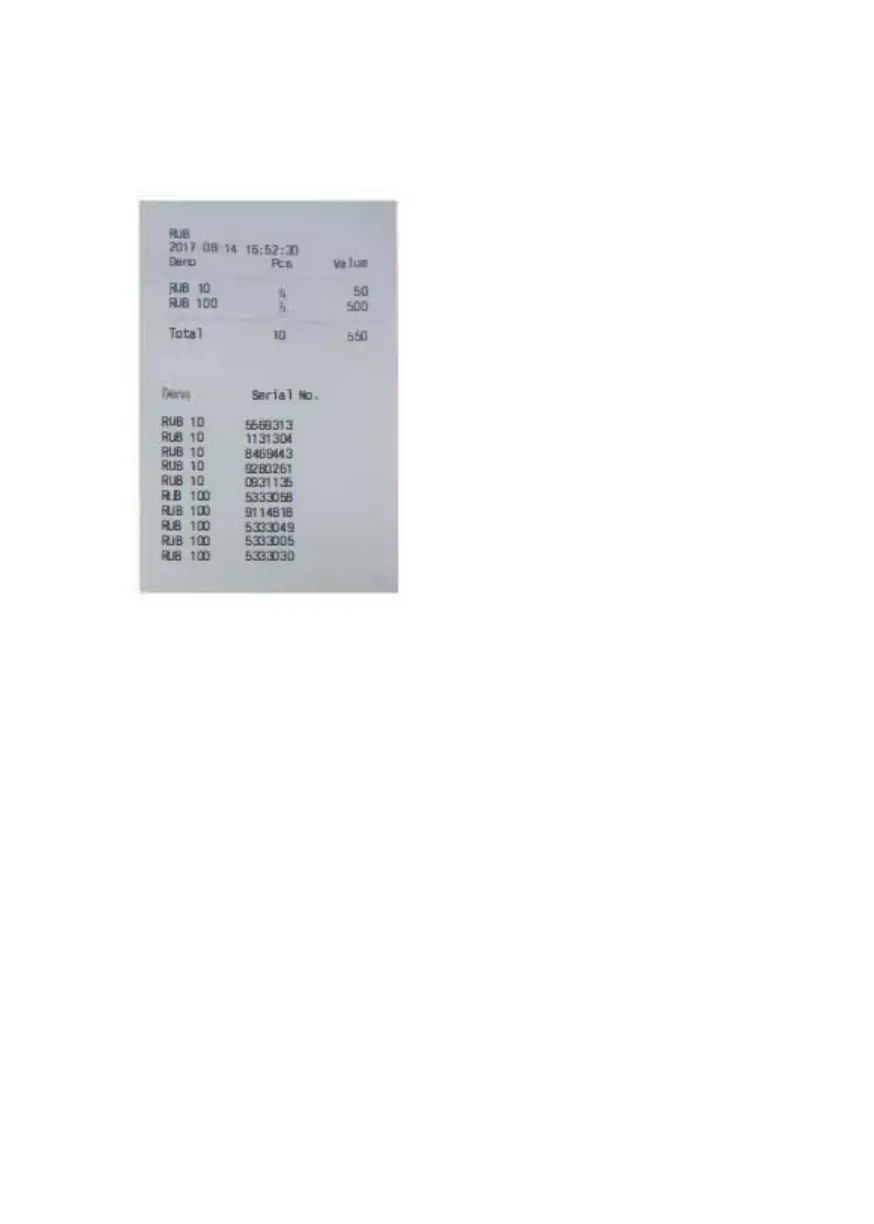
How to print the counting result as a receipt using an external printer.
1. Connect one printer to the printer
socket at the rear of device.
2. Press PRINT to start the printing
job.
3. The receipt lists the currency
code, transaction time, the
quantity by denominations, the
subtotals, and the total quantity and
amount.
Note: To print out the serial
numbers, the readout function of the
serial number should be turned on.
4 Setting Up
4.1 How to Verify and Adjust the Basic Settings
1. Enter the User Menu
Press the Power Switch button. After a short boot-up and self-
test, the machine enters the main menu.
Press MENU and the machine enters the User Menu.
2. Select an item with the navigation keys.
In the User Menu, the MODE and DISPLAY keys turn into
navigation keys.
MODE: Up
DISPLAY: Down
DoCash DC-45F
14
www.docash.de


 To Next Page