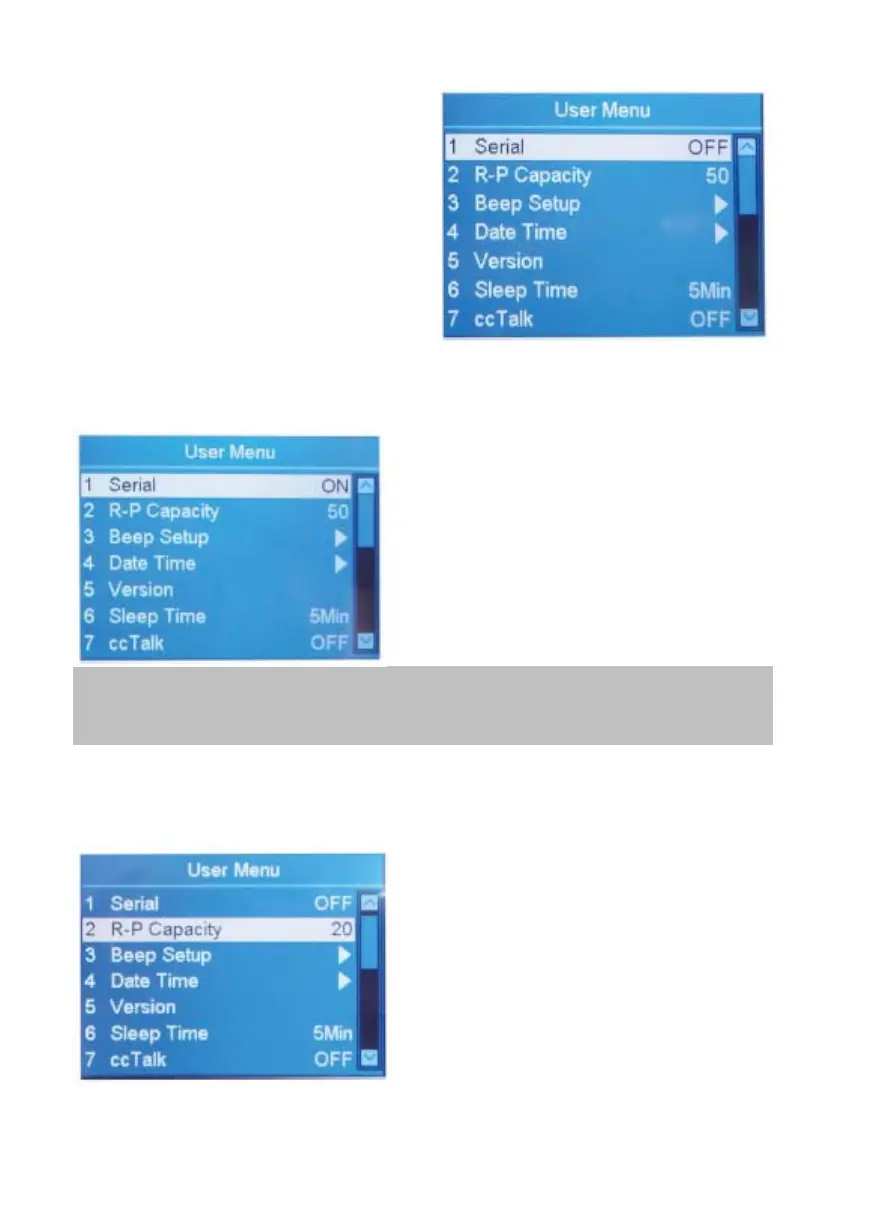
3. Confirming the selection
After highlighting the desired
item, press RESET to confirm the
selection.
4. Escape User Menu and go back
to the main menu.
Press MENU.
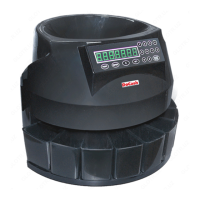
4.2 Serial Number Recognition
How to activate the Serial Number
Recognition function.
1. Highlight the "1 Serial " item.
2. Here you can activate/deactivate
serial NO recognition function by
using ADD or PRINT.
3. To save the changes, press RESET.
4. To leave this menu, press MENU.
Banknotes can be fed at any sides after turning the serial number
on.
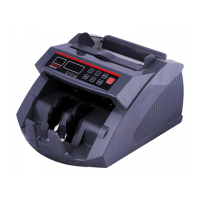
4.3 Reject Reset
How to select the Reject Pocket Capacity.
1. Highlight the "2 R-P Capacity"
item.
2. Here you can select the desired
reject pocket capacity by using ADD
or PRINT. (50, 40, 30 and 20 are
available).
3. To save the changes, press RESET.
4. To leave this menu, press MENU.
DoCash DC-45F
15
www.docash.de


 To Next Page