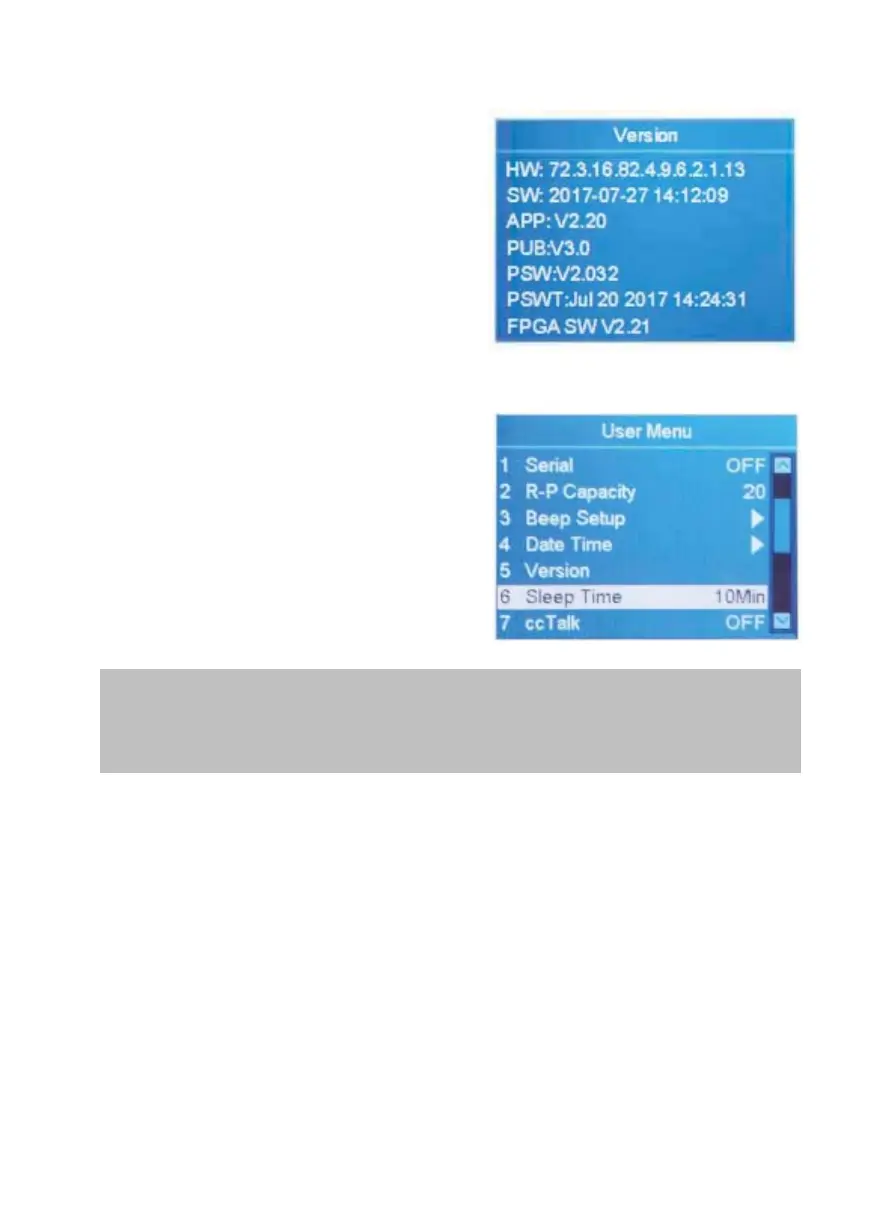
4.6 Viewing Version Information of Machine
1. Highlight the "5 Version" item.
2. Confirm the selection with MENU
and the left window will appear.
HW:47.3.10.2.4.7.2.2.1.13 (Hardware
version)
SW:2017-04-28 21:21:38 (Time for
compiling software)
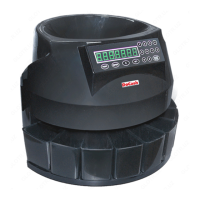
4.7 Sleep Mode
The sleep mode can be activated by
the following method.
1. Highlight the "6 Sleep Time" item.
2. Use ADD or PRINT to set the
sleep time (30 min, 10 min
and 5 min are available), then press
RESET to confirm.
During sleep mode, the display turns off and only the blue
indicator blinks every few seconds to remind. The machine can be
activated by pressing any key or by feeding the banknote.
4.8 cc Talk
To turn on/off cc Talk protocol for the PC software using cc Talk
protocol by connecting to the serial port.
DoCash DC-45F
18
www.docash.de


 To Next Page