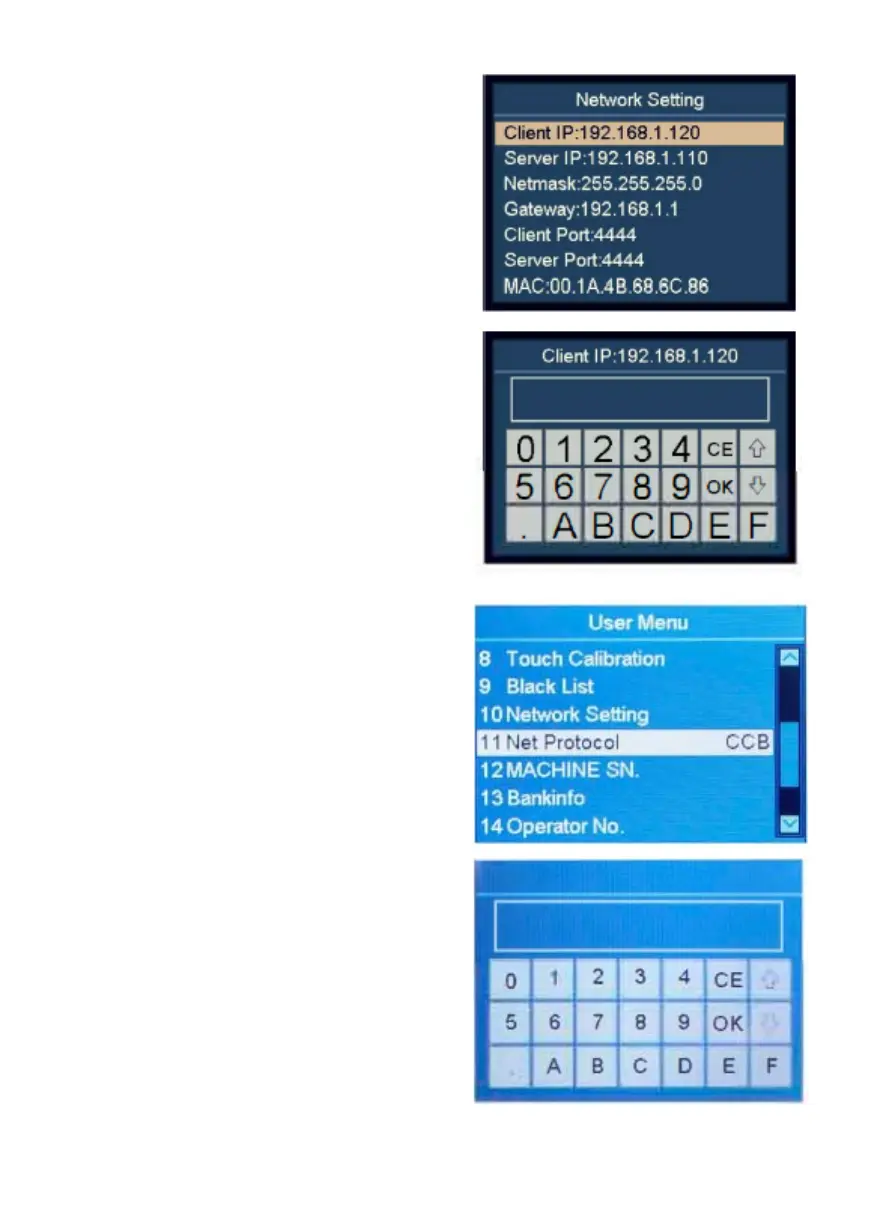
4.11 Network Setting
1. Highlight the "1 D Network
Setting' item.
2. Confirm the selection with
RESET, and the left window will
show.
3. Select the desired item by using
navigation keys, and then
confirm with RESET.
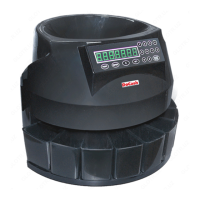
4. Enter the desired value by using
touch screen.
5. Press OK to save.
6. Restart the machine.
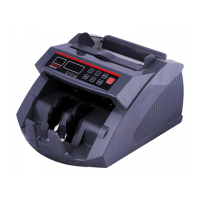
4.12 Network Protocol Setting
1. Highlight the "11 Net Protocol"
item.
2. Modify the network protocol by
using ADD or PRINT.
3. Press RESET to save the settings.
4.13 Machine ID Setting
1. Highlight the "12 MACHINE
SN." item.
2. Confirm the selection with
RESET.
3.Enter the machine's ID by using
touch screen, confirm with OK.
4. To leave this menu, press MENU.
DoCash DC-45F
20
www.docash.de


 To Next Page