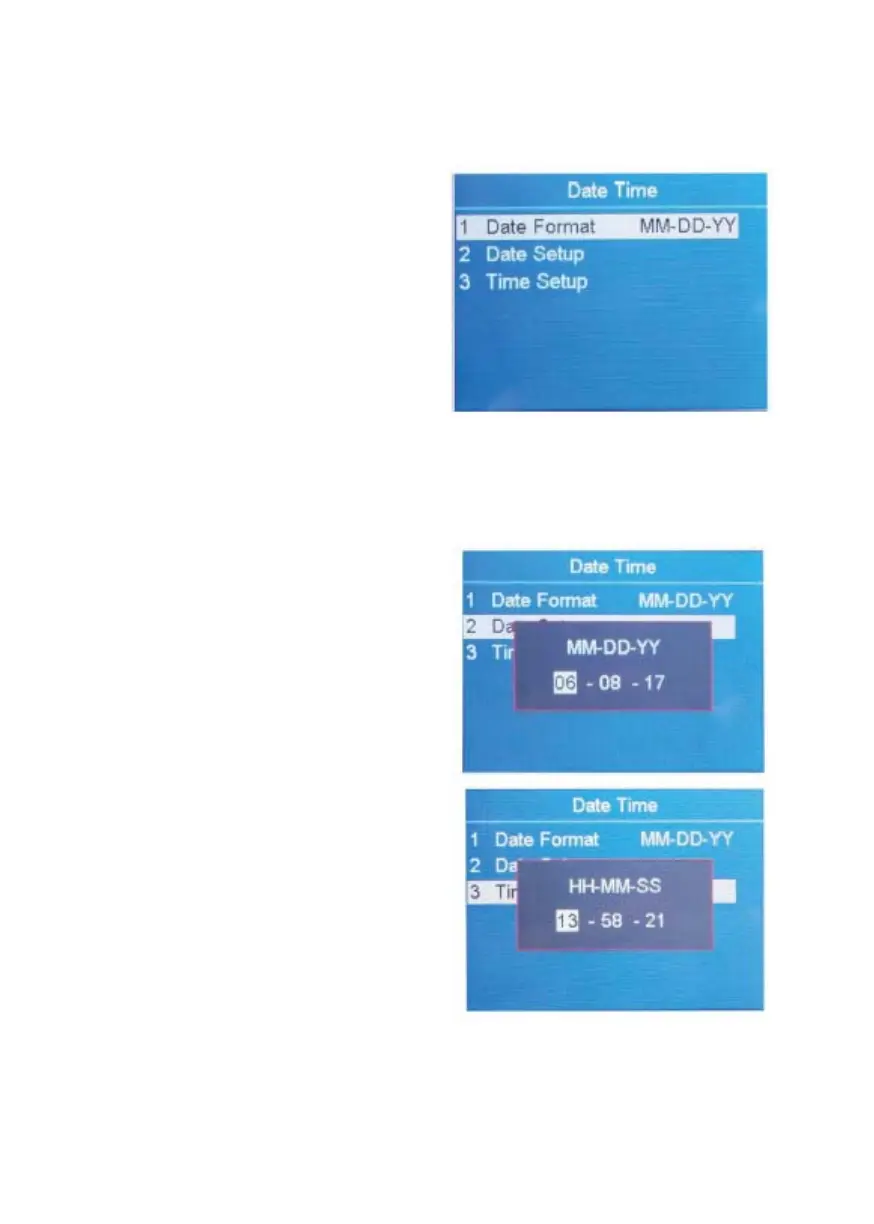
4.5 Set Up Date and Time
How to set up Date and Time.
1. Highlight the "4 Date Time"
item.
2. Confirm the selection with
RESET.
3. Change the Date Format Setting.
Highlight the "1 Date Format"
item.
Choose the desired Date Format
by using ADD or PRINT.
Confirm the selection with
RESET.
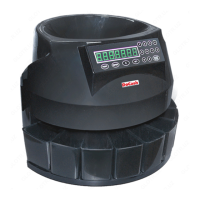
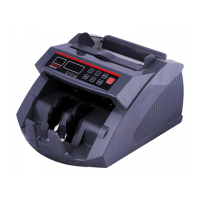
Change the Date and Time Settings
Highlight the "2 Date Setup" or
"3 Time Setup".
Confirm the selection with
RESET.
Use navigation keys to highlight
the desired value to modify.
Change the value by using ADD
and PRINT, and then confirm
with RESET.
To leave this menu, press
MENU.
DoCash DC-45F
17
www.docash.de


 To Next Page