55
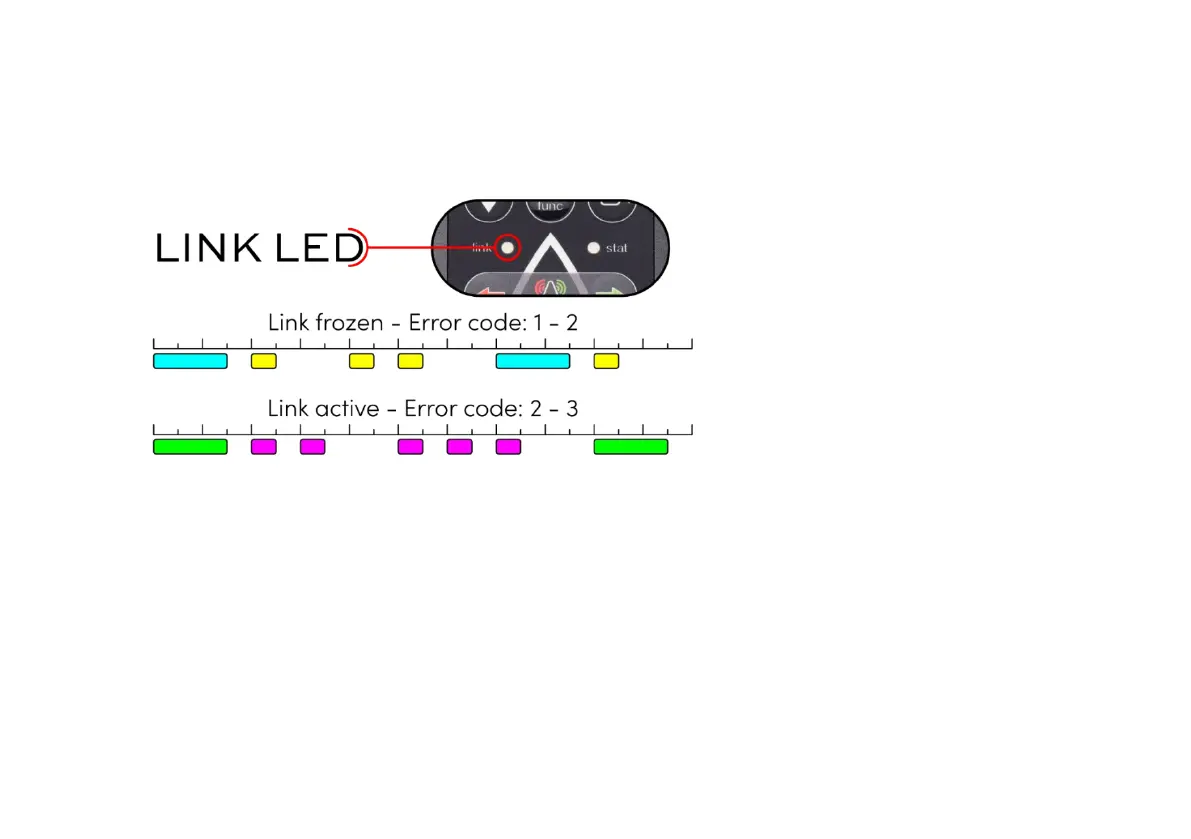
Example below
Once you know the warning or error code, you can try to solve the issue, which might be very
straightforward. Check point 10. Troubleshooting to learn more about solving simple issues.
If the warning or error persists, the Receiver needs to be diagnosed by a Dockmate dealer or
technician with Dockmate’s DockControl2™ computer software to read out the log.
When turning on the Dockmate wireless remote, it will automatically try to take command from the
boat’s controls. If at some point Dockmate relinquishes command because you took command on


 To Next Page