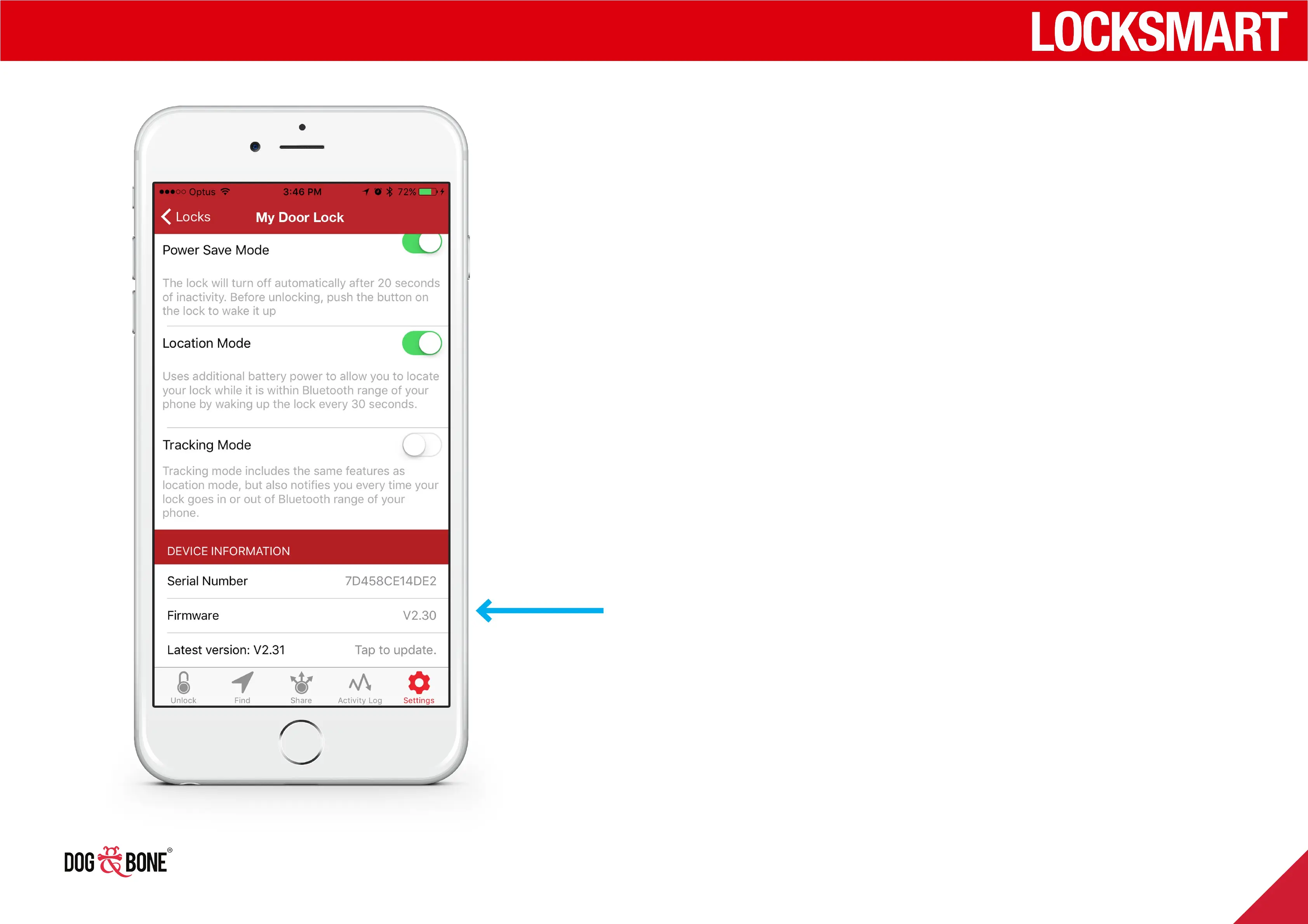
Serial number & firmware
version
1. Choose any lock from the lock list screen
2. Press the ‘Settings’ option from the bottom menu
3. The lock’s unique serial number and current
firmware version number are located at the
bottom of the settings screen (firmware version is
only displayed when the lock is powered on and
connected to your device)
4. If your firmware version is the most current
available, you will see a message stating ‘Current
firmware version is the latest version’
Other features
33



 To Next Page