EasyManua.ls Logo

Dometic PGD1 - Display Address

Dometic PGD1
48 pages
Print Icon
To Next Page IconTo Next Page
To Previous Page IconTo Previous Page
Loading...
38
EN
Operation VARC Chiller Controls
Analog Inputs
Enable
CW Return
CW Supply
SW Inlet
On/O
On/O
On/O
Channel
B001
B002
B003
Normal/High Res.
Normal/High Res.
Normal/High Res.
Input Type
Select/(On/Off)
Select/(On/Off)
Select/(On/Off)
On/O
Direction
Reverse/Direct
Reverse/Direct
Reverse/Direct
Delay Time
## s
## s
## s
Value
Open/Closed
Open/Closed
Open/Closed
Select type
Minimum
##.#
##.#
##.#
Maximum
##.#
##.#
##.#
Offset
##.#
##.#
##.#
Value
##.#
##.#
##.#
Out of Range Alarm
Power Delay
# s
# s
# s
Run Delay
# s
# s
# s
Units
Temp/Press/Other
Temp/Press/Other
Temp/Press/Other
Digital Inputs
Switches
Enable
Channel
Action
Delay
Status
Flow
On/O
#
Open/Close
### s
Open/Close
EH Flow*
On/O
#
Open/Close
### s
Open/Close
High Press
On/O
#
Open/Close
### s
Open/Close
Low Press
On/O
#
Open/Close
### s
Open/Close
LoadShed
On/O
#
Open/Close
### s
Open/Close
Econo Mode
On/O
#
Open/Close
### s
Open/Close
Relay Output
Enable
Channel
Status
SW Pump
Yes/No
#
On/O
CW Pump
Yes/No
#
On/O
Rev Valve
Yes/No
#
On/O
El Heat*
Yes/No
#
On/O
Alarm
Yes/No
#
On/O
Analog Output
Channel # 0-6
Enable Yes/No
Action Direct/Reverse
Minimum ##.# Vdc
Maximum ##.# Vdc
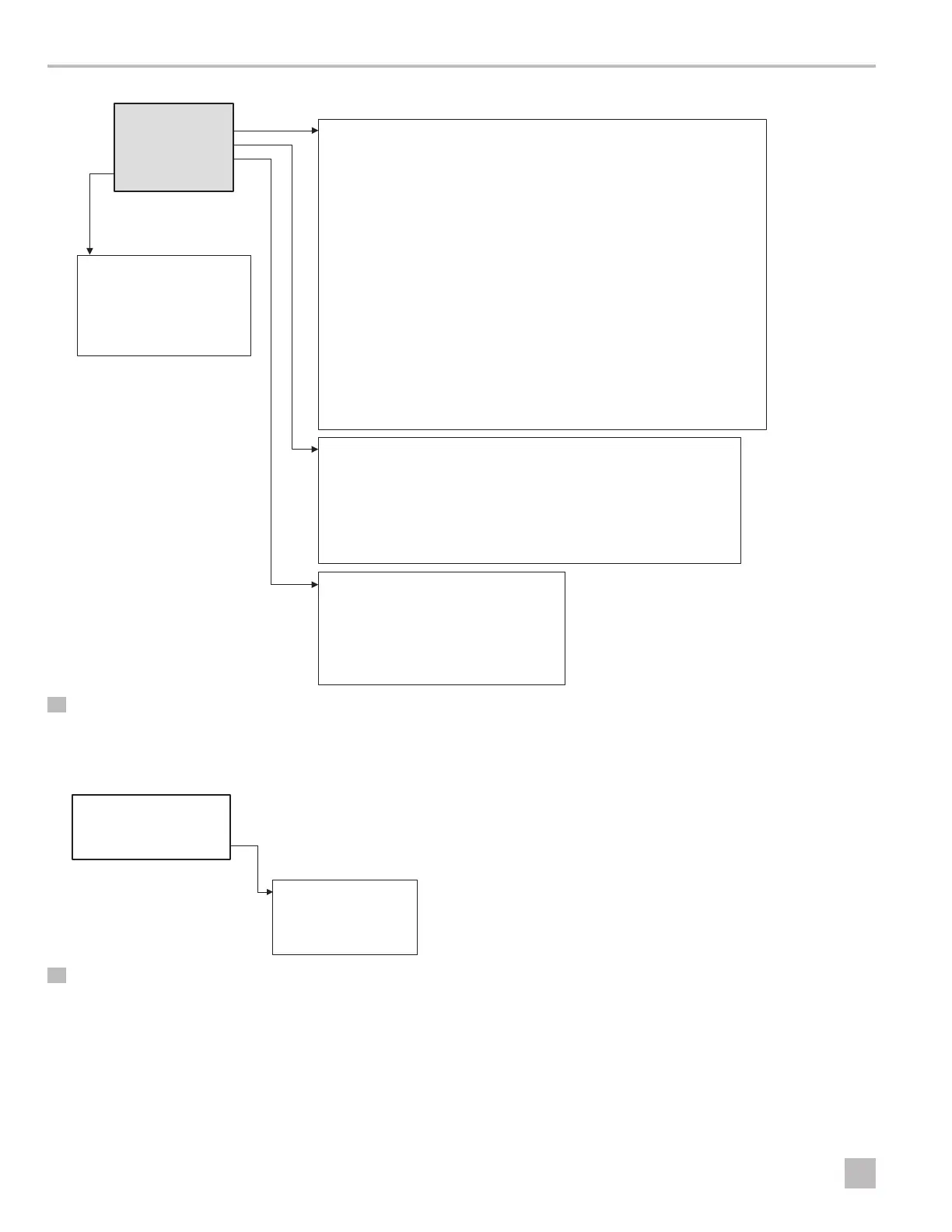
I/O Configuration
Analog Inputs
Digital Inputs
Relay Outputs
Analog Outputs
32 Program/Factory/IO Configurations
Display Address
Display address setting #
I/O Board address #
Terminal config
Terminal configuration
P: 01 Adr Priv/Shared
Trm1 16/17/18/…
Trm2 32
Trm3 None
33 Display Address

Related product manuals