32
1800-060 Issued 7-19
Version A
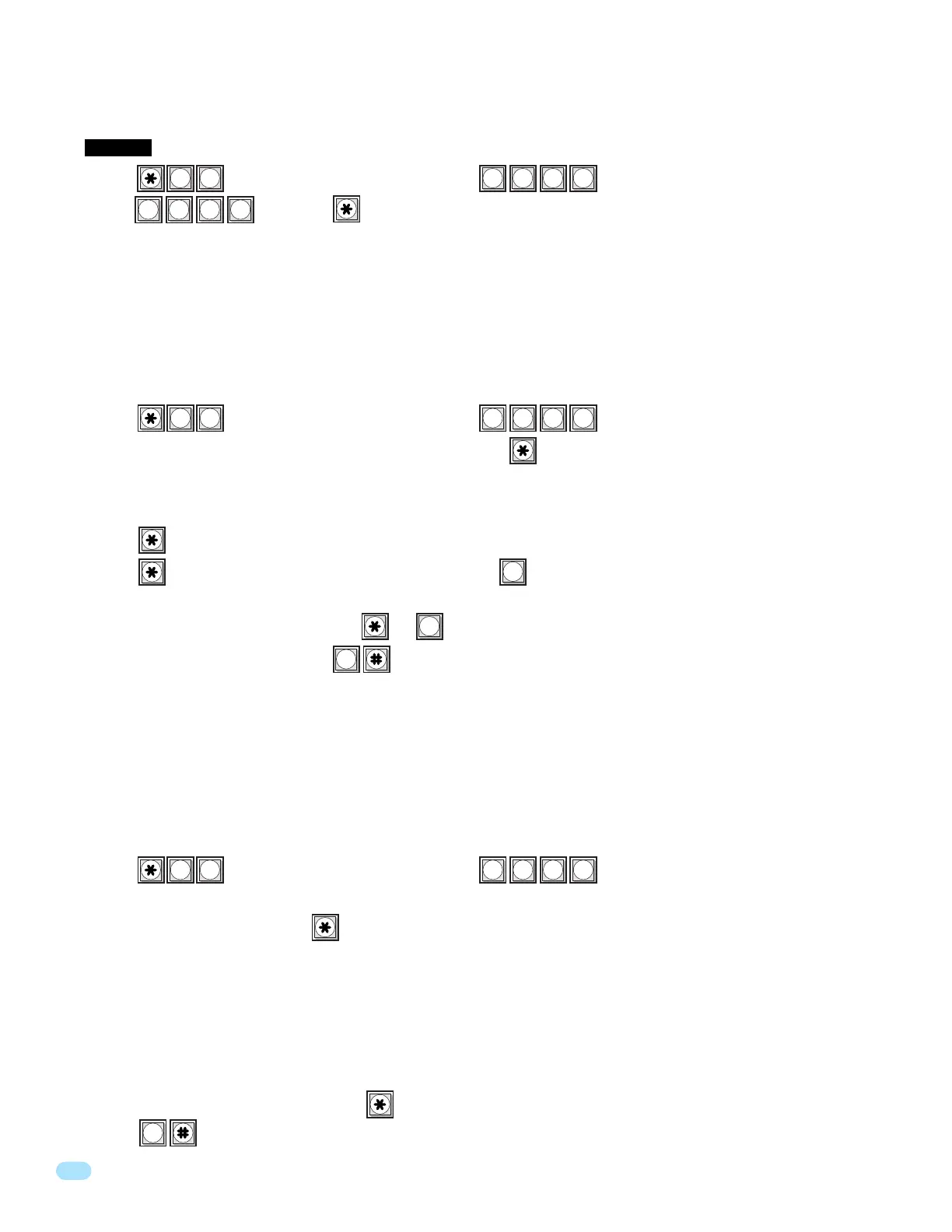
1. Press and enter your four-digit MASTER CODE (beep).
2. The first directory code will be displayed on the LCD screen. Press to view the phone number under this directory code.
7-Digit Phone Number Programming ONLY Note: The first directory code will be displayed on the LCD screen. The phone
number, area code reference number and area code programmed under this directory code. The telephone number will display
for 2 seconds, then the area code reference number and area code will display for 2 seconds. This sequence will repeat itself.
3. Press to go to the next step.
4. Press to move forward to the next directory code, OR press to DELETE the displayed phone number and move
forward to the next directory code. This CANNOT be UNDONE!
After the last phone number is displayed and OR is pressed, this programming sequence will automatically end itself
by a long (beeeeeep) OR you can press TOGETHER to end this programming sequence at ANY time (beeeeeep).
For 1803 & 1810 models ONLY. This program sequence is useful to display phone numbers when you DO NOT KNOW what
directory code they have been programmed under. This sequence also gives you the option to delete the phone number after it
is displayed.
3.2.6 Display / DELETE Phone Numbers with UNKNOWN Directory Codes
1. Press and enter your four-digit MASTER CODE (beep).
2. Enter the known directory code you wish to display the information for (1, 2, 3 or 4 digits, depending on what was
programmed in 3.2.1), then press (beep).
3. The information programmed under the directory code entered in step 2 will appear on the LCD display. If C C C C C C C
appears, this indicates that NO phone number has been programmed under the entered directory code.
7-Digit Phone Number Programming ONLY Note: The information programmed under the directory code entered in step 2 will
appear on the LCD display. The telephone number will display for 2 seconds, then the area code reference number and area
code will display for 2 seconds. This sequence will repeat itself. If C C C C C C C appears, this indicates that NO phone number
has been programmed under the entered directory code. If the first digit is flashing, this is the area code reference number and
indicates that the number displayed is a long distance phone number.
4. To display additional phone numbers press and repeat step 2.
5. Press together to end this programming sequence (beeeeeep).
For 1803 & 1810 models ONLY. Use this programming sequence to display phone numbers programmed under known direc-
tory codes, i.e. if you wanted to see what is programmed under directory code 2719 (assuming directory codes have been
programmed for four digits in 3.2.1). This programming sequence will NOT ALLOW you to delete phone numbers.
3.2.7 Display Phone Numbers with KNOWN Directory Codes
1. Press and enter your four-digit MASTER CODE (beep).
2. Enter , then press (beep). This CANNOT be UNDONE!
This programming sequence will automatically end itself by a long (beeeeeep).
This programming step deletes ALL phone numbers previously programmed into the system.
CAUTION: This programming step CANNOT be UNDONE!
3.2.5 Deleting ALL Phone Numbers
? ? ? ?
6
0
0
0
0
0
? ? ? ?
5
2
? ? ? ?
2
2
9 9 9 9



 To Next Page