D439E Service Manual 5. Service Tool
224
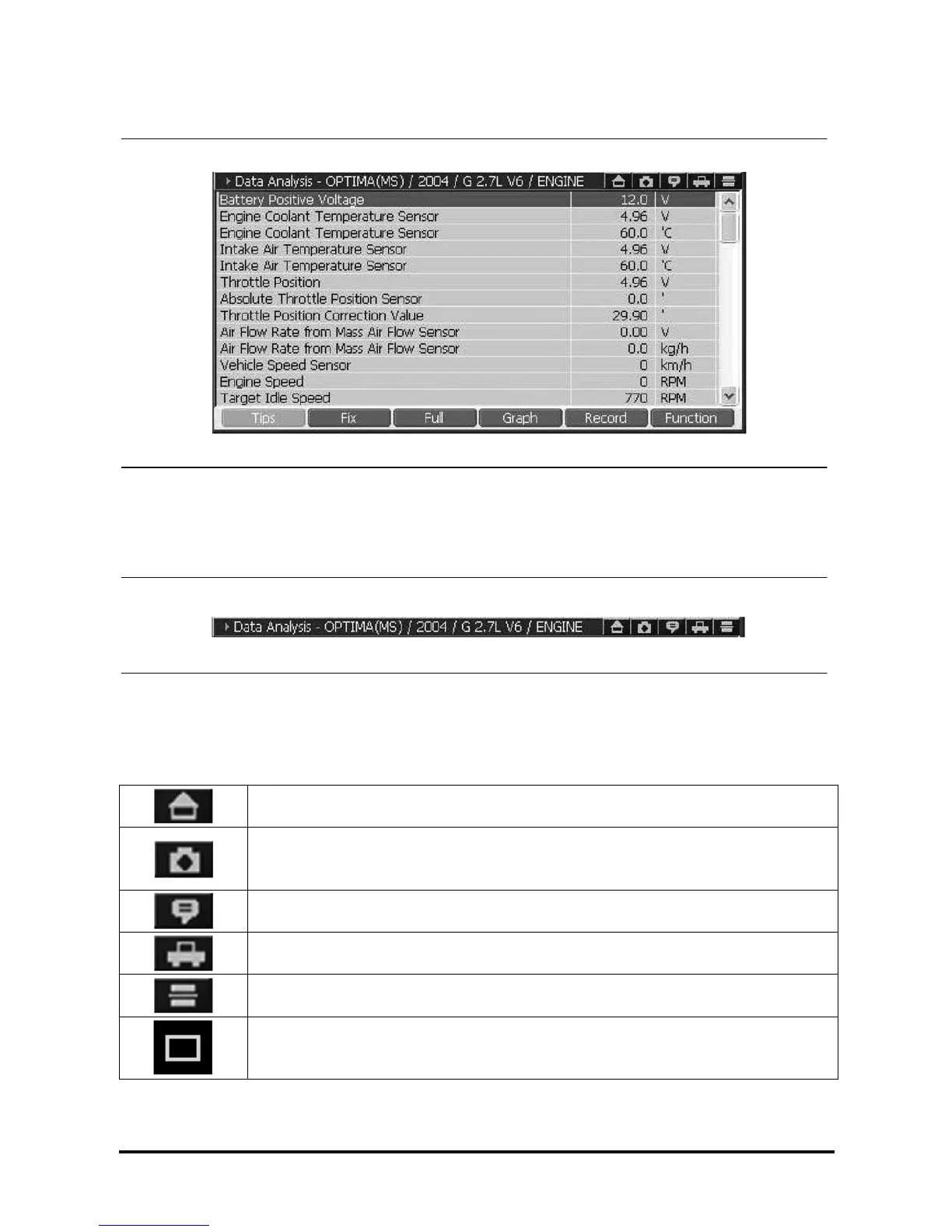
Diagnosis Screen Layout
<Figure 2: Diagnosis Screen>
Showing the Diagnosing System and Hot Key
<Figure 3. Selected vehicle system and Hot Keys>
The diagnosing item and the model under process are shown. For the icons, refer to the following table.
Description for the Common Icons in Diagnosing Window
Closes the current window and, return to the initial main screen.
Captures the current screen and save.
The captured screen will be saved at the “Storage Card\G-scan Image\Model” folder of
SD card.
Shows the information of the system currently communicating in detail.
Changes the system for diagnosing.
Changes to the dual mode from the overall screen.
Changes to the overall screen from the dual mode.



 To Next Page