D439E Service Manual 5. Service Tool
262
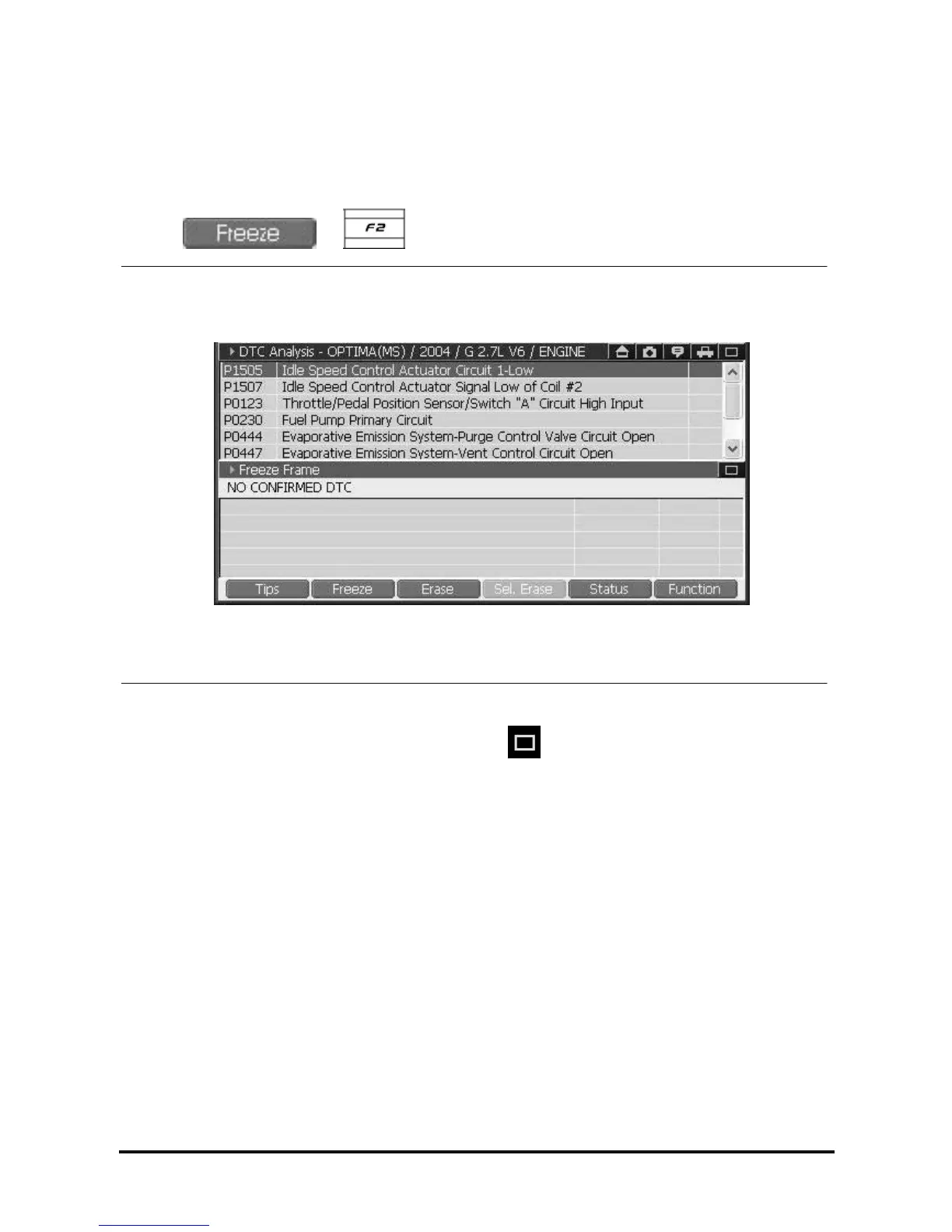
Check Freeze Frame
1. Select the DTC for the Freeze Frame you want to see.
Freeze Frame : Specific Current data of control module at the time of DTC detected.
2. Select
or button on DTC Analysis screen, you can check Freeze Frame.
<Figure 3: See the Freeze Frame>
3. If you want to close the Freeze Frame screen, select the
of “DTC Analysis” on top right side of
screen <Figure 3>.
NOTE : Availability of this function is subject to control module.



 To Next Page