27
Alarm Icons (Cont’d)
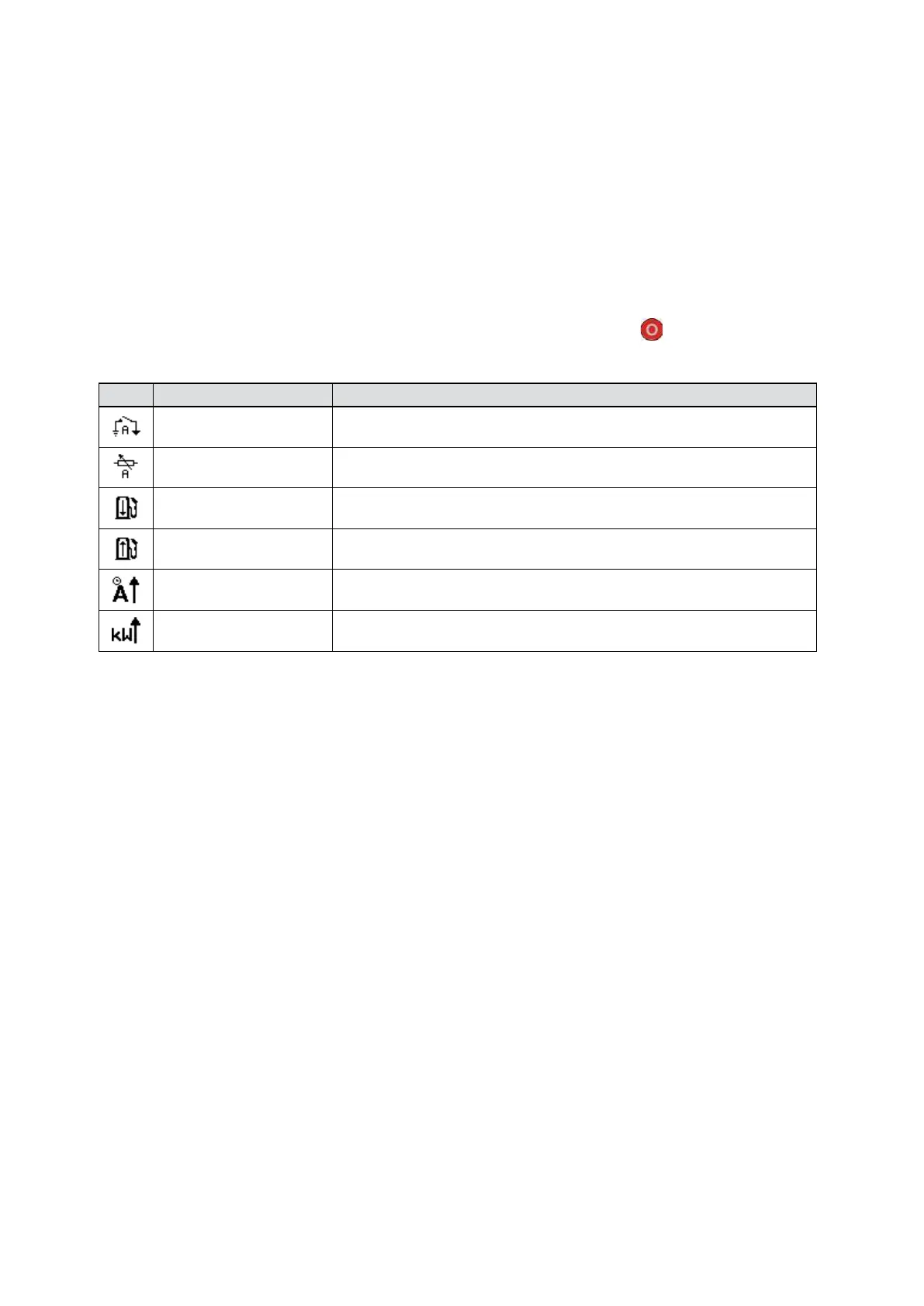
2. Electrical Trip Alarm Icons
Electrical trips are latching and stop the Generator but in a controlled manner. On initiation of the electrical trip condition
the module de-energises all the Delayed Load Output and the Close Gen Output outputs to remove the load from the
generator. Once this has occurred the module starts the Cooling timer and allows the engine to cool off-load before
shutting down the engine. The alarm must be accepted and cleared, and the fault removed to reset the module.
Electrical trips are latching alarms and to remove the fault, press the Stop/Reset Mode button on the module.
Note: The alarm condition must be rectified before a reset takes place. If the alarm condition remains, it is not
possible to reset the unit (The exception to this is the Low Oil Pressure alarm and similar active from
safety on alarms, as the oil pressure is low with the engine at rest).
Auxiliary Inputs
The module detects that an auxiliary input which has been user
configured to create a fault condition has become active.
Analogue Input
The module detects that an input configured to create a fault
condition has become active.
Low Fuel Level
The level detected by the fuel level sensor is below the low fuel level
pre-set alarm setting.
High Fuel Level
The level detected by the fuel level sensor is above the high fuel
level pre-set alarm setting.
Delayed Over Current
The measured current has risen above the configured trip level for a
configured duration.
kW Overload
The measured kW has risen above the configured trip level for a
configured duration.
Icon Fault
Description


 To Next Page