39
FRONT PANEL CONFIGURATION
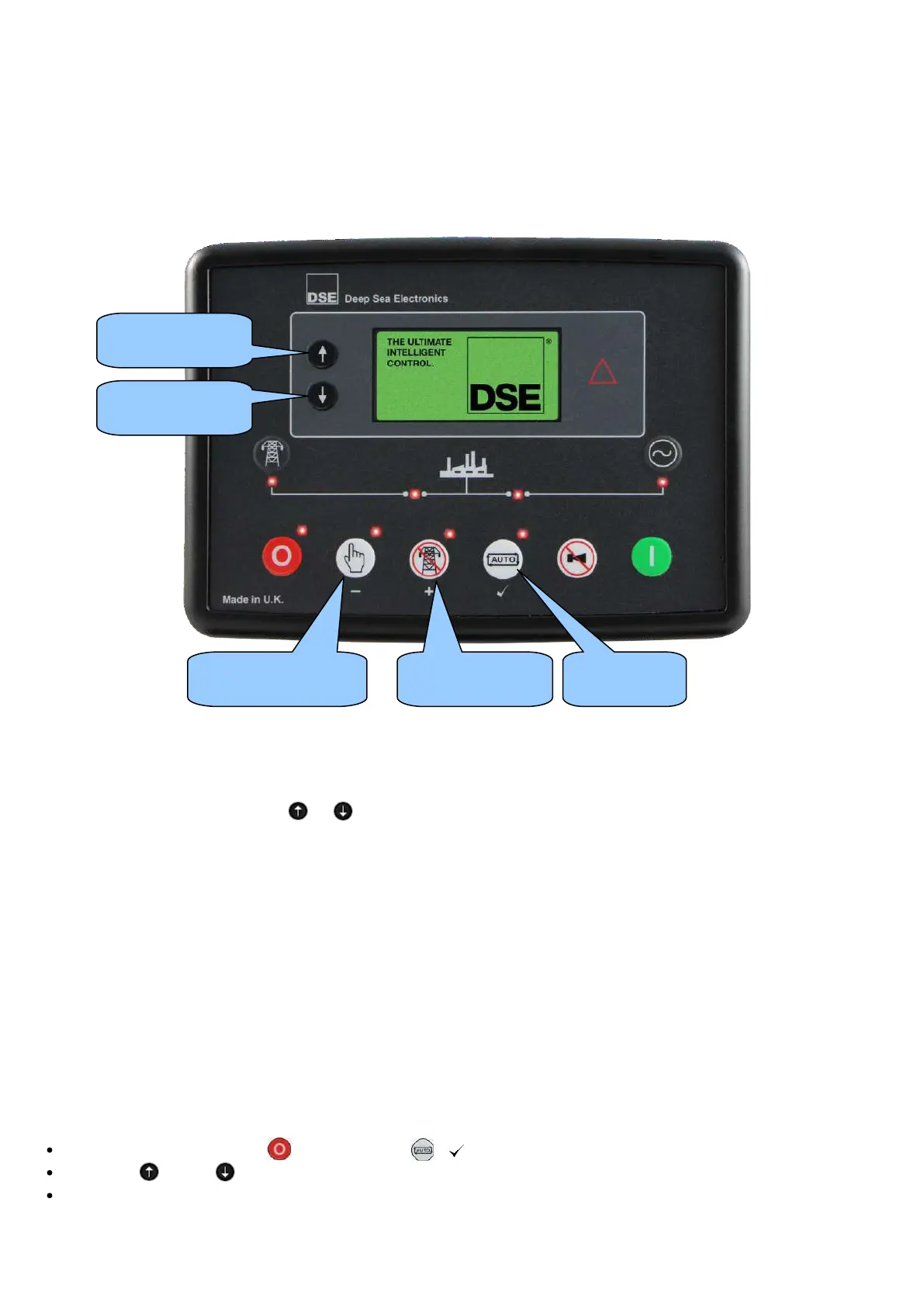
This configuration mode allows the operator to fully configure the module through its display without the use of the DSE
Configuration Suite PC Software.
Use the module’s facia buttons to traverse the menu and make value changes to the parameters:
ACCESSING THE FRONT PANEL CONFIGURATION EDITOR
Note: Pressing and holding the or navigation buttons provides the auto-repeat functionality. Values can
be changed quickly by holding the navigation buttons for a prolonged period of time.
The editor automatically exits after 5 minutes of inactivity to ensure security.
The PIN number is not set by DSE when the module leaves the factory. If the module has a PIN code set,
this has been affected by your generator supplier who should be contacted if you require the code. If the
code has been ‘lost’ or ‘forgotten’, the module must be returned to the DSE factory to have the module’s
code removed. A charge is made for this procedure. This procedure cannot be performed away from the
DSE factory.
The PIN number is automatically reset when the editor is exited (manually or automatically) to ensure
security.
More comprehensive module configuration is possible via PC configuration software. For further details
of module configuration, refer to DSE Publication: 057- 223 DSE60xx MKII Configuration Software
Manual.
(301→201→101)
(101→201→301)
(101→102→103)
(103→102→101)
Parameter
Press the Stop/Reset Mode and Auto Mode ( ) buttons together to enter the editor mode.
Press the (up) or (down) navigation buttons to cycle through the front panel editor in increments of 100.
Press the ( + ) or ( - ) navigation buttons to cycle through the front panel editor in increments of 1.


 To Next Page