2-24 Operating Controls 022-00029AE Operation and Maintenance Manual
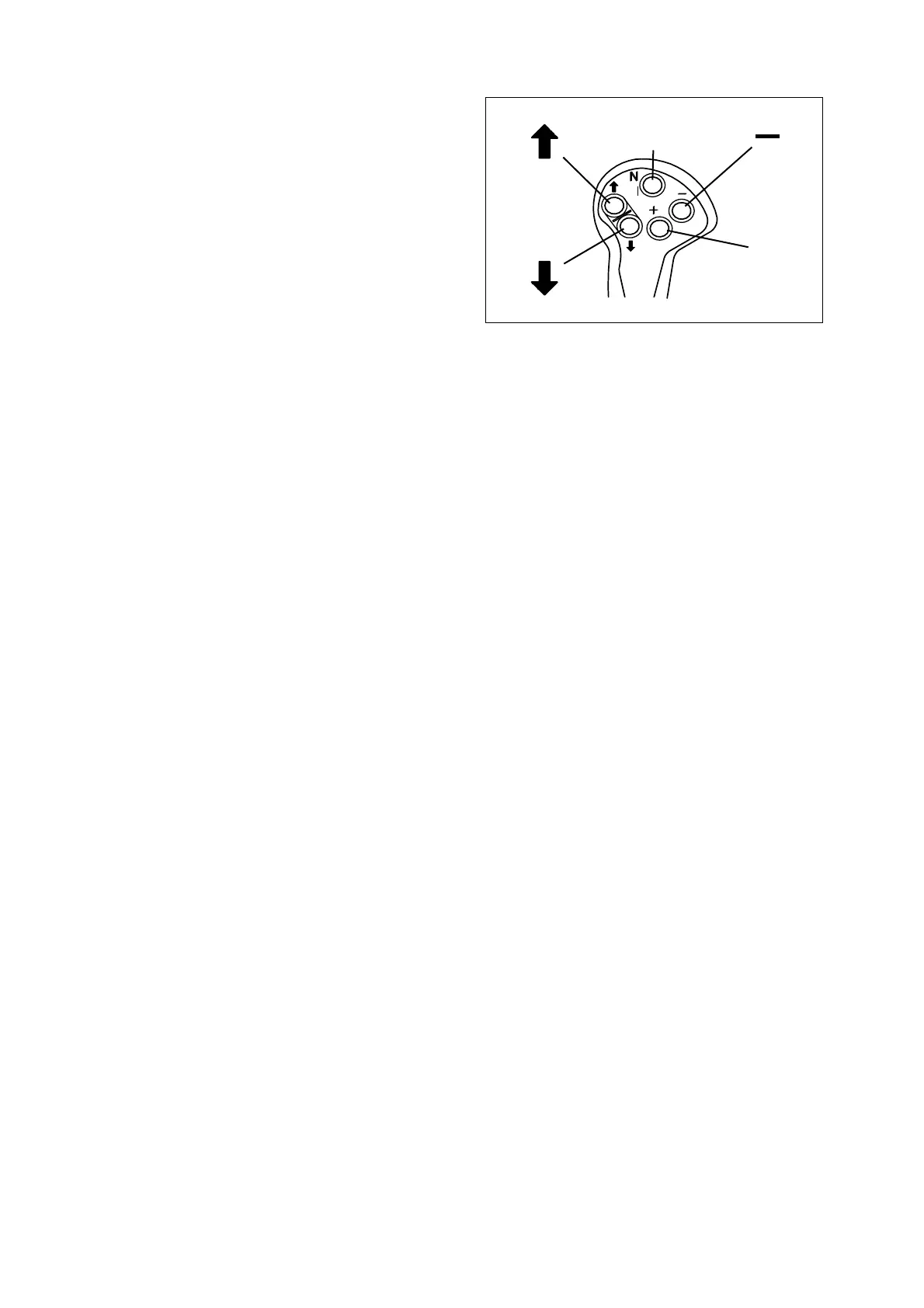
B. Traveling Speed Changing Switches.
The transmission has 4 speeds in
forward and 3 speeds in reverse.
"+" Button − When pressing this
switch, machine speed increase.
"-" Button − When pressing this
switch, machine speed decrease.
C. Kick-down Switch.
"KD" Button − When pressing this
switch that is in the rear side, kick-
down function is selected.
Ergo-II lever switch usage:
• When Rotating the starter switch to "I" (ON) position, DISPLAY indicates "NN."
• When DISPLAY indicates "N4" while "N" button of ERGO-II is pressed, start the engine.
• When DISPLAY indicates "N1" while "-" button is pressed, the machine is in the traveling ready
condition.
• When "↑" button is pressed at forward traveling while "KD" button is pressed, machine can travel
forward.
• When "↓" button is pressed at backward traveling while "KD" button is pressed, machine can
travel backward.
• When machine is travelled, it can convert forward and backward travel without pressing "KD"
button.
NOTE: Travel can be possible while "KD" button is pressed at NEUTRAL condition.
• "+" Button − Increase speed.
• "-" Button − Decrease speed.
• Kick-down switch: "KD" Button.
Figure 48
N
+
HAAD3761



 To Next Page