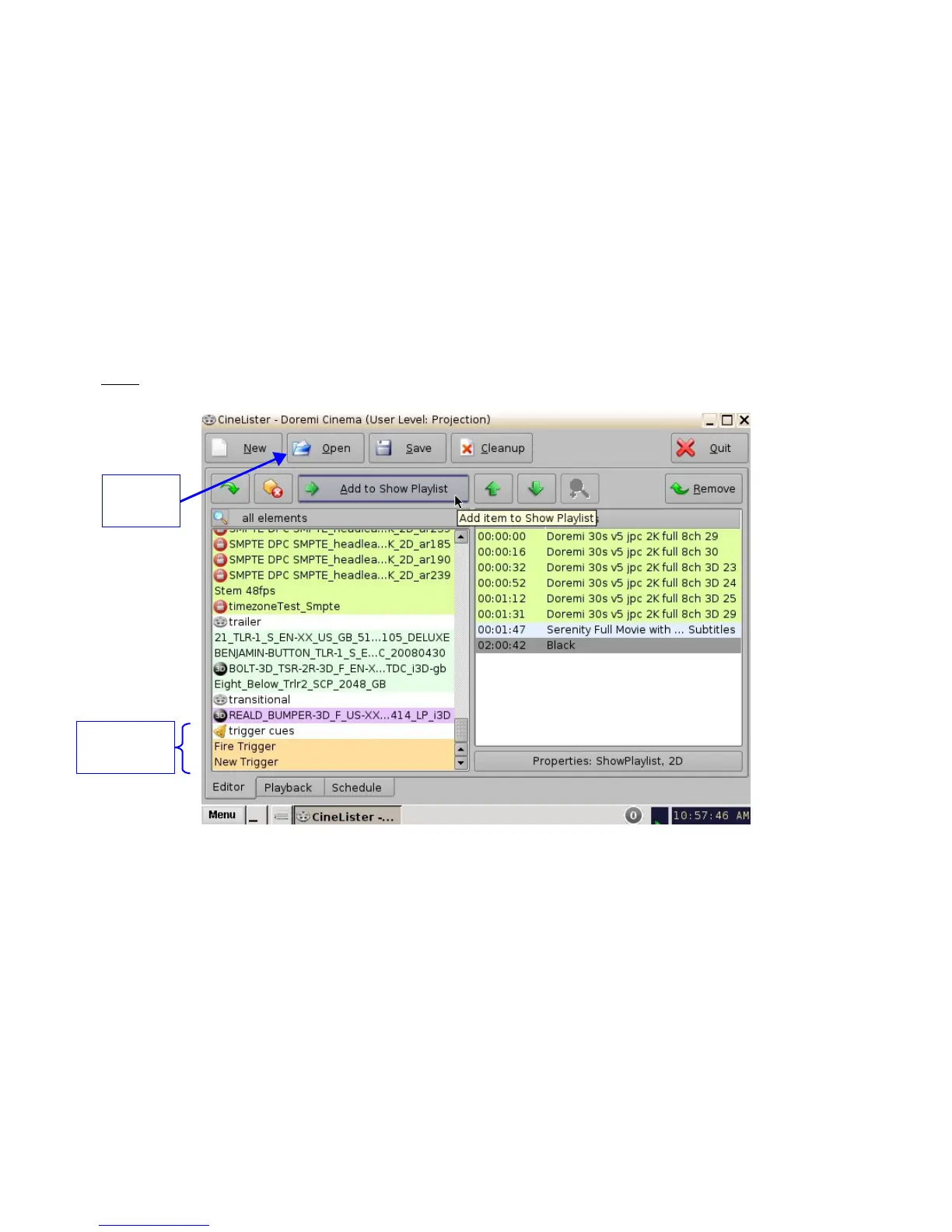
15 Add a Trigger Cue to a Show Playlist
• Go to the CineLister application from the Menu on the DCP-2000 desktop.
• In the Editor tab, select a Trigger Cue on the left part of the GUI and click on “Add to Show
Playlist” ( Figure 191).
• The “Edit Trigger Cue” window will appear ( Figure 192).
• Select the Automation Cue to associate to the Trigger by clicking on it in the “Automation
Cues” window.
• The default setting is to add the Trigger Cue to all elements of the Show Playlist ( Figure
192).
• Click Ok when finished.
Note: If you select the trigger cue available only for one element of the SPL, the server will
automatically apply the trigger cue to the last element in the SPL ( Figure 191).
Figure 191: CineLister GUI – Editor Tab
______________________________________________________________________________________
D2K.OM.001822.DRM Page 149 of 177 Version 1.5
Doremi Labs
List of Trigger
Cues
Open
Button



 To Next Page