5.2 Changing the Time Zone
• To change the time zone, follow the steps below in the terminal window
(Menu/System/Terminal):
• Type: su and then press Enter.
• Type the "root" password to log in as "root" – consult the system administrator to receive
the root password or Doremi to know the default root password.
• Type: rwdo tzconfig and then press Enter.
• Type: Yes (to confirm the change).
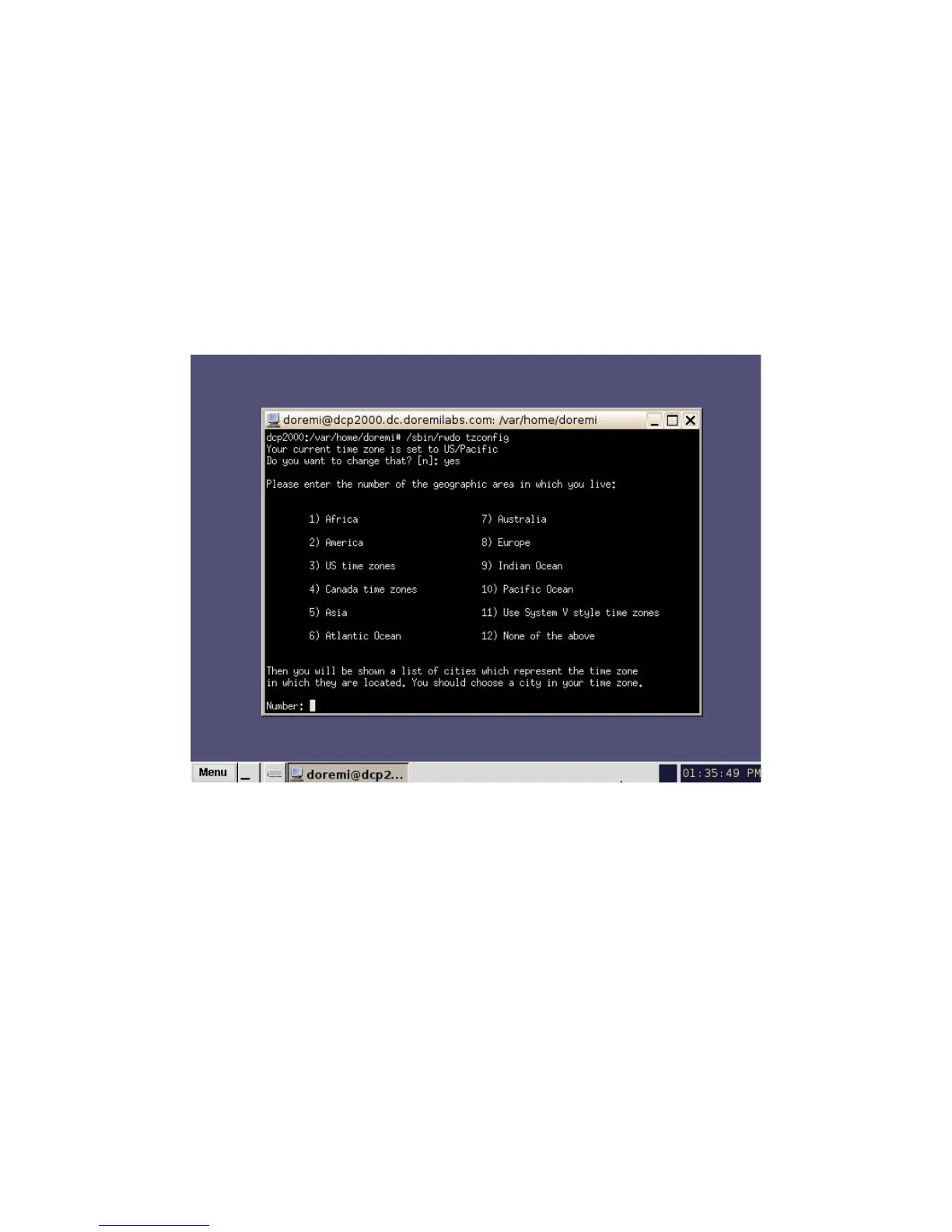
• Select the number of the geographic area for the time change (Figure 12).
Figure 12: Terminal Window with Time Zone Wizard
• Once the geographic area number has been selected, press Enter.
• Type the name of the city / region that you would like the time zone set to (e.g., Singapore,
Caribbean, PST, etc.).
• Press Enter.
• After typing the city / region, the unit will now be set to the desired configuration.
• Exit the terminal window.
______________________________________________________________________________________
D2K.OM.001822.DRM Page 16 of 177 Version 1.5
Doremi Labs



 To Next Page