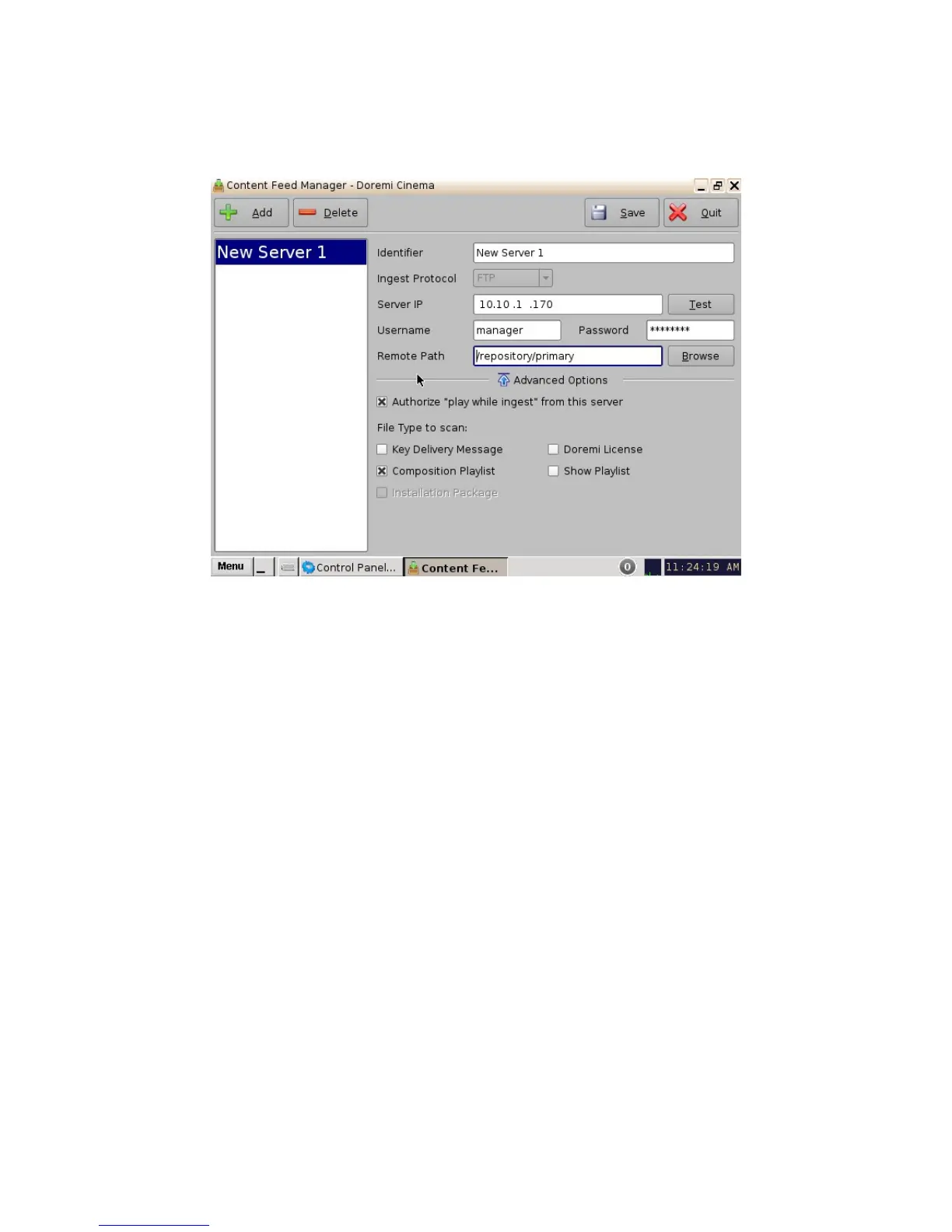
• Click the Save button to save the configuration.
• Click the Quit button when finished.
• The server is now added to the Content Feed Manager network.
Figure 46: Server Added - Example
6.3.6 Deleting a Server
You can delete a server from the Content Feed Manager list by selecting it and clicking on the
Delete button. This will also remove it from the Ingest Manager drop-down list of servers to ingest
from. See Figure 46 for the Delete button.
6.3.7 Ingesting from a Server that was Added
• In order to ingest material (restrictions are based on the Advanced Options settings) on our
destination unit, you will need to open the Ingest Manager application (Menu ->Doremi
Apps.-> Ingest Manager). Select the unit that was just added (as a source/feed) in the
Content Feed Manager application.
• This will populate the Ingest Manager application scan tab window with all the content
available for ingest from the selected source/feed unit.
• You can now select the desired material to ingest.
______________________________________________________________________________________
D2K.OM.001822.DRM Page 42 of 177 Version 1.5
Doremi Labs



 To Next Page