9. Parameterization / Service
Once the learning cycle has been performed the drive can be
run with the basic parameters.
The system also allows the driving parameters to be adapted
to the actual circumstances and extended functions to
be activated. These parameters should be set during the
commissioning phase in line with the user’s requirements.
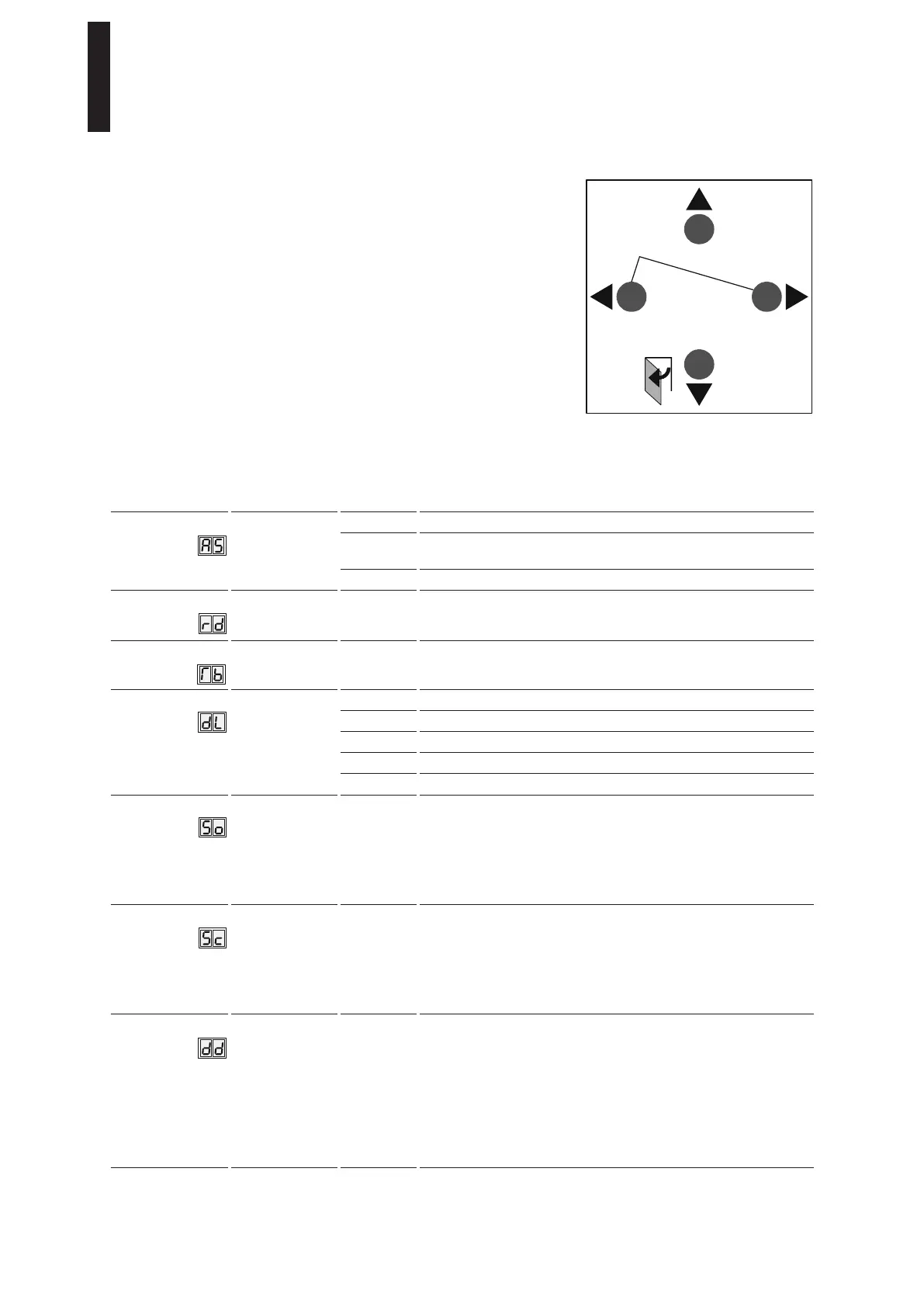
<3s Quit
>3s Reset
<3s
>3s
LEARN
>8s
Fact-Setup
>3s
PRG
Parameters / Display Value range Unit
factory
setting =
bold
Explanation
Installation type
0 – 2
0
Lintel mounting on hinge side, pull version of slide channel
1 Lintel mounting on opposite hinge side, push version of projecting
arm
2 Lintel mounting on opposite hinge side, push version of slide channel
Lintel depth
ED 100: - 3 – 30
ED 250: - 3 – 50
0
The lintel depth is set in increments of 10 mm. Please refer to the
installation drawings for the required dimensions. If using the CPD
lever, around 30 mm must be deducted from the real lintel depth.
Door leaf width
ED 100: 7 – 11
ED 250: 7 – 16
10
The rebate is included in the door leaf width.
The door width is specified in increments of 100 mm.
Door type
0 – 4
0
Single-leaf door
1 Double-leaf door, active leaf, overlapping door leaf
2 Double-leaf door, passive leaf, overlapping door leaf
3 Double-leaf door, active leaf, edgeless door leaf
4 Double-leaf door, passive leaf, edgeless door leaf
Opening speed
ED 100: 8 – 50
ED 250: 8 – 60
(reduced to max.
27°/sec. in the
event of Low-
Energy)
Degrees /
second
25
The opening speed refers to automatic mode. Country-specific limits
must be complied with and checked after parameters have been set.
The full setting range is available only when the Full-Energy Upgrade
Card is installed. The speed can be changed using this parameter.
The admissibility of the setting is checked via internal monitoring
features. If the value has been exceeded, the set value is alternately
displayed with the effective value.
Closing time
ED 100: 8 – 50
ED 250: 8 – 60
(reduced to max.
27°/sec. in the
event of Low-
Energy)
Degrees /
second
25
The closing time refers to automatic mode. Country-specific limits
must be complied with and checked after parameters have been set.
The full setting range is available only when the Full-Energy Upgrade
Card is installed. The speed can be changed using this parameter.
The admissibility of the setting is checked via internal monitoring
features. If the value has been exceeded, the set value is alternately
displayed with the effective value.
Hold-open time
0 – 30
(default in the
event of Low-
Energy = min. 5 s)
0 – 180
with Professional
Upgrade Card
Seconds
5
The hold-open time should be set such that people have enough time
to pass through the door. If a longer hold-open time is desired, the
setting range can be extended to 180 s with the Professional Upgrade
Card. The hold-open time starts once the contact / voltage at the
internal, external, safety and Push & Go activator inputs has been
opened / drops and the door is in the open position. The signal can be
retriggered. In the low-energy operation mode, the value must not fall
below the min. hold-open time of 5 s. Values from 0 – 30 seconds
can be set in increments of 1 second, and values of more than 30
seconds can be set in increments of 5 seconds.
ED 100, ED 250
—
30 DORMA





 To Next Page